
Wide World Importers deployed Microsoft 365 Copilot six months ago. The VP of IT wants to present to the executive team showing how many users are actively using Copilot in Teams, Word, and Outlook specifically, along with trend data over the past 90 days. Where should the administrator find these workload-level adoption details?
Select an answer to reveal the explanation.
Short Explanation
The Microsoft 365 admin center usage reports are your Copilot adoption report card — broken down by app with trend lines over time. You'll use them to show the exec team exactly where people are getting value from Copilot.
Full Explanation
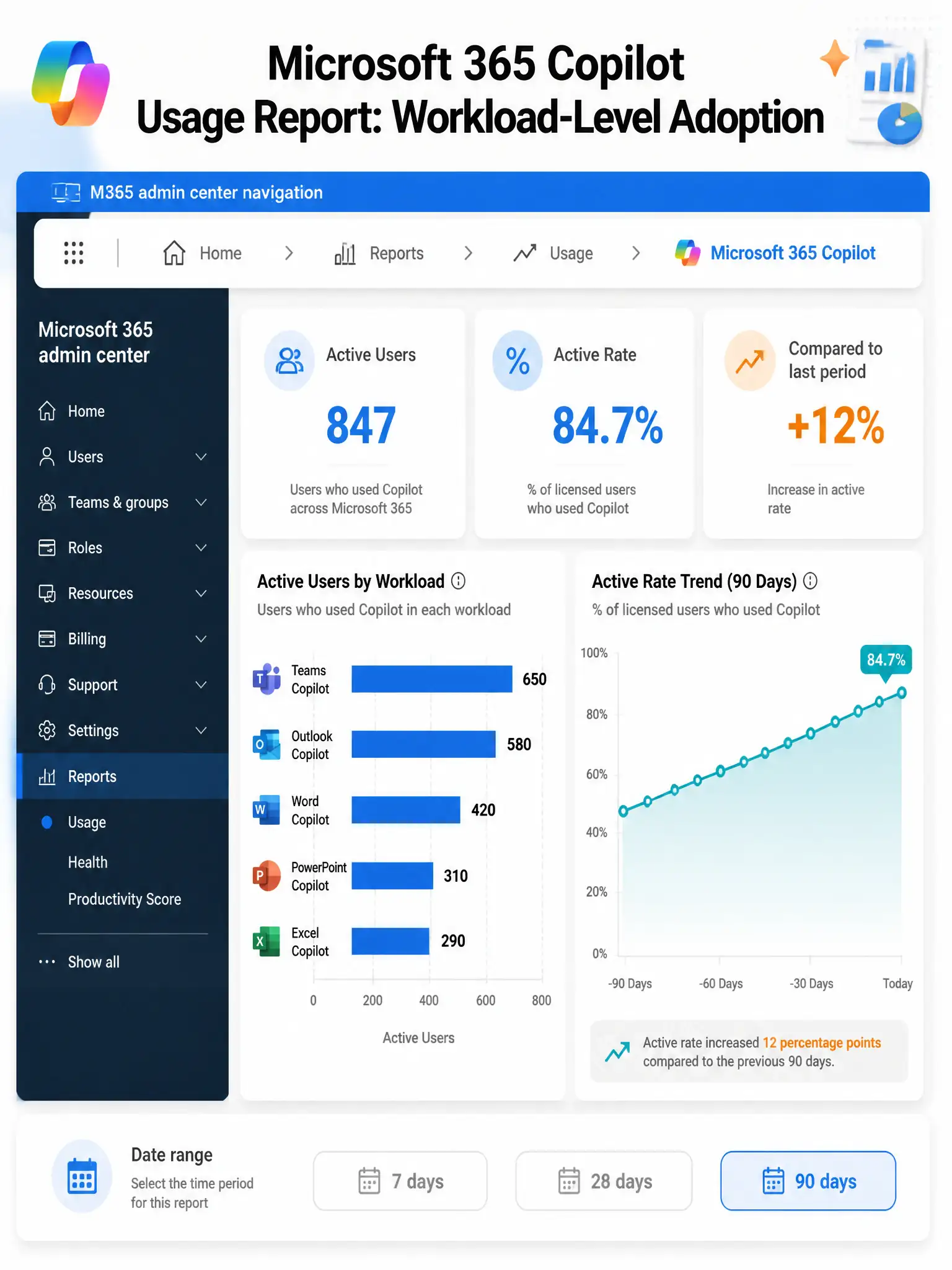
The Microsoft 365 Copilot usage report, found in the Microsoft 365 admin center under Reports > Usage, provides workload-level adoption details showing active users and usage trends for individual Microsoft 365 applications, including Teams, Word, Outlook, PowerPoint, Excel, and Copilot Chat. The report includes 7-day, 28-day, and 90-day trend data, allowing administrators to assess adoption over time and identify which workloads are seeing the highest engagement. This is the primary tool for tracking Copilot adoption across the organization and presenting data to leadership.
The Microsoft Viva Insights dashboard, under the Copilot adoption section, provides employee experience and productivity analytics, including some Copilot usage data through the Copilot Dashboard. While Viva Insights is valuable for individual and team-level productivity insights, the question specifically asks about workload-level app-by-app adoption details and trend data, which is most clearly surfaced in the Microsoft 365 admin center usage reports.
The Copilot Control System in the Microsoft 365 admin center, under the adoption score section, provides a higher-level adoption scoring and benchmarking capability. However, the granular workload-level breakdown, such as Copilot in Teams versus Word versus Outlook with 90-day trends, is specifically available in the Microsoft 365 admin center usage reports, not just in the Control System.
The Microsoft Defender portal reports for cloud app activity for Copilot workloads is a security monitoring tool that tracks application access and data flows for threat detection. It is not designed for Copilot adoption reporting or workload-level usage analysis.
Exam tip: The Microsoft 365 admin center Reports > Usage > Microsoft 365 Copilot usage report is the go-to for workload-level adoption details. Know that it breaks down usage by individual Microsoft 365 apps, such as Teams, Word, and Outlook, and provides trend data across standard reporting periods.