
Coho Winery has deployed Microsoft 365 Copilot to 200 users across sales, marketing, and finance departments. The CFO wants a monthly report showing how much is being spent on Copilot by department, and the IT administrator wants to set up alerts if monthly AI service costs exceed a defined budget threshold. Where should the administrator go to manage and monitor these AI service costs?
Select an answer to reveal the explanation.
Short Explanation
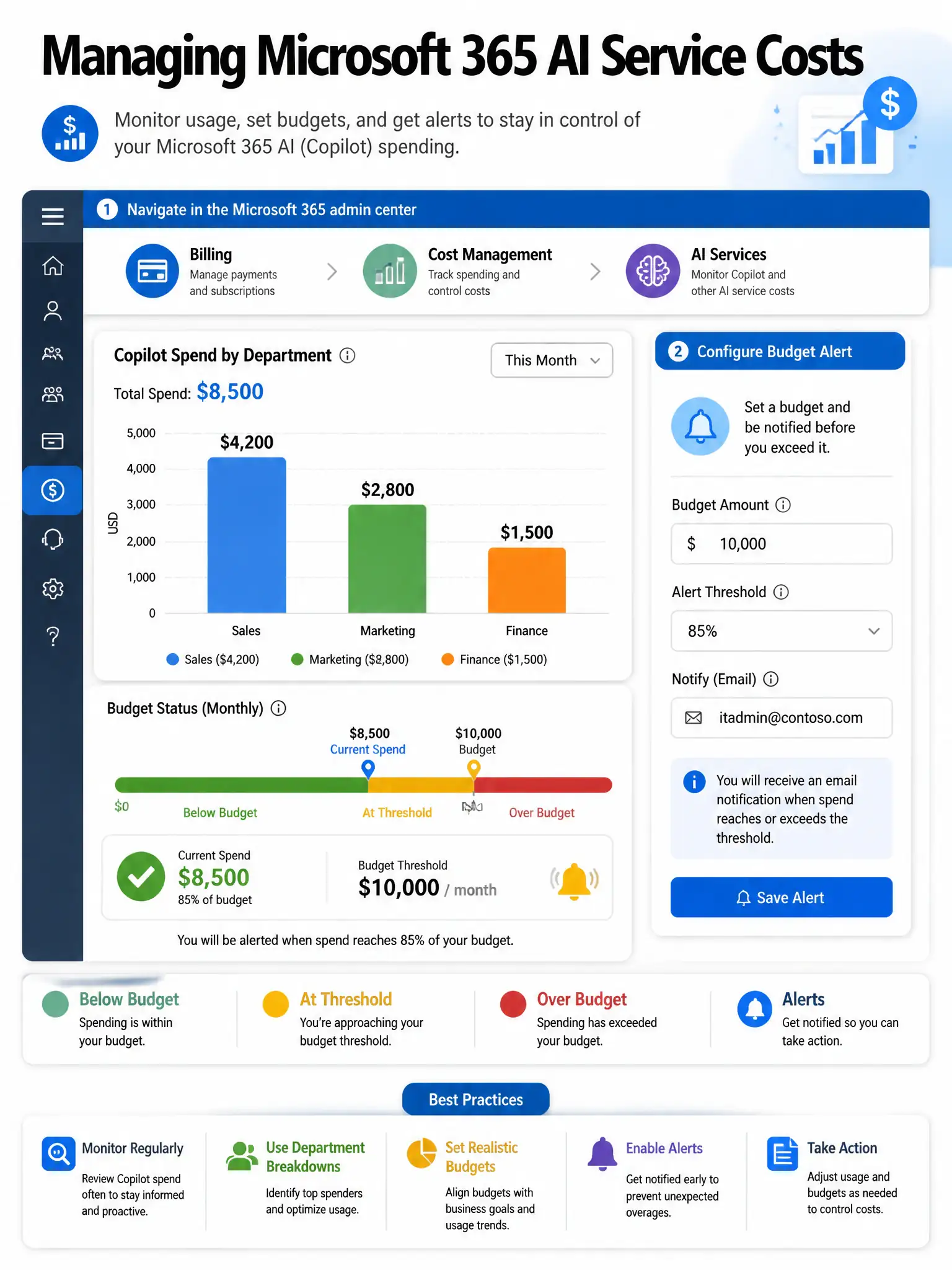
Keeping an eye on Copilot spending works like your personal budget app. The Microsoft 365 admin center Billing area gives you AI services cost reports with department-level breakdowns and budget alert triggers. You don't need to dig through Azure Cost Management for Microsoft 365 licenses.
Full Explanation
The Microsoft 365 admin center under Billing > Cost management is the right place because it includes AI services cost management capabilities that let administrators view spending on Microsoft 365 Copilot and other AI services, broken down by department, user group, or other organizational dimensions. It also lets you set budget thresholds and configure alerts that notify administrators when spending approaches or exceeds defined limits. These reports are purpose-built for Microsoft 365 AI service licensing costs and do not require Azure Cost Management, which is designed for Azure infrastructure resource consumption.
The Azure portal choice using Microsoft Cost Management and filtering by Microsoft 365 Copilot resource tags is wrong because Microsoft Cost Management is the financial management tool for Azure infrastructure resources such as virtual machines, storage, and databases. Microsoft 365 Copilot is a SaaS license, not an Azure resource consumption item, so that Azure portal cost management approach does not surface Microsoft 365 Copilot license spend in the same granular, departmental way.
The Microsoft Purview compliance portal choice under Data lifecycle management is wrong because it manages how data is retained, deleted, or archived. It has no cost monitoring or budget alerting capabilities related to AI services.
The Copilot Control System dashboard choice using the service health cost breakdown view is wrong because the Copilot Control System is designed for monitoring Copilot usage adoption and service health, not specifically for financial cost tracking and budget alerts. While it provides usage data that correlates with value, dedicated cost management belongs in the Billing section.
Exam tip: Cost management and budget alerts for Microsoft 365 AI services are handled in the Microsoft 365 admin center Billing area, not Azure Cost Management. Know this distinction for the exam — Microsoft 365 SaaS licensing costs versus Azure consumption costs are tracked in different places.