
A financial services company must comply with regulations requiring all email communications to be retained for a minimum of 7 years and to remain immutable during that period. The requirement applies to all current and future Exchange Online mailboxes. What should the admin configure?
Select an answer to reveal the explanation.
Short Explanation
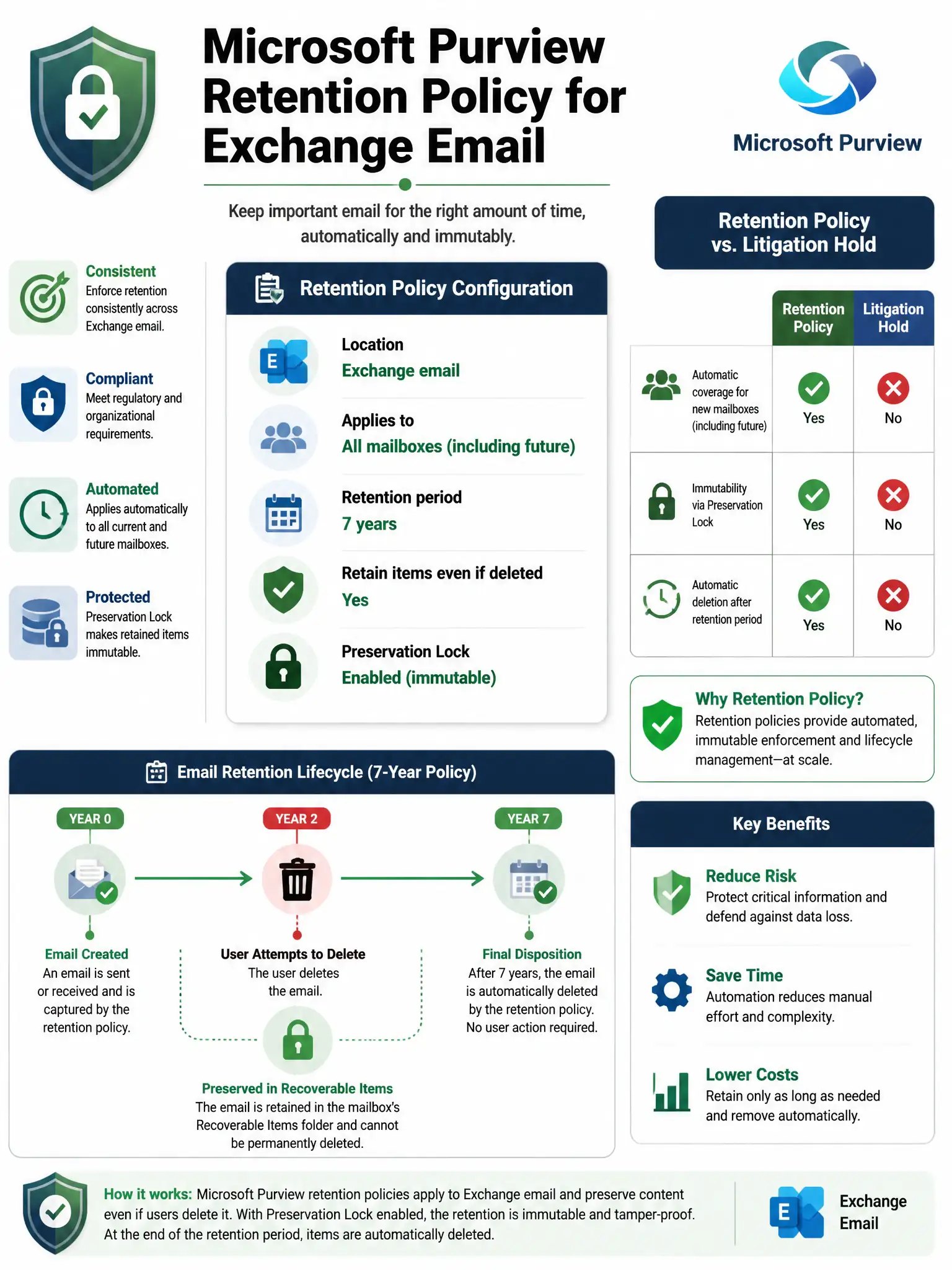
You need a Microsoft Purview retention policy targeting Exchange email, set to 7 years, applied to all mailboxes, and locked with Preservation Lock for immutability. It keeps deleted items in the service and automatically covers new mailboxes. Litigation hold is per-mailbox and doesn't automatically cover new hires.
Full Explanation
Microsoft Purview retention policies (configured in Microsoft Purview compliance portal > Data lifecycle management > Microsoft 365 > Retention policies) allow centralized, policy-based retention management across Microsoft 365 workloads. The correct configuration is a retention policy targeting Exchange email with a 7-year 'Retain items for a specific period' setting, applied to 'All recipients', and configured to retain items even if users delete them. This automatically covers all current and future Exchange Online mailboxes — including newly created ones — without any manual per-mailbox configuration. Items retained by the policy are protected in the Recoverable Items folder even if users delete them. For regulatory compliance requiring immutability, Preservation Lock can be applied to the retention policy, making it impossible to reduce the retention duration or delete the policy (even by Global Administrators). This is specifically designed for regulatory scenarios like SEC Rule 17a-4.
The litigation hold approach is a valid per-mailbox hold mechanism, but it has two significant weaknesses for this scenario: it must be enabled individually for each mailbox, and there is no automatic application to new mailboxes unless a process is built. It also doesn't provide the same built-in retention policy behavior with automatic deletion after 7 years; it holds indefinitely or until manually removed. For broad regulatory retention programs, retention policies are the preferred modern approach over per-mailbox litigation hold.
The archive mailbox approach with auto-expand archiving addresses mailbox storage capacity, not regulatory retention compliance. Archive mailboxes don't prevent users from permanently deleting messages — they just provide additional mailbox storage. Auto-expand archiving solves the 'my archive is full' problem, not the 'we must retain all email for 7 years' problem.
The Azure Blob Storage backup approach isn't a native Microsoft 365 compliance solution. Third-party backup solutions can be valuable for disaster recovery but generally don't provide the legal admissibility and chain of custody features required for regulatory compliance. Microsoft Purview retention within the Microsoft 365 service boundary provides WORM-compliant retention that regulators accept for records management.
Exam tip: Retention policies and retention labels are different in Microsoft Purview. Retention policy applies to an entire location (all Exchange mailboxes, all SharePoint sites) uniformly. Retention label is applied to specific items (individual emails or documents) and is item-level. For compliance scenarios requiring all items in a location to be retained, retention policies are usually the right tool. Retention labels are used when different content within the same location needs different retention periods.