
A Copilot Studio developer needs to write a Power Fx formula in an agent topic's variable assignment step. The formula must find the most recent open service ticket in the Dataverse 'ServiceTickets' table for a specific customer (stored in Topic.CustomerID as a GUID), where the ticket's 'Priority' column is either 'High' or 'Critical', and return only the ticket's 'TicketNumber' text value. The ServiceTickets table has columns: TicketID (GUID), TicketNumber (text), CustomerID (lookup to Customers), Priority (choice), Status (choice, 'Open'=1), and CreatedOn (datetime). Which Power Fx formula correctly implements this logic?
Select an answer to reveal the explanation.
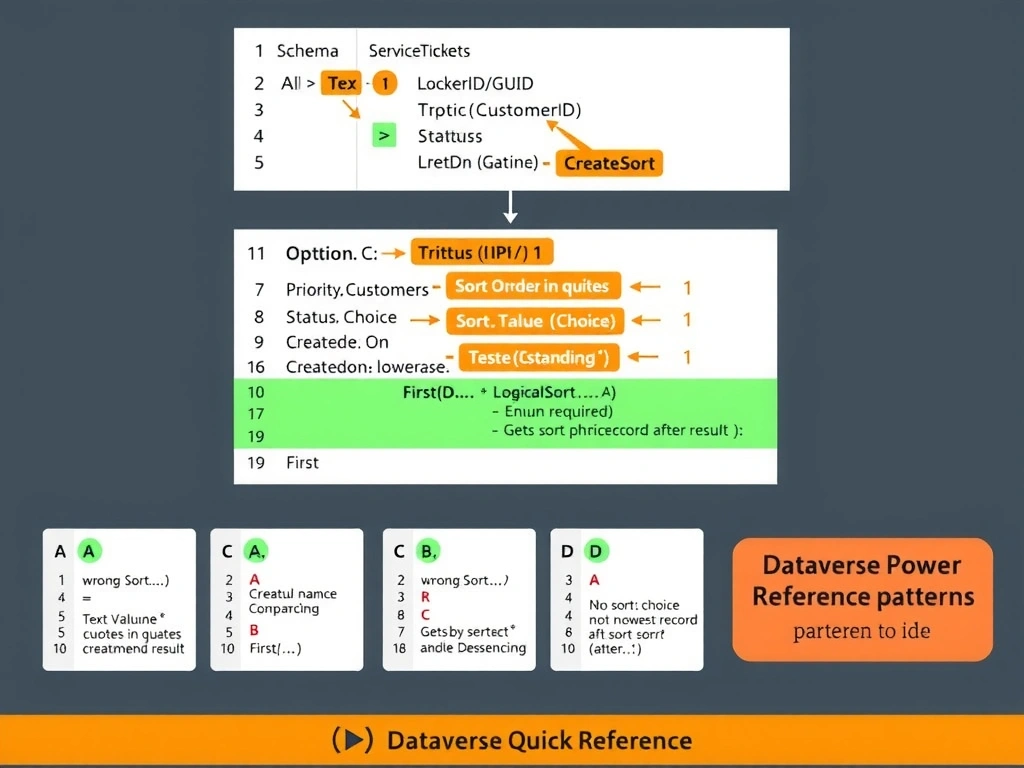
Short Explanation and Infographic
Dataverse lookup columns expose the related record's ID through the .Id property (not direct equality), and GUIDs from text variables need wrapping in GUID() before comparison. Choice columns expose their integer value via .Value. SortByColumns uses the logical column name in lowercase ('createdon'), and you want First() on the Descending-sorted result to get the newest record. C gets all of that right.
Full explanation below image
Full Explanation
This question tests knowledge of Dataverse-specific Power Fx patterns, which differ from standard Power Fx in important ways due to Dataverse column types.
Option C is correct. Let's break down why each element is necessary:
1. Filter(ServiceTickets, ...) — correct base function for multi-condition filtering of a table. 2. CustomerID.Id = GUID(Topic.CustomerID) — CustomerID is a Dataverse lookup column (N:1 relationship). Lookup columns in Power Fx expose the related record's unique identifier through the .Id property. Topic.CustomerID is stored as a text string (the agent variable type), so it must be converted to a GUID type using the GUID() function before comparison with the lookup column's .Id property. 3. Status.Value = 1 — Dataverse choice (option set) columns expose their numeric value through .Value. The Status choice 'Open' has a value of 1 per the scenario. 4. Priority.Value = "High" Or Priority.Value = "Critical" — choice column string label comparison. Note: parentheses around the Or are not strictly needed here because both sides of the Or involve the same binding, but adding them improves readability. In a full expression, parentheses must be used. 5. SortByColumns(..., "createdon", SortOrder.Descending) — SortByColumns requires the column name as a string in the logical column name format (lowercase for system columns like createdon). SortOrder.Descending is the correct enum. 6. First(...) — returns the first record of the sorted result, which is the most recent after descending sort. 7. .TicketNumber — property access to return only the text value of the TicketNumber column.
Option A is incorrect. Sort() in Power Fx uses the column reference directly (e.g., Sort(table, column, SortOrder.Descending)), not a string column name. The form shown — Sort(..., CreatedOn, Descending) — has two issues: CreatedOn as an unquoted reference is valid in Sort(), but Descending (without SortOrder.) is not valid Power Fx enum syntax. Also, CustomerID = Topic.CustomerID without .Id and GUID() would fail for a lookup column comparison.
Option B uses LookUp, which returns the first record matching the filter — but it is not guaranteed to be the most recently created one because LookUp does not sort before filtering. Without sorting, LookUp returns an arbitrary matching record, which may not be the most recent.
Option D uses LookUp on a pre-sorted table, which looks clever but has two issues: (1) LookUp applies its condition to the sorted table, and the And/Or precedence issue — Status = 1 And Priority = "High" Or Priority = "Critical" — evaluates as (Status = 1 And Priority = "High") Or (Priority = "Critical"), which would return any Critical ticket regardless of Status. Parentheses are missing. (2) Status = 1 compares a choice column directly to a number, which requires .Value for the choice column.
Exam tip: Dataverse-specific Power Fx patterns on AB-620 include: Lookup columns need .Id for GUID comparison; Choice columns need .Value for numeric or text label comparison; GUIDs from text variables require GUID() wrapping; SortByColumns uses string column names (logical name, lowercase for system columns); LookUp does not sort — use First(SortByColumns(Filter(...))) for 'most recent' scenarios.