
An enterprise security team requires that a Copilot Studio agent authenticating to a high-security internal API use client certificate authentication instead of OAuth tokens or API keys. The certificate is managed by the company's PKI team and stored in Azure Key Vault. A developer must configure the integration so the agent sends the certificate with each API request. Which approach correctly implements client certificate authentication for the agent's API calls?
Select an answer to reveal the explanation.
Short Explanation and Infographic
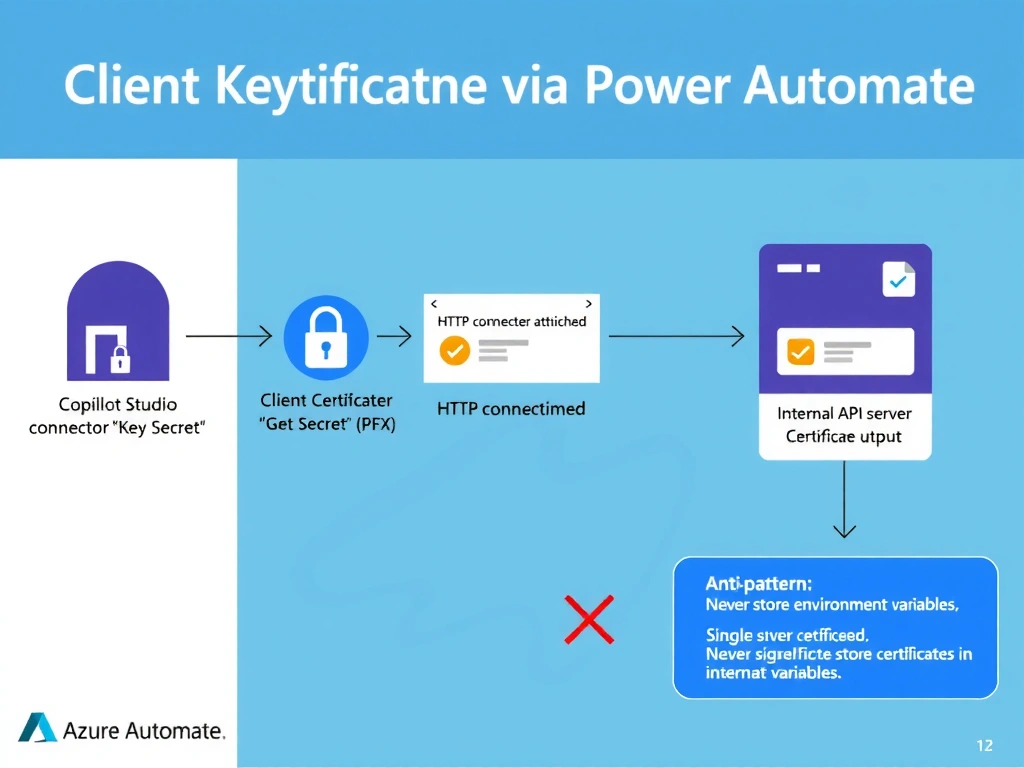
Certificates live in vaults, not in chat apps. The right architecture is a Power Automate flow that acts as the secure intermediary: it opens the vault, attaches the certificate to the API call, and hands the response back to the agent — the agent never touches the certificate directly.
Full explanation below image
Full Explanation
Client certificate authentication requires the calling party to present an X.509 certificate during the TLS handshake, proving its identity cryptographically. In the context of a Copilot Studio agent calling a high-security internal API, the agent itself cannot directly manage certificate files — Copilot Studio topics do not have a native mechanism for TLS mutual authentication with client certificates.
The correct architecture uses Power Automate as the secure intermediary. The flow: (1) uses the Azure Key Vault connector to retrieve the certificate secret (PEM or PFX) from Key Vault — this requires the flow's connection to Key Vault to have the 'Get Secret' permission; (2) constructs an HTTP request using the HTTP connector's client certificate configuration (which supports providing the certificate as part of the request); (3) calls the internal API with the certificate attached; (4) returns the API response as output to the Copilot Studio agent. The agent invokes this flow via the 'Run a flow from Copilot Studio' trigger.
Option A is incorrect because Power Platform custom connectors do not natively support 'Client Certificate' authentication as a first-class authentication type in the connector definition. Custom connectors support API key, OAuth 2.0, Basic, and Windows authentication — not client certificate TLS authentication in the connector framework itself.
Option B is incorrect and a serious security anti-pattern. Storing a PFX certificate (including private key) as a base64 string in an environment variable, decoding it in topic expressions, and passing it as a header is technically infeasible for TLS client auth (which happens at the network layer, not the HTTP header layer) and would expose the private key material in logs and topic expressions.
Option D is a viable architectural pattern but answers a different question. Using Azure API Management as a certificate-injecting proxy means the API Management gateway handles the client certificate on the agent's behalf. While this is a legitimate enterprise pattern, it requires separate API Management configuration outside of Copilot Studio/Power Automate, and the question asks what the developer must do within the agent integration context — making this a secondary solution rather than the primary answer.
Exam tip: Copilot Studio agents handle certificates through Power Automate intermediary flows, not natively. Azure Key Vault is always the correct storage location for certificate material — never environment variables or code.