
A company wants to deploy a Copilot Studio agent to Microsoft Teams so employees can interact with it inside the Teams client. A developer has finished building and testing the agent. When publishing to the Teams channel, which step is specifically required that is NOT required when publishing to the web chat channel?
Select an answer to reveal the explanation.
Short Explanation and Infographic
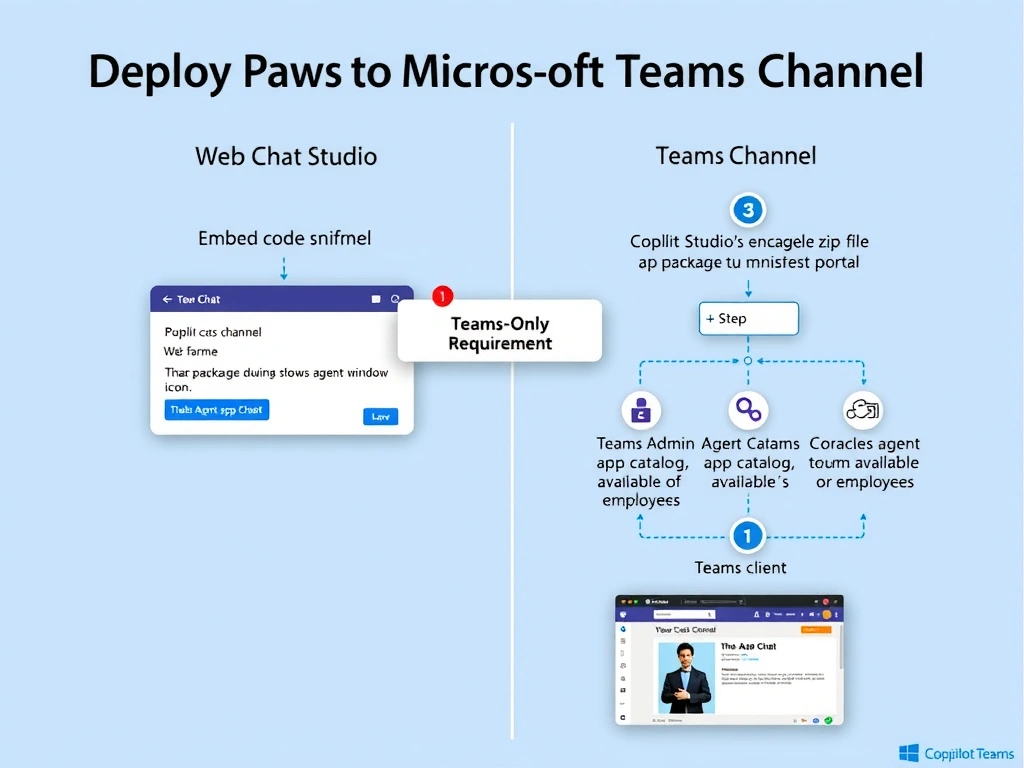
Publishing to web chat is like putting a sign in your window — anyone with the link can see it. Publishing to Teams is like getting a food stall approved for the company cafeteria — you have to go through building management (Teams Admin Center) to get your app listed where employees can find it.
Full explanation below image
Full Explanation
When publishing a Copilot Studio agent to the web chat channel, the process is essentially copying an embed code and pasting it into a webpage. The agent is immediately accessible via a URL or iframe. No external approval or app distribution mechanism is involved.
Publishing to Microsoft Teams, however, requires the agent to be packaged as a Teams application — a zip file containing a manifest, icons, and configuration. This app package must be either: (a) uploaded directly by the developer for personal or test use, or (b) submitted to the Teams Admin Center for organizational-wide deployment so all or designated employees can find and install it. Copilot Studio generates this app package automatically when the Teams channel is configured, but the administrator must still approve and deploy it through Teams Admin Center.
Option A is incorrect because Azure AD SSO configuration for Teams is optional, not required. The Teams channel works with or without SSO authentication. SSO improves the user experience by eliminating sign-in prompts, but it is not a prerequisite for publishing.
Option C is incorrect because no custom DNS records are needed. Microsoft Teams handles routing internally through its own infrastructure. Agents communicate through the Bot Framework, which Teams natively supports.
Option D is incorrect because there is no 'allowed URLs' list in Microsoft 365 admin center that gates Teams bot communication. Bot Framework endpoints are registered through Azure Bot Service, and Teams validates them through the app registration, not a URL allowlist in the M365 admin center.
Exam tip: Copilot Studio generates the Teams app package for you — the key action the developer/admin must take is deploying or submitting it through Teams Admin Center. This distinction (generated vs. deployed) is commonly tested.