
Your organization wants to implement a formal CI/CD process for Copilot Studio agents, promoting them through Development → Test → Production environments with controlled approvals. Which Microsoft tool is designed specifically for this Power Platform deployment automation?
Select an answer to reveal the explanation.
Short Explanation and Infographic
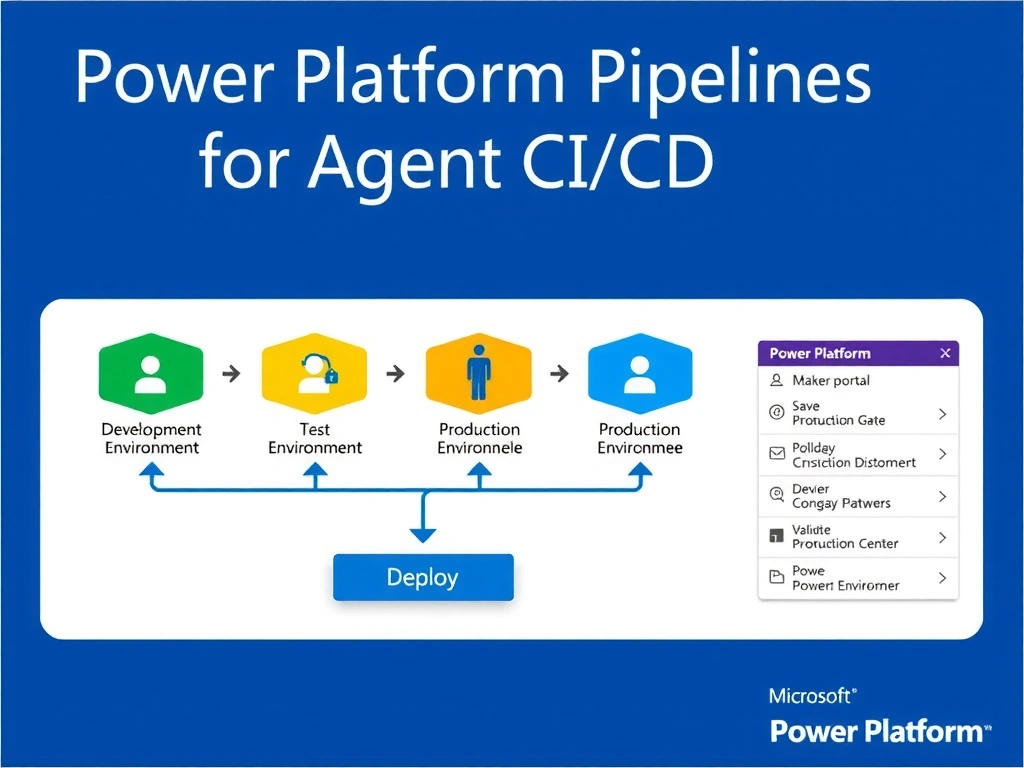
Power Platform Pipelines is the native assembly line for solution deployments — it's built right into the Power Platform Admin Center and maker portal, giving you a visual promotion path from Dev to Test to Prod with built-in approvals, no third-party tooling required.
Full explanation below image
Full Explanation
Power Platform Pipelines is Microsoft's built-in ALM (Application Lifecycle Management) solution for Power Platform, including Copilot Studio. It allows makers to deploy solutions across environments (Development → Test → Production) directly from the maker portal or admin center, with optional pre-deployment validations and approval gates.
The pipeline is configured by an admin who defines the stages (environments) and any approval requirements. Makers can then trigger deployments with a single click. The platform handles solution export, import, and connection reference mapping automatically.
Option A (Azure DevOps with scripts) works but requires custom scripting, DevOps infrastructure knowledge, and is not a built-in Power Platform capability. It's a valid advanced option but not the purpose-built tool.
Option C (GitHub Actions with Power Platform CLI) — also valid for enterprise teams with existing GitHub infrastructure, but again requires external tooling and setup beyond what Power Platform Pipelines offers natively.
Option D ('Microsoft Deployment Manager') is a fabricated product name — no such Power Platform-native service exists.
For the exam: Power Platform Pipelines = native, built-in CI/CD for Power Platform solutions including Copilot Studio agents. It's the Microsoft-first, no-extra-tooling answer. For advanced scenarios (complex branching, integration testing), Azure DevOps or GitHub Actions can be used in addition.