
After adding a REST API action to your Copilot Studio agent, you need to pass the user's employee ID (collected earlier in the conversation) to the API's query parameter and store the API's JSON response field 'employeeLevel' in a topic variable for later use. Where in the Copilot Studio authoring canvas do you configure this input/output mapping?
Select an answer to reveal the explanation.
Short Explanation and Infographic
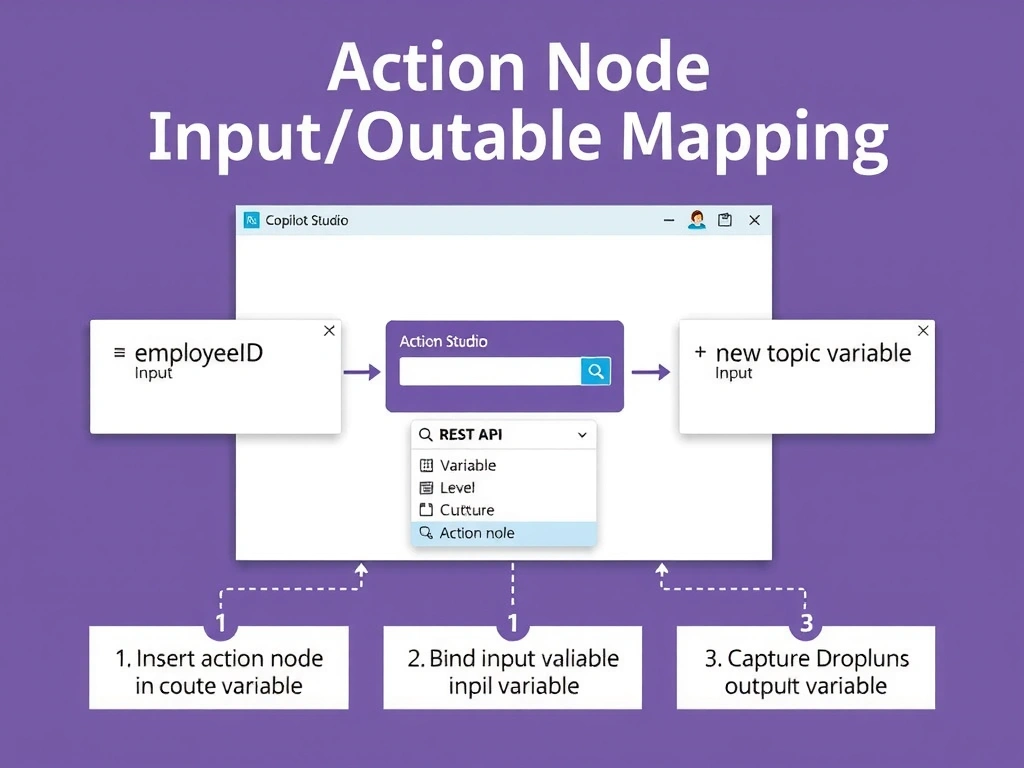
When you drop an action node into a topic, Copilot Studio surfaces its inputs and outputs right in the node panel — like a form with pre-labeled fields. Click the input field, pick your conversation variable from the variable picker, and for outputs choose where to store the returned JSON value. No spec editing required.
Full explanation below image
Full Explanation
Copilot Studio's topic authoring canvas is a visual, node-based interface. When you insert an action (including a REST API action) into a topic, the action node displays configurable input parameters and output values. Inputs are mapped by clicking the input slot and selecting a conversation variable (or entering a literal value). Outputs are mapped by specifying which topic variable or global variable should receive each returned field from the API response.
This binding is done directly in the canvas — you do not need to edit the OpenAPI spec or write code. The variable picker shows all variables in scope at that point in the conversation flow, including those set by previous nodes.
Option A (Properties panel Variables tab) — the agent-level Variables section manages global variables. Topic-local variable mapping for action inputs/outputs is done in the action node within the topic canvas, not in the agent-level properties.
Option C (editing the OpenAPI spec) — the spec defines what parameters exist and their types, but it does not contain runtime variable bindings. Bindings are configuration, not spec.
Option D (Power Automate flow wrapper) — possible but unnecessary. Direct REST API actions in Copilot Studio support native input/output mapping without requiring a wrapping flow.
Exam reminder: input/output binding for actions = action node property panels in the topic canvas. This applies to REST API actions, Power Automate flow actions, and plugin actions equally.