
A Copilot Studio agent uses a SharePoint site URL that differs between the Development, Test, and Production environments. The developer wants to avoid hardcoding the URL in the agent and needs it to change automatically when the solution is deployed to each environment. What is the correct approach?
Select an answer to reveal the explanation.
Short Explanation and Infographic
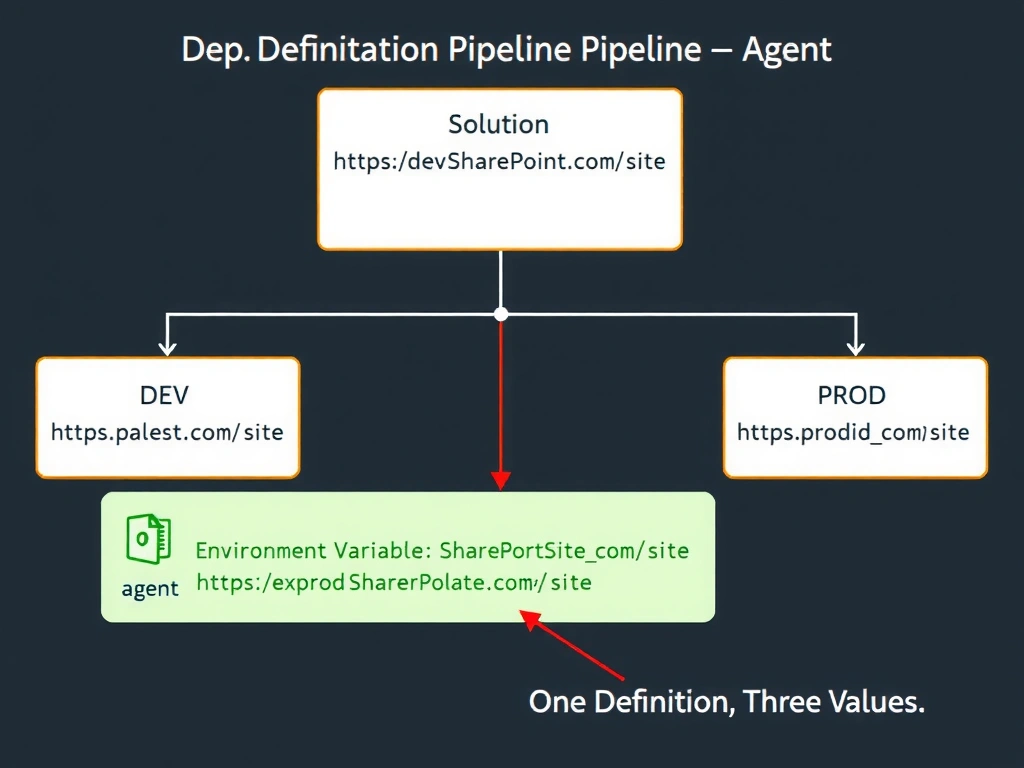
Environment variables in Power Platform work like .env files in app development — one definition, values swapped per environment automatically at deploy time. The correct answer is B.
Full explanation below image
Full Explanation
## Why B is Correct Power Platform environment variables are solution components that store a definition (name, type, description) separately from the value. When a solution is deployed to a new environment, administrators supply the environment-specific value (the SharePoint URL for that environment) without changing any code or agent configuration. Connectors and agent configurations can reference these variables, making the deployment truly environment-agnostic.
## Why the Distractors Are Wrong A (Global variable updated manually): Global variables in Copilot Studio are conversational state — they are not deployment-time configurations. There is no mechanism to pre-set a global variable for all future conversations before deployment.
C (Three separate agent versions): Maintaining three agent versions triples the maintenance burden and creates a high risk that changes in one version are not replicated to others. This is an anti-pattern for ALM.
D (Flow detects environment at runtime): This adds a round-trip network call on every conversation just to get a URL. It is slower, more complex, and less reliable than using a native environment variable.
## Exam Tip Environment variables are configured in the solution, not in the agent itself. They are the Power Platform's answer to 'same code, different config per environment.' Know this pattern for both connectors and agent settings.