
A developer needs a Power Automate flow to look up a customer's order status. The Copilot Studio topic collects the order number from the user and must pass it to the flow. How should the developer pass the order number to the flow?
Select an answer to reveal the explanation.
Short Explanation and Infographic
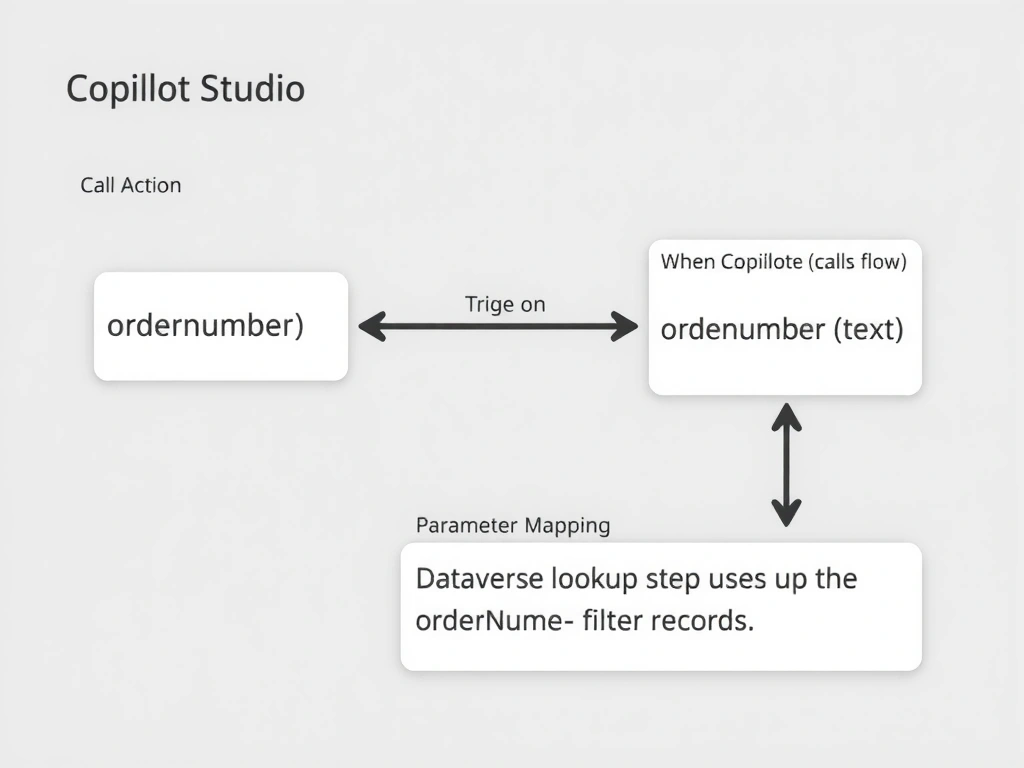
Passing data to a flow is like calling a function with arguments — you define the parameter on the flow's trigger, then supply the value when you call it from the topic. The correct answer is B.
Full explanation below image
Full Explanation
## Why B is Correct When a Power Automate flow is added to Copilot Studio as a plugin action, the flow's trigger (typically 'When a Copilot Studio agent calls a flow') can expose input parameters. These appear in the Copilot Studio action node where the developer maps topic variables (like orderNumber) to the corresponding flow parameter. The flow then receives the value and uses it in its logic (e.g., a Dataverse lookup filtered by order number).
## Why the Distractors Are Wrong A (Global variable → Get Variable in flow): Power Automate flows do not have direct access to Copilot Studio global variables. The variable exists in the agent's conversation context, not in the flow's execution environment.
C (URL query string in HTTP trigger): HTTP-triggered flows require public endpoints and are not the integration pattern used for Copilot Studio-to-flow data passing. This approach bypasses Copilot Studio's built-in plugin/action framework.
D (Transcript reading): Reading conversation transcripts inside a flow is inefficient, unreliable, and requires parsing unstructured text — this is not the design pattern for passing structured data.
## Exam Tip The flow-to-agent data exchange model: Input parameters pass data from agent to flow. Output parameters pass data from flow back to agent. Both are configured on the flow's Copilot trigger and exposed in the Copilot Studio action node.