
Lakeview Insurance has built a Copilot Studio agent that handles claims status inquiries for policyholders. The agent team has prepared a test set of 35 question-answer-context triples. Now the team lead, Rodrigo, needs to run the evaluation and review the groundedness, relevance, and coherence scores to decide whether the agent is ready for production. In Copilot Studio, where should Rodrigo navigate to upload the test set, trigger the evaluation run, and view the resulting metric scores?
Select an answer to reveal the explanation.
Short Explanation and Infographic
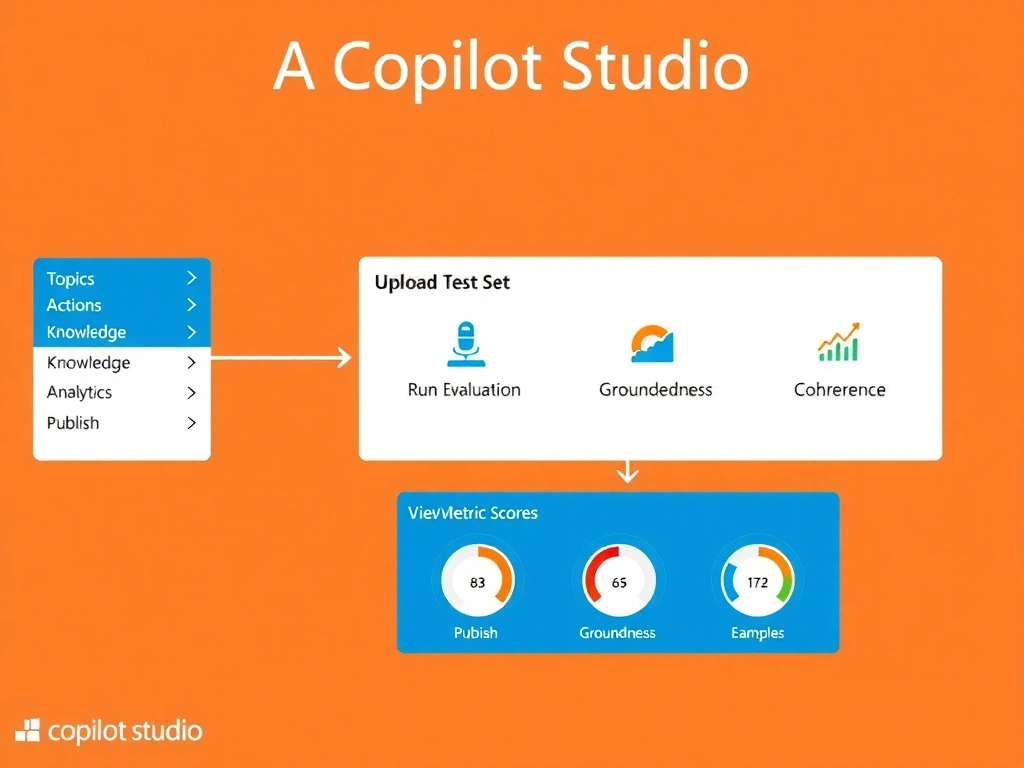
Think of Copilot Studio's Evaluation section as the agent's testing lab — it's the dedicated space where you upload your test set, click Run Evaluation, and then review the resulting groundedness, relevance, and coherence scores on a dashboard. The Topics section is for building conversations, not running batch AI evaluation. Correct answer: C.
Full explanation below image
Full Explanation
Copilot Studio provides a dedicated Evaluation section within each agent's workspace specifically for managing AI-based evaluation. This is where builders upload test sets in the required format, trigger evaluation runs that use AI to score responses against the ground truth and context, and then review aggregated metric dashboards showing groundedness, relevance, and coherence scores per question and overall.
Option C is correct because the Evaluation section is the single designated location for the entire evaluation pipeline: test set upload, run initiation, and results review. This separation from the authoring interface (Topics, Actions, etc.) ensures that evaluation is treated as a structured quality gate rather than an informal debugging step.
Option A is incorrect because the Topics section is where conversational flows are authored and where you can test individual topic triggers manually using the Test pane. It does not support batch test set uploads or AI metric scoring. The test pane in Topics is useful for single-turn debugging, not systematic evaluation.
Option B is incorrect because the Publish section is where you deploy a completed agent to channels (Teams, web, telephony, etc.) and configure deployment settings. It does not host evaluation tooling. Publishing should happen after evaluation — they are sequential steps, not the same location.
Option D is incorrect because the Power Platform admin center's Connections section manages data source connections (SharePoint, Dataverse, custom connectors) rather than agent evaluation results. Evaluation metrics are surfaced within Copilot Studio itself, not in the admin center's connections management interface.
Exam tip: On the AB-620 exam, navigation questions like this test whether you can map capabilities to the correct area of the Copilot Studio UI. Remember: Topics = build conversations, Actions = connect to APIs, Evaluation = test and score quality, Publish = deploy to channels. Mixing these up is a common distractor strategy on the exam.