
Amara is a developer at Vortex Logistics. The company's Copilot Studio agent calls a Power Platform connector to look up shipment tracking data. During peak hours, the connector returns HTTP 429 'Too Many Requests' errors because the underlying logistics API enforces a rate limit of 60 calls per minute. The agent currently shows a generic error message when this happens. What is the recommended approach to handle 429 errors gracefully in this scenario?
Select an answer to reveal the explanation.
Short Explanation and Infographic
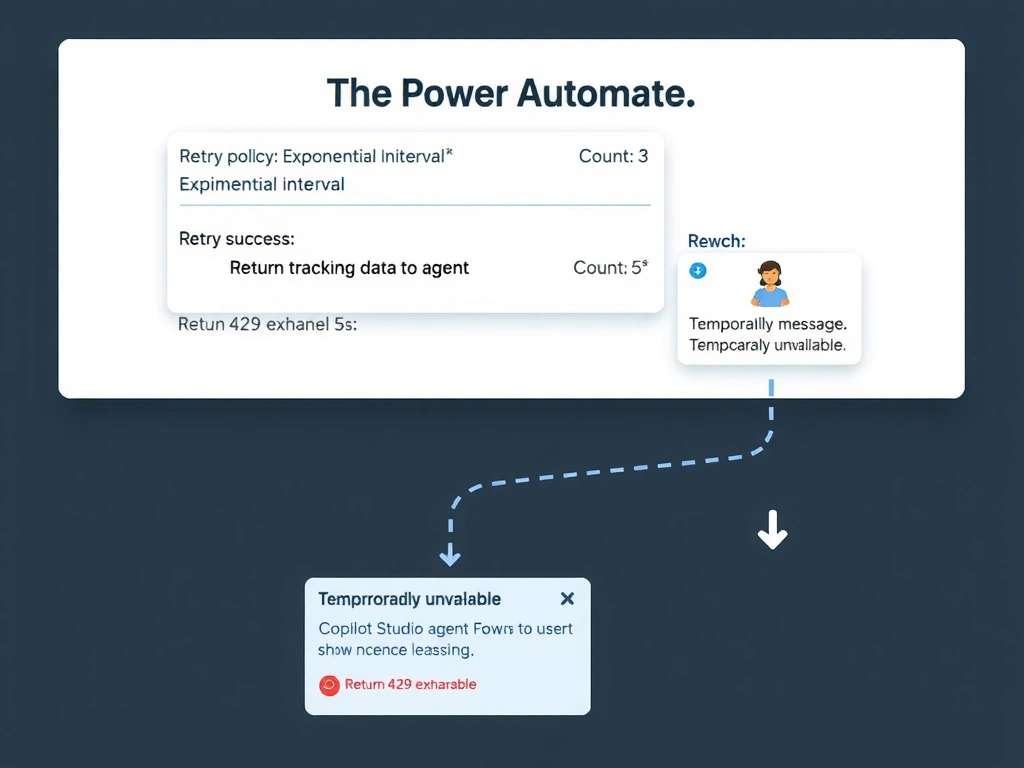
Exponential backoff retry is the standard engineering pattern for rate limit errors — you back off, wait a bit, and try again with increasing delays. In Power Automate, you configure this in the action's retry policy settings, then gracefully tell the user if it still fails. Answer: A.
Full explanation below image
Full Explanation
HTTP 429 errors are a standard rate-limiting response. The correct engineering response is to implement a retry-with-backoff strategy rather than exposing raw errors to end users or trying to circumvent the limit through duplication.
Option A is correct. Power Automate cloud flow actions support configurable retry policies that can be set to retry a failed action multiple times with exponential backoff delays. When a 429 error occurs, the flow waits (e.g., 2 seconds, then 4 seconds, then 8 seconds) before retrying. This gives the rate limit window time to reset. If all retries are exhausted, the flow can be designed to fall into a 'failed' branch that returns a structured error output to Copilot Studio, which then displays a user-friendly message like 'Tracking data is temporarily unavailable — please try again in a moment.'
Option B is incorrect because contacting the vendor to raise the rate limit is a business negotiation, not a technical solution. Even if successful, it does not address the root cause of designing resilient error handling. Exam questions expect technical solutions.
Option C is incorrect because Copilot Studio topics do not have a built-in 'Wait' node that pauses execution for a fixed duration. More critically, pausing for 60 seconds on every request — even when not hitting the rate limit — would make the agent unusably slow for all users.
Option D is incorrect and describes a misuse of connectors. Using multiple API keys to divide or exceed a rate limit is likely a violation of the API vendor's terms of service. Alternating connections also does not guarantee rate limit avoidance — both keys would share the same IP origin in many cases. This approach introduces complexity without reliably solving the problem.
Exam tip: Power Automate retry policies are the standard answer for handling transient API errors including 429, 500, and 503. Know that retry settings are configured on individual connector actions within a flow, not in Copilot Studio itself.