
Quantum Dynamics is designing a Copilot Studio agent for procurement staff. When a purchase order is flagged in SAP (on-premises), the agent must automatically create a corresponding ServiceNow change request and notify the procurement manager via Teams. The architect must design the integration layer. SAP requires the on-premises data gateway; ServiceNow is cloud-hosted. Which integration architecture best meets all three requirements with the least custom development?
Select an answer to reveal the explanation.
Short Explanation and Infographic
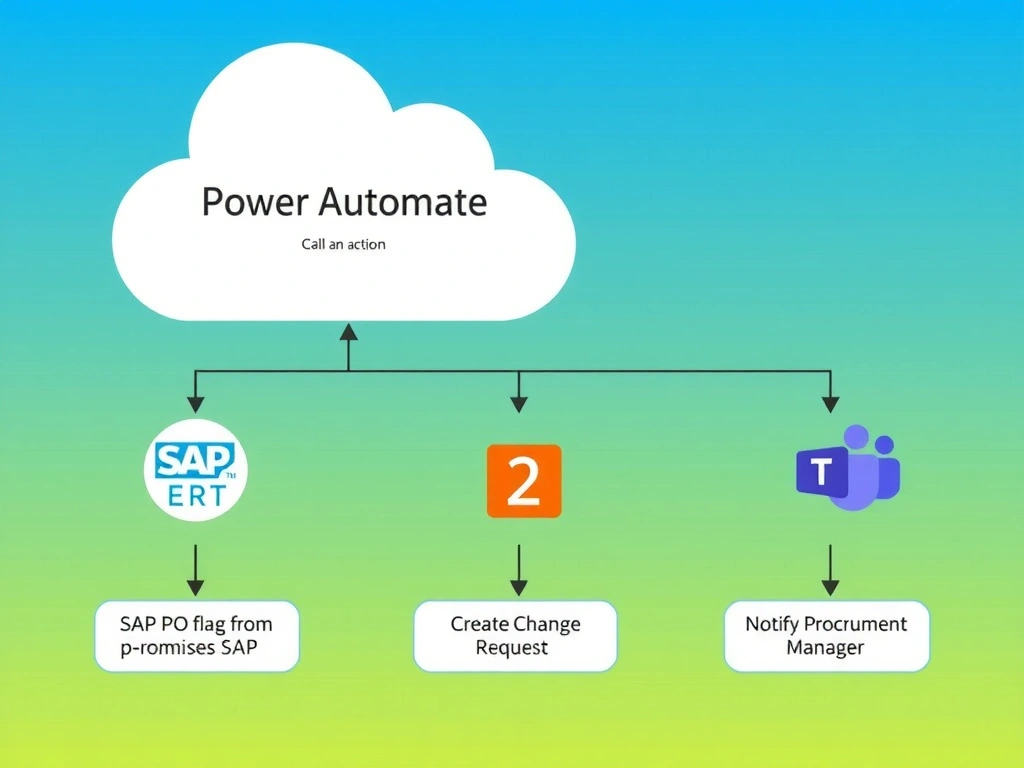
A single Power Automate flow can wear all three hats — SAP reader, ServiceNow writer, Teams notifier — sequentially, in one cloud flow with native certified connectors. Option D is correct: one flow with three connector actions is the lowest-code, least-complexity solution that handles on-premises SAP via gateway, cloud ServiceNow, and Teams natively.
Full explanation below image
Full Explanation
Power Automate cloud flows excel at orchestrating multi-system integrations using certified connectors. For this scenario:
1. SAP step: The flow uses the SAP ERP certified connector configured with an on-premises data gateway to read the flagged purchase order from the on-premises SAP system. 2. ServiceNow step: The flow uses the ServiceNow certified connector (no gateway needed — it's cloud-hosted) to create a change request, passing relevant PO data as input fields. 3. Teams step: The flow uses the Microsoft Teams connector's 'Post message in a chat or channel' action to notify the procurement manager.
All three steps run sequentially in one flow, triggered when the Copilot Studio agent calls it via the 'Call an action' node. The agent can pass context (e.g., PO number) as input to the flow.
Option D is correct because it uses existing certified connectors for all three systems, requires no custom code, handles the on-premises SAP requirement through the gateway, and presents a single, maintainable flow.
Option A is wrong. Azure Functions and Durable Functions are code-first orchestration tools. They require writing, deploying, and maintaining C# or Python code — the opposite of 'least custom development.' This is significant overengineering when Power Automate connectors already cover all three systems.
Option B is wrong. Three separate flows called from three separate Call an Action nodes work, but they create unnecessary complexity: each flow has its own authentication, monitoring, error handling, and maintenance surface. More importantly, the flows would need to share context (e.g., the ServiceNow change request ID created in flow 2 might be needed in flow 3), which requires additional inter-flow communication that a single flow handles natively via variables.
Option C is wrong. Azure Logic Apps is a valid orchestration platform with similar connectors, but it adds infrastructure outside the Power Platform ecosystem and requires an Azure subscription, deployment pipelines, and separate monitoring. For a scenario asking for 'least custom development' within Copilot Studio's native ecosystem, Power Automate is the right choice over Logic Apps.
Exam tip: When a scenario involves multiple SaaS/on-premises systems, look for a single Power Automate flow that chains certified connectors. Resist the urge to split into multiple flows unless there is a clear reason (parallelism, reuse across multiple agents). One flow = one maintenance surface.