
A Copilot Studio agent uses Azure AI Search as a knowledge source to answer questions about company HR policies. HR publishes updated policy documents to SharePoint every Friday. Users consistently report that the agent provides outdated answers on Monday mornings, referencing policies that were changed the previous Friday. The Azure AI Search index has a SharePoint Online indexer configured. What is the most likely cause and the correct resolution?
Select an answer to reveal the explanation.
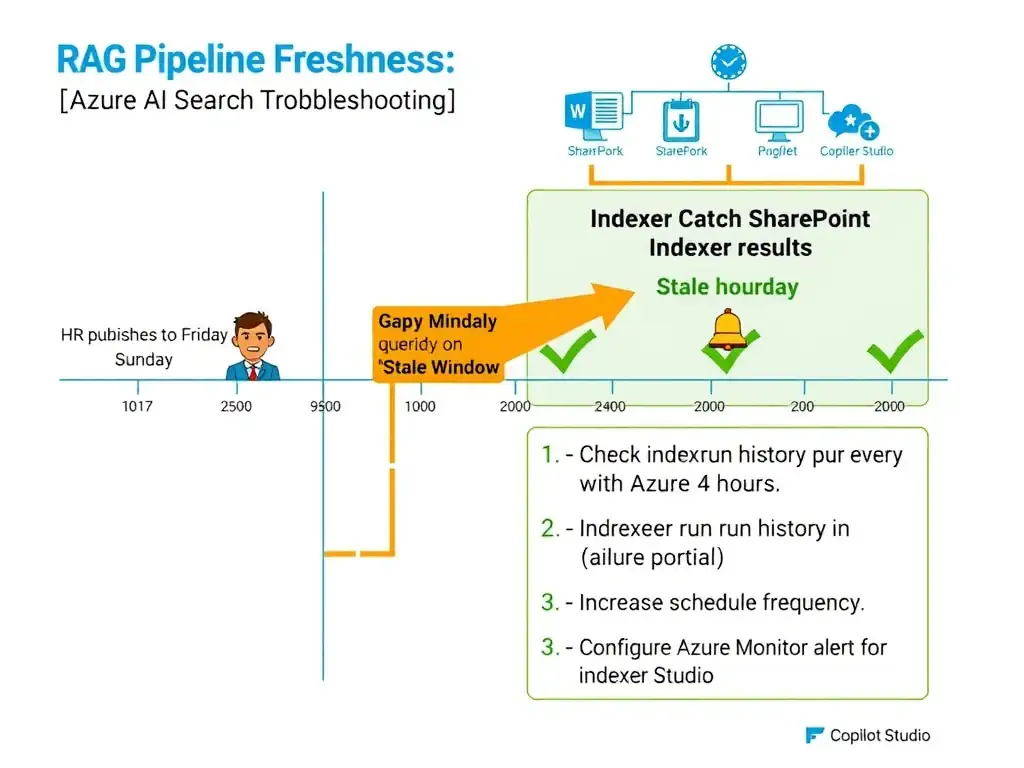
Short Explanation
An index is only as fresh as the last time someone ran the vacuum cleaner over the source documents. If HR updates SharePoint on Friday but the SharePoint Online indexer runs less often or fails silently, you're serving stale policy answers on Monday. Increase the indexer frequency and add failure alerts.
Full Explanation
Azure AI Search uses indexers to pull data from external sources like SharePoint Online, Blob Storage, and Cosmos DB. These indexers run on a configurable schedule (or can be triggered manually or via the API). If the HR team publishes updates every Friday but the SharePoint Online indexer is configured to run, say, once per week on Sunday evening — or if the indexer is running but silently failing due to throttling or authentication token expiry — then the index will contain stale data until the next successful indexer run.
The Monday morning symptom is a classic indicator of a weekend update cycle that outpaces the indexer schedule. The resolution has two parts: (1) increase the indexer run frequency (Azure AI Search supports schedules as frequent as every 5 minutes for most indexer types), and (2) configure indexer run failure alerts using Azure Monitor or Azure AI Search's built-in indexer status monitoring so that failed runs do not go undetected.
For time-sensitive content, you can also trigger indexer runs programmatically via the Azure AI Search REST API or SDK as part of the document upload pipeline — so that when HR publishes to SharePoint, an automated process immediately triggers an indexer run rather than waiting for the schedule.
The claim that Copilot Studio does not support SharePoint as a grounding source is incorrect. SharePoint Online is a fully supported knowledge source for both Azure AI Search indexers and Copilot Studio knowledge sources. Migrating to Blob Storage is unnecessary and adds complexity without solving the freshness problem.
The claim that Copilot Studio caches generative answers for 72 hours by default and can be fixed by clearing a knowledge source cache is incorrect. Copilot Studio does not have a 72-hour generative answer cache in the way described. While there are some transient caching behaviors, the primary issue here is index staleness, not a Copilot Studio-level cache. There is no 'knowledge source cache clear' button in the Copilot Studio admin center.
The claim that the Azure AI Search semantic ranker returns stale results because the semantic model was not retrained after the document update is incorrect. The Azure AI Search semantic ranker is a retrieval-time ranking model — it does not store or cache documents, and it does not require retraining when documents are updated. Semantic ranking operates on whatever documents are currently in the index at query time. The ranker itself is not the source of stale results.
Exam tip: RAG troubleshooting questions almost always trace back to one of three root causes: indexer schedule/failure, chunking configuration, or embedding model mismatch. When users report stale content on a predictable schedule, start with the indexer. When users report irrelevant or incomplete answers, look at chunking and embedding strategies.