
A healthcare company's Copilot Studio agent collects patient symptoms, medical history, and preferred appointment time before escalating complex cases to a nurse triage specialist. When the handoff occurs, the specialist must see the full conversation transcript plus the structured data (symptom list, history, preferred time) as labeled fields — not just the raw chat text. Which combination of Omnichannel for Customer Service features supports this requirement?
Select an answer to reveal the explanation.
Short Explanation
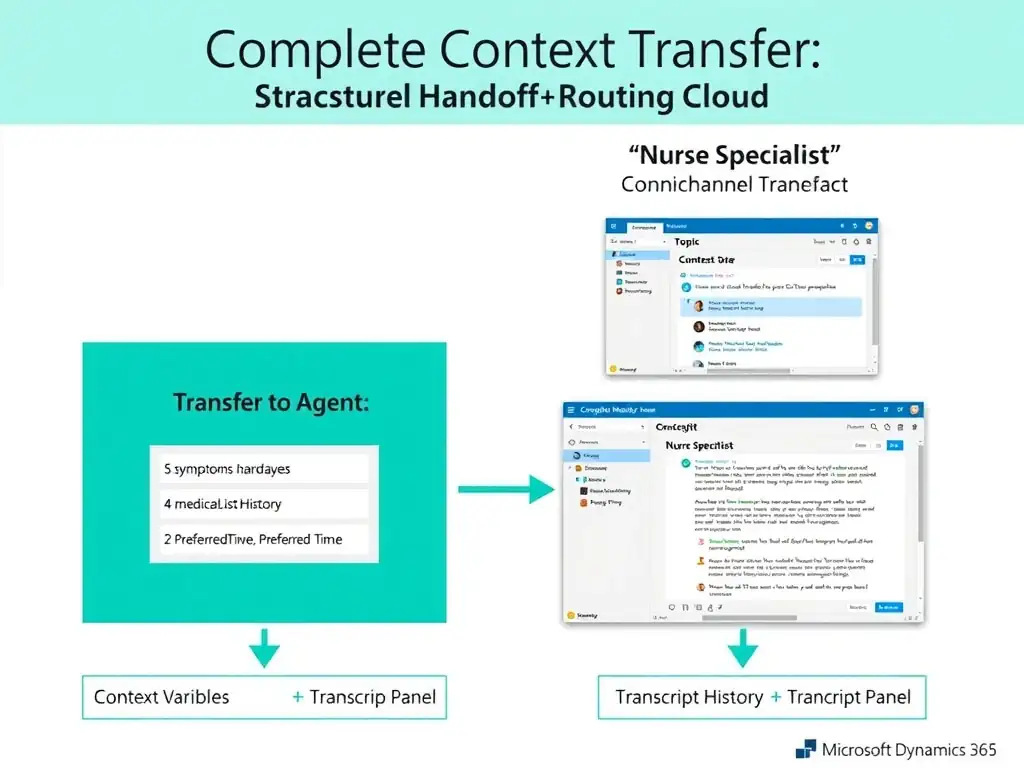
Use the Transfer to Agent node's context variables to pass labeled fields, and turn on transcript sharing in Omnichannel. That gives the nurse structured intake data plus the full chat history without making the patient repeat anything.
Full Explanation
Omnichannel for Customer Service provides two complementary mechanisms for context sharing during a bot-to-agent handoff. The Transfer to Agent node's context variables, configured in the Copilot Studio topic, carry structured, labeled data fields — exactly what the nurse needs to see formatted information like {symptomList}, {medicalHistory}, and {preferredTime}. These appear in the Conversation Summary panel in the agent's Omnichannel interface as labeled key-value pairs.
Separately, Omnichannel can be configured to show the bot conversation transcript to the live agent — the full conversation history as it appeared in the chat. This gives the agent the full conversational context (tone, how the patient described symptoms, etc.) that structured fields alone cannot capture.
Both mechanisms serve different needs: structured context variables for machine-readable, quickly-scannable data, and the conversation transcript for the human-readable, nuanced conversational history. Together they fully meet the requirement.
The publish setting that claims to 'Send full transcript' and automatically bundle structured data and chat history is incorrect because there is no such Copilot Studio publish setting that does both in one place. These are two separate capabilities configured in different places.
The Power Automate flow that copies conversation variables to a Dataverse case record, requiring the nurse to open a separate browser tab while handling the handoff, is incorrect because it creates a poor user experience pattern for real-time handoffs. It requires the specialist to context-switch applications, introduces latency, and the Dataverse record may not be available at the exact moment the handoff occurs. Omnichannel's built-in context mechanisms are the correct approach.
The supervisor dashboard's real-time conversation monitor is incorrect because it is a management tool for monitoring agent performance and queue health — it is not the interface that individual triage specialists use to handle incoming conversations. Agents work in the Omnichannel agent dashboard, not the supervisor dashboard.
Exam tip: For Omnichannel handoffs, know that structured data goes via context variables in the Transfer to Agent node, and conversation history is shown via transcript sharing — two separate features that complement each other.