
Wide World Importers receives PDF invoices by email and wants a Copilot Studio agent to help AP clerks extract vendor name, invoice number, and total. Which AI Builder approach best fits inside a Power Platform automation the agent can call?
Select an answer to reveal the explanation.
Short Explanation
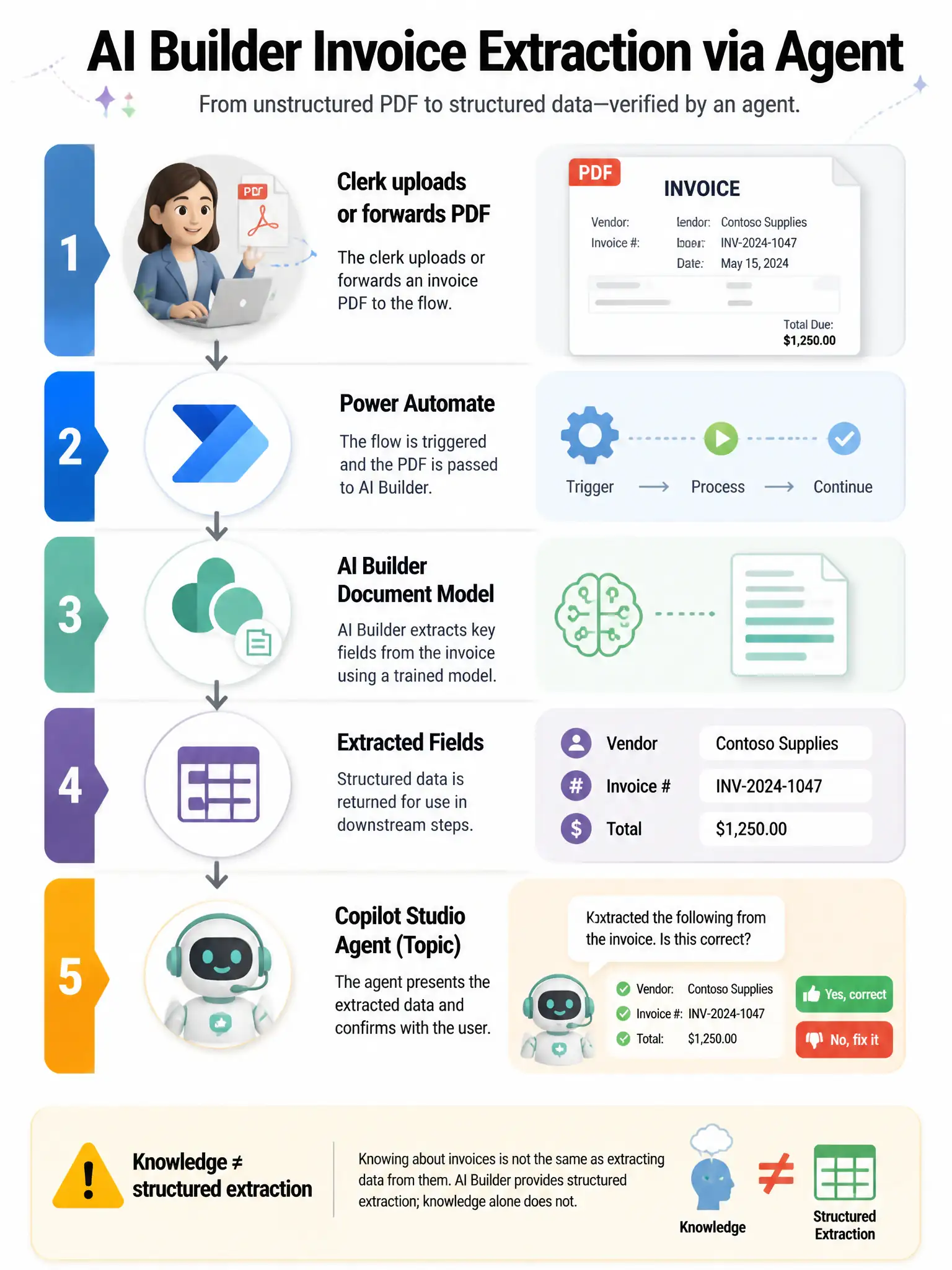
Use AI Builder's document or invoice model in a flow to extract the fields, then return them to the Copilot Studio topic. Knowledge search is for Q&A, not reliable invoice field extraction.
Full Explanation
AI Builder provides prebuilt and custom document processing, including invoice and receipt style extraction, and integrates naturally with Power Automate. Copilot Studio then orchestrates the conversation and displays results. The correct approach is to train or use an AI Builder document or invoice processing model, run it from a Power Automate flow on the PDF, and return extracted fields to the Copilot Studio topic as outputs. That flow plus model plus returned outputs is the standard low-code pattern. The approach that uploads raw PDF invoices as the only knowledge source and asks generative answers to invent structured field names is wrong because knowledge answers are retrieval and Q&A oriented, not a controlled extraction pipeline with validated fields. The approach that uses a classic topic Message node to display binary PDF bytes as text is wrong and unusable. The approach that replaces AI Builder with a Dataverse boolean column named Extracted and sets it manually is wrong because a boolean flag does not extract vendor, invoice, or total fields. Exam tip: structured extraction calls for AI Builder or document intelligence via flow; free-form policy Q&A calls for knowledge plus generative answers.