
An agent uses a SharePoint Online document library as a knowledge source for benefits FAQs. After go-live, some employees report the agent cannot answer questions that are clearly covered in documents they can open in the browser. Makers can see the files when browsing SharePoint as site owners. What is the most likely cause related to knowledge access design?
Select an answer to reveal the explanation.
Short Explanation
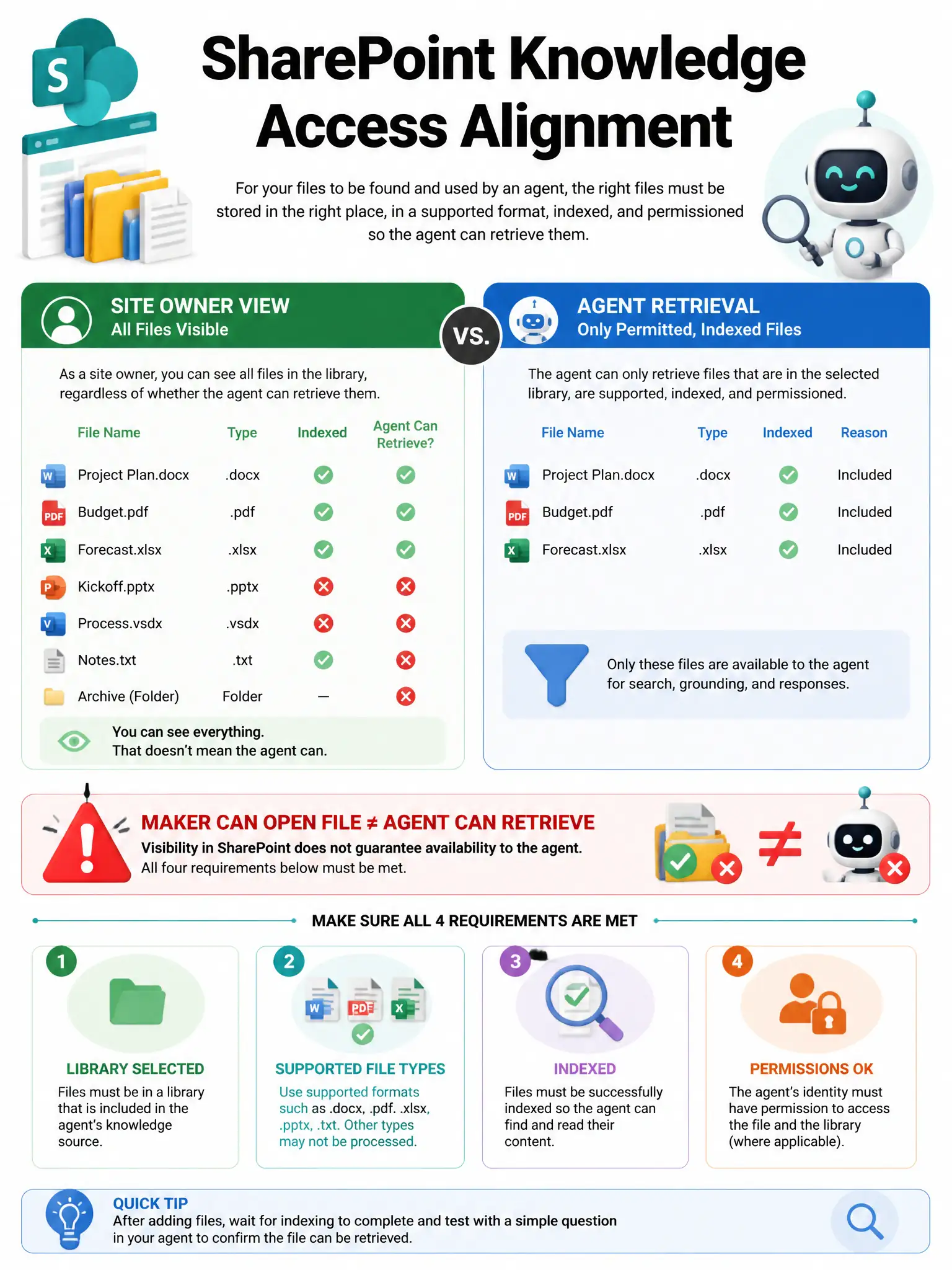
Makers being site owners doesn't mean the agent can retrieve the same files. If the knowledge source indexing or access path doesn't match the permissions used for end users or the crawler, the agent can't surface content the maker can open. Check the retrieval identity and permissions, not just the prompt.
Full Explanation
SharePoint knowledge sources depend on correct site/library configuration, supported file types, indexing, and permission models. One common production issue is that makers testing with elevated SharePoint rights see content that retrieval does not return for the agent's configured access path or for restricted libraries. The likely cause is that the knowledge source indexing/access path does not align with how end-user or crawler permissions are configured for those documents, so retrieval cannot surface content the maker (owner) can see but the agent's retrieval identity or user context cannot. The claim that Copilot Studio can only use SharePoint lists, never document libraries, is wrong because document libraries are a primary SharePoint knowledge scenario. The claim that generative answers ignore SharePoint entirely unless Bing is also enabled is wrong because SharePoint can ground generative answers without Bing. The claim that SharePoint knowledge only works when every document is converted to .dwg CAD format first is wrong; CAD .dwg is not a supported knowledge upload/document format for this purpose. Exam tip: When debugging knowledge misses, verify source selection, file types, publish/index state, and permissions — not only the prompt text.