
A support lead reviews a Copilot Studio agent that handles password reset guidance. They need a high-level view of how many sessions were resolved by the agent versus escalated or abandoned last week. Which analytics area is the best first place to review session outcomes?
Select an answer to reveal the explanation.
Short Explanation
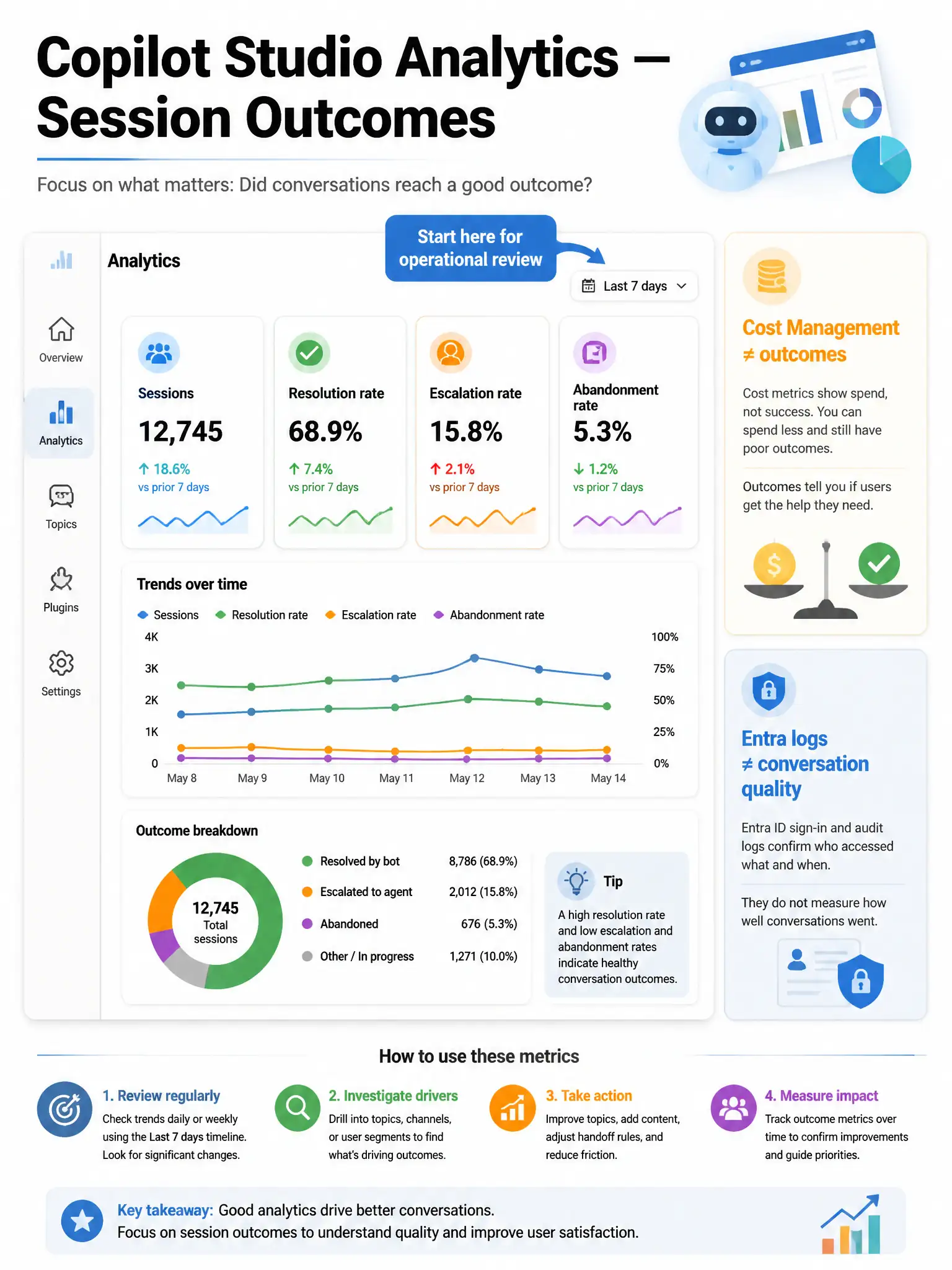
The Copilot Studio Analytics summary is the agent's weekly report card — sessions, resolutions, escalations — without diving into raw sign-in logs or Azure bills. When you care about conversation outcomes, start there.
Full Explanation
Copilot Studio provides built-in analytics for makers and operators: session volume, engagement, topic performance, customer satisfaction (when enabled), and outcome-oriented measures such as resolution and escalation patterns.
The Copilot Studio Analytics summary/overview metrics for sessions, engagement, and outcomes (including resolution and escalation trends) are correct. The analytics summary/overview is designed for operational monitoring of session outcomes and is the appropriate first stop for last-week performance.
The Azure portal Cost Management blade for the Power Platform subscription is wrong because Cost Management tracks spend, not conversation resolution quality.
The SharePoint site usage reports for the knowledge library are wrong because SharePoint usage shows document traffic, not whether agent sessions resolved user issues.
The Entra ID sign-in logs filtered to the agent's app registration only are wrong because Entra sign-in logs show authentication events, not conversational outcomes inside Copilot Studio.
Exam tip: Use Copilot Studio Analytics for agent KPIs; use Application Insights/Dataverse for deeper custom telemetry when configured.