
Thanh is a developer at Polaris Energy building a custom connector in Power Platform that will call an internal API secured with Microsoft Entra ID (Azure AD) OAuth 2.0. To complete the OAuth configuration in the custom connector wizard, Thanh needs a Client ID and Client Secret. Where should Thanh obtain these values, and what additional step is required to make the connector's redirect URL trusted?
Select an answer to reveal the explanation.
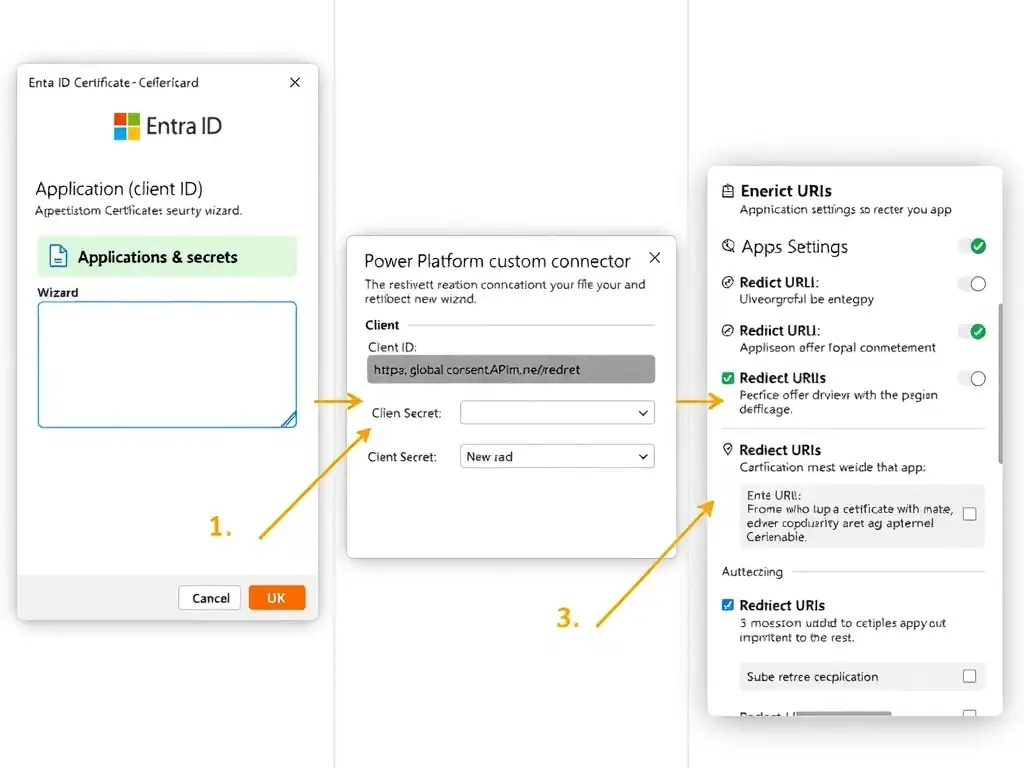
Short Explanation
You register the connector as an app in Microsoft Entra ID, grab the Application (client) ID and a client secret from Certificates & secrets, then add the connector's redirect URL to Redirect URIs so the OAuth handshake completes.
Full Explanation
When a Power Platform custom connector uses OAuth 2.0 to authenticate against an API protected by Microsoft Entra ID, the connector must be registered as an application in Entra ID. This is the standard OAuth 2.0 confidential client pattern.
The correct approach is to register a new application in Microsoft Entra ID, generate a client secret under 'Certificates & secrets', copy the Application (client) ID and secret value, and add the custom connector's redirect URL (provided in the connector wizard) to the app registration's 'Redirect URIs' list under Authentication. In the Microsoft Entra ID portal (or Azure AD blade), Thanh creates a new App Registration, which generates a unique Application (Client) ID. Under 'Certificates & secrets', a new client secret is created — its value is shown only once and must be copied immediately. The custom connector wizard displays a redirect URL (typically https://global.consent.azure-apim.net/redirect) that must be added to the app registration's Redirect URIs under the Authentication section. Without this redirect URI, the OAuth authorization code flow will fail because Entra ID will refuse to redirect tokens to an unregistered URL.
The API Management subscription key approach is incorrect because Azure API Management subscription keys are entirely different from OAuth Client IDs. The subscription key is a passthrough authentication mechanism for API Management — it does not represent an OAuth client identity and cannot substitute for a Client ID in an OAuth 2.0 flow.
The Microsoft Identity team provisioning approach is incorrect because there is no Microsoft Identity team provisioning process for custom connector credentials. App registrations are self-service — any developer with sufficient Entra ID permissions can create one immediately in the portal. There is no 48-hour approval queue.
The user account username/password approach is incorrect because OAuth 2.0 client credentials use application identities (app registrations), not user accounts. Using a user account's username and password as a substitute for Client ID and Client Secret misunderstands the OAuth client credentials model and would not work in the connector wizard's OAuth configuration fields.
Exam tip: The redirect URI step is the most commonly missed detail on this topic. Candidates who know about app registrations but forget to add the connector's redirect URI to the app's Authentication settings will encounter authorization failures. Memorize: Client ID + Client Secret + Redirect URI = complete OAuth connector setup.