
Westlake Insurance is deploying a Copilot Studio agent for claims inquiries. The business team has defined three escalation triggers: (1) the customer explicitly asks to speak with a human, (2) the agent has failed to resolve the customer's issue after two reprompts, or (3) the conversation involves a claim amount over $50,000. The developer needs to implement this human-in-the-loop logic. Which Copilot Studio capability should the developer primarily use to handle all three of these escalation triggers?
Select an answer to reveal the explanation.
Short Explanation
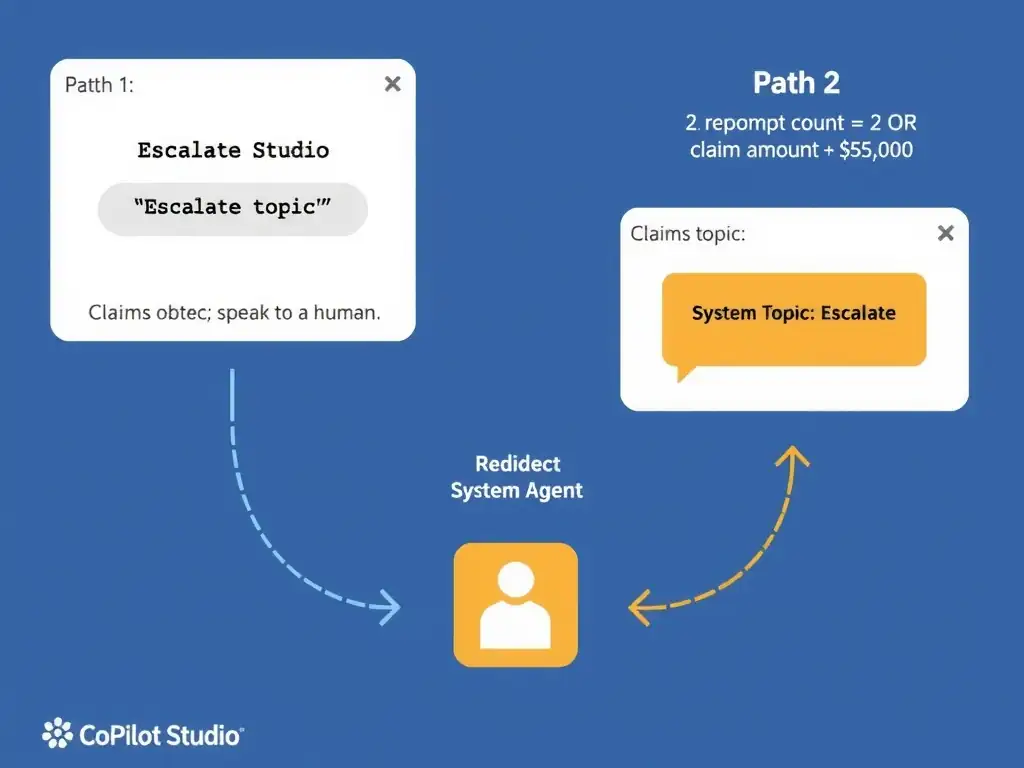
The Escalate system topic is your built-in ejection seat — it fires when a customer asks for a human, and it's the sanctioned endpoint for all escalation paths. You can use Condition nodes in the claims topic to check reprompt count and claim amount, then redirect to Escalate when either threshold is hit.
Full Explanation
Copilot Studio ships with a set of system topics that handle common conversational patterns: Greeting, Goodbye, Escalate, End of Conversation, and others. The Escalate system topic is specifically designed to handle the handoff from the agent to a human support representative. It can be customized to invoke an omnichannel transfer or send a notification. The correct approach is to configure the Escalate system topic to handle trigger phrase detection, and add Condition nodes in the claims topic to check claim amount and reprompt count before redirecting to the Escalate topic. This correctly combines two mechanisms: the Escalate system topic's built-in trigger phrases detect when a user says something like 'talk to a human' or 'agent please,' and Condition nodes in the claims topic check programmatic conditions, such as a reprompt count stored in a variable and a claim amount variable, then use a Redirect node to the Escalate topic when those conditions are met. This is the correct, fully supported pattern for multi-trigger escalation. The custom topic named 'Human Escalation' with trigger phrases only, relying on the NLU engine to automatically detect all three escalation conditions during conversation, is wrong. NLU trigger phrases work for detecting user intent in natural language, but they cannot detect programmatic conditions like reprompt count or numeric claim amounts. The custom topic with trigger phrases alone cannot handle the reprompt-count and claim-amount triggers. The approach that uses the End Conversation node with a 'Transfer to agent' output property set to True for all three conditions is wrong. The End Conversation node terminates the session; it does not transfer to a human agent. There is no 'Transfer to agent' property on the End Conversation node. The correct node for human handoff is the 'Transfer to agent' node, also called the End Conversation with handoff option, which is distinct from the plain End Conversation node, but accessing it properly still routes through the Escalate system topic pattern. The approach that deploys the agent behind an Azure Bot Service and configures the handoff protocol at the Bot Service layer rather than in Copilot Studio is wrong. While Copilot Studio agents can be deployed through Azure Bot Service, configuring escalation at the Bot Service layer bypasses Copilot Studio's native authoring tools and requires custom code. This is unnecessary complexity when Copilot Studio has built-in escalation handling. Exam tip: Always route programmatic escalation triggers, such as count exceeded or value threshold, through Condition nodes that Redirect to the Escalate system topic. The Escalate system topic is the single, centralized handoff point; do not create parallel custom escalation paths that bypass it.