
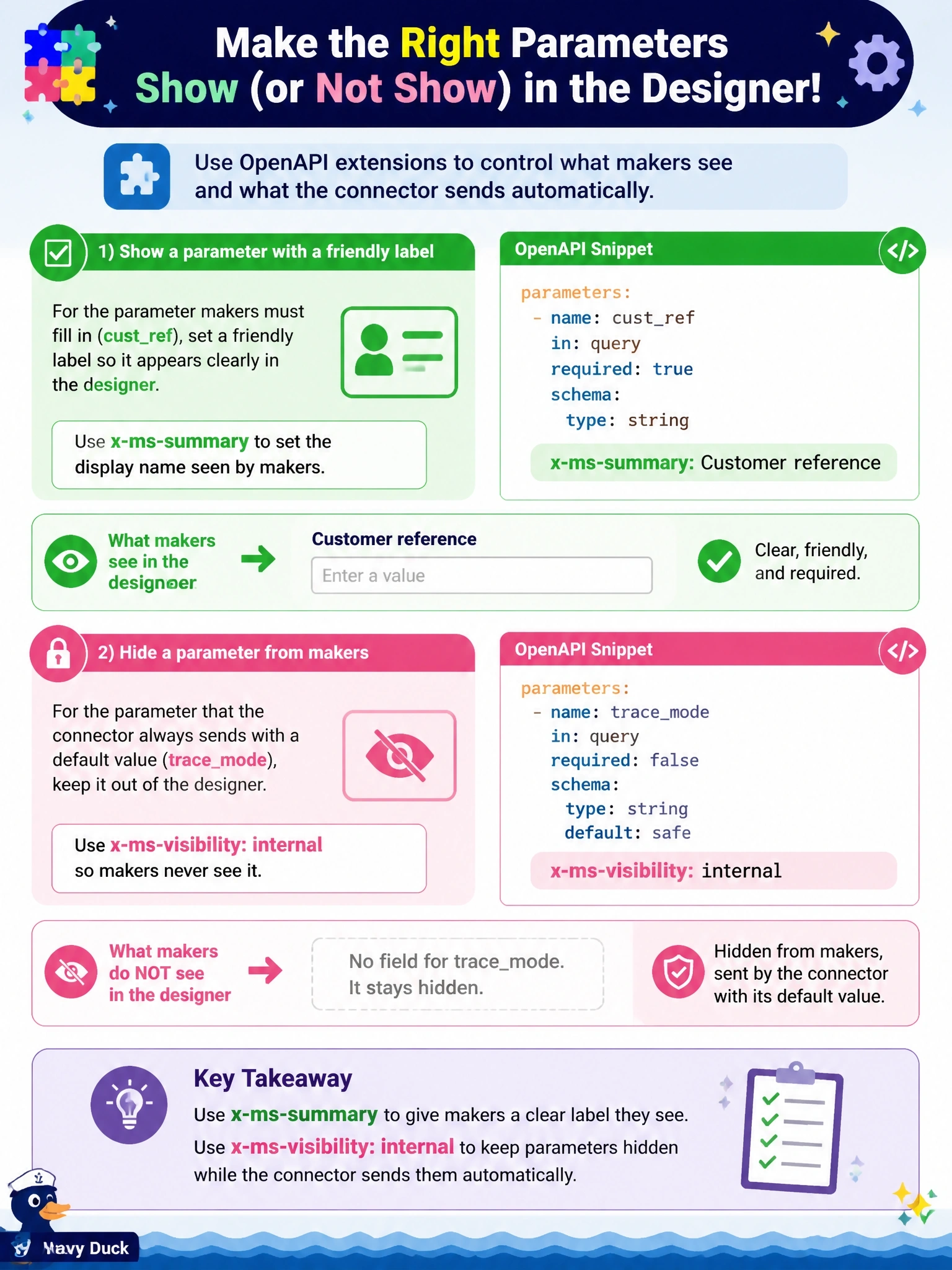
In a custom connector's OpenAPI definition, an operation has a parameter named cust_ref that makers must fill in and that should appear in the designer as Customer reference, and another parameter named trace_mode that the connector always sends with a default value and that makers should never see. Which OpenAPI extensions should the developer use?
Select an answer to reveal the explanation.
Short Explanation
x-ms-summary is the friendly name tag your makers see, and x-ms-visibility decides whether they see the field at all. internal means fully hidden, while advanced only tucks it behind 'show advanced options'. That last near-miss is the trap.
Full Explanation
The x-ms-summary extension supplies the display title for an operation, parameter or schema property, so setting it to Customer reference on cust_ref makes the designer show that label instead of the raw name. The x-ms-visibility extension controls how prominently an item appears: important shows it first, advanced places it behind advanced options, and internal hides it from makers entirely. A hidden parameter that the API needs should also carry a default value so it is still sent. The description field supplies help text shown alongside the field rather than the field's display name, and marking a parameter as not required makes it optional but leaves it visible. x-ms-dynamic-values fills a dropdown from another operation and is not a labeling mechanism, and x-ms-trigger marks an operation as a trigger, so it does not apply to a parameter. Advanced visibility still lets makers expand and edit trace_mode, which violates the requirement that they never see it. Exam caveat: in the connector wizard the same settings appear as the summary or title field and the Visibility option with none, advanced, internal and important. Operational check: update the connector, add the action to a test flow and confirm the label reads Customer reference and trace_mode does not appear even under advanced options.