
A legacy API returns customer attributes as an array of objects, each with a name property and a value property. Makers using the custom connector need to pick individual attributes, such as tier or region, directly as dynamic content. The team does not want to write or maintain code. What should the developer use?
Select an answer to reveal the explanation.
Short Explanation
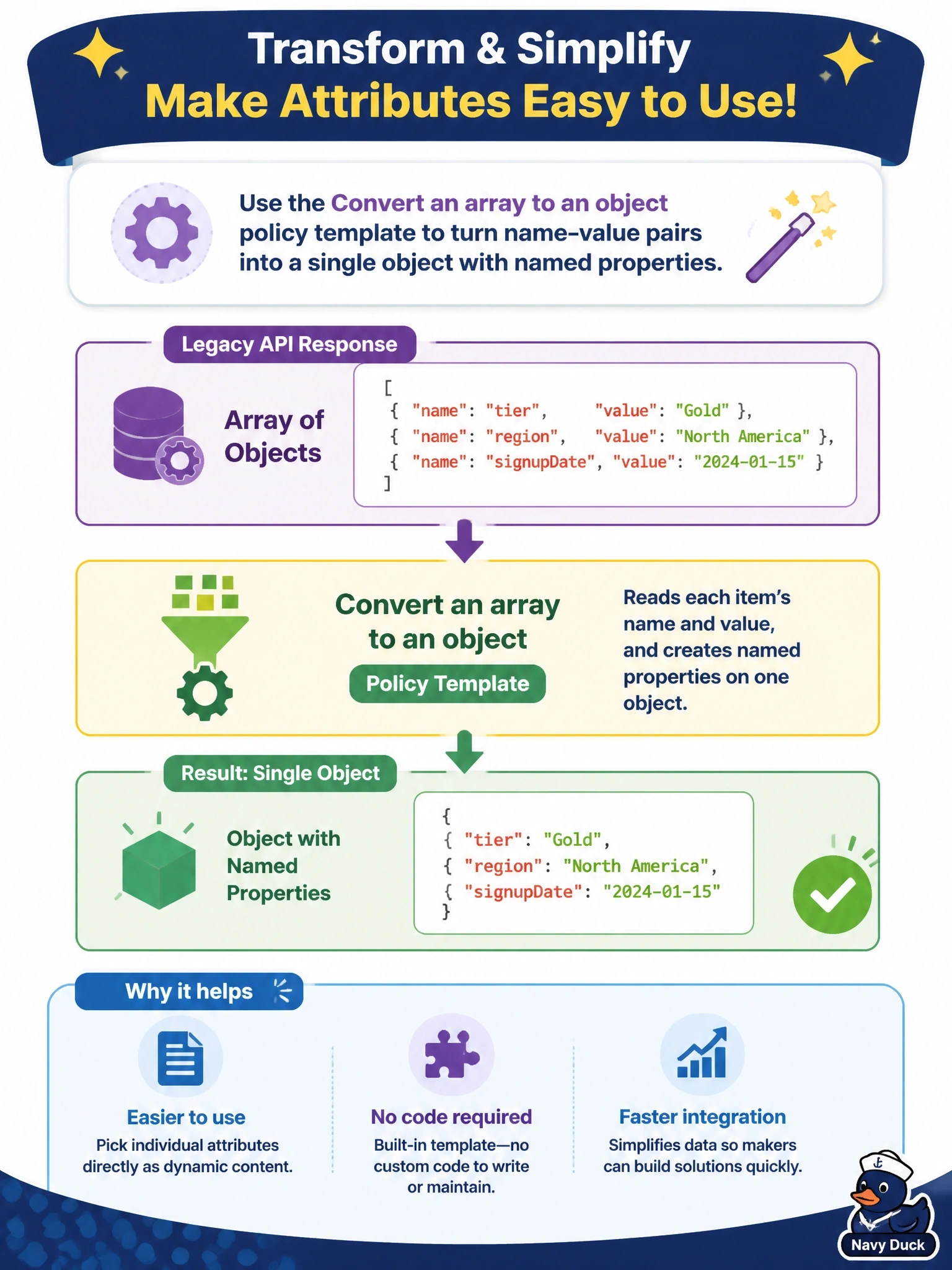
When the reshaping you need already has a ready-made template, you don't reach for code. The Convert an array to an object policy turns those name/value pairs into real properties that makers can click. Code and functions would work, but they're the maintenance the team said no to.
Full Explanation
Policy templates let a custom connector transform requests and responses at runtime without code. The Convert an array to an object template, currently in preview, takes an array of entries and produces an object whose properties are named from one field of each entry and valued from another, so tier and region become properties that makers can select directly once the response schema describes them. Custom code on the Code tab can perform the same transformation, but it is C# that the team must write, test and maintain, and code takes precedence over the codeless definition for the operations it covers. The x-ms-dynamic-schema extension describes a schema that varies with input values; it documents shape but does not transform the payload. An Azure Function in the middle also works but adds an extra service to host, secure and pay for, which conflicts with the no-code goal. Exam caveat: templates cover common transformations such as setting properties, headers, query values, hosts and array or object conversions; anything that needs computation beyond that, such as signatures or extra lookups, calls for custom code. Operational check: apply the policy to the operation, update the response schema, test it, and confirm makers see the individual attributes in dynamic content.