
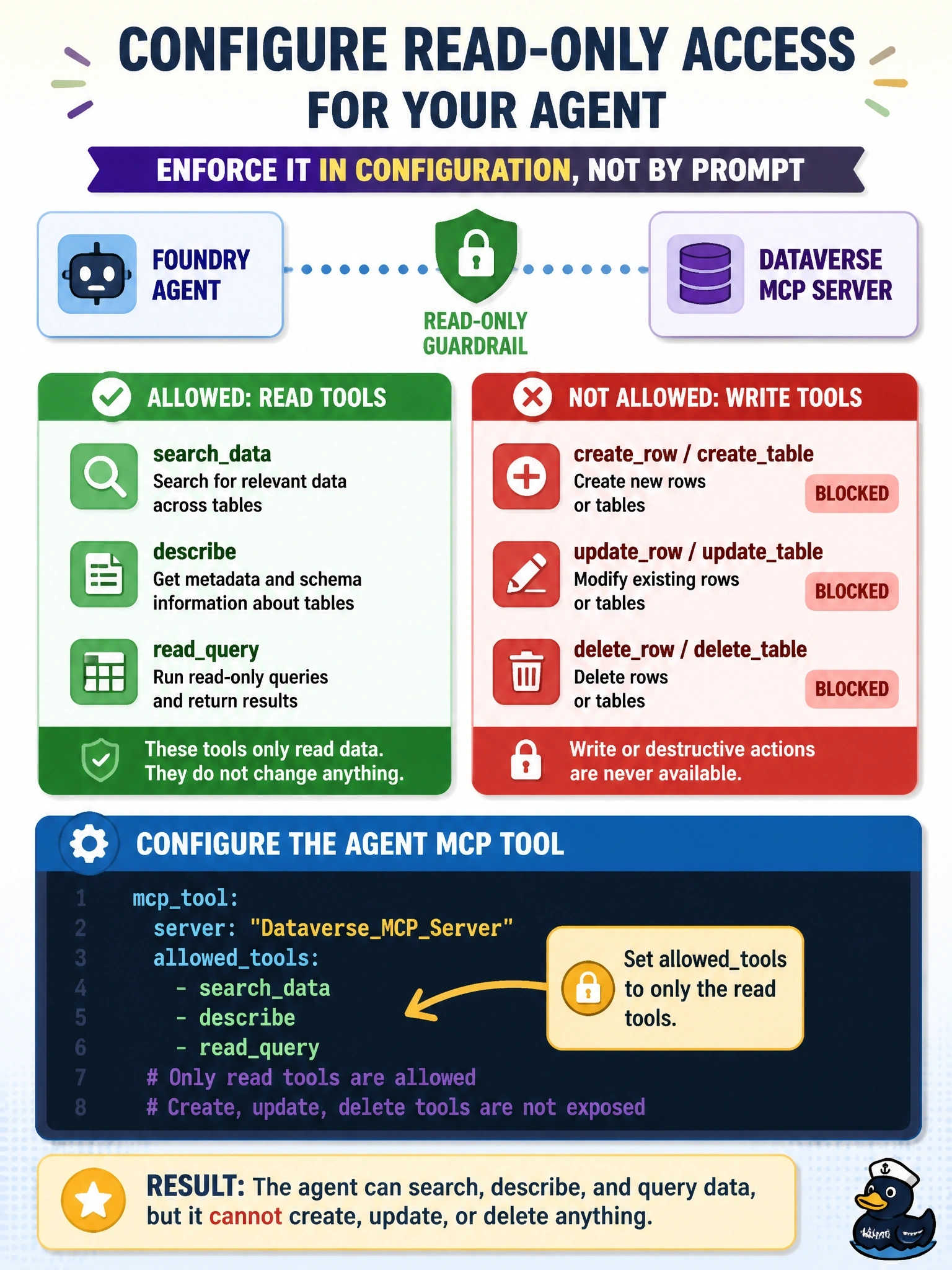
A Foundry agent connected to the Dataverse MCP server should only read data: it may search, describe, and query tables, but it must never create, update, or delete rows or tables. The control must be enforced in configuration, not left to the model's judgment. How should the developer configure the agent's MCP tool?
Select an answer to reveal the explanation.
Short Explanation
Telling a model 'please don't' is a suggestion, not a lock. allowed_tools is the lock: the agent only ever sees the read tools you list. And require_approval never does the opposite of what it sounds like; it lets every tool run without asking.
Full Explanation
The Foundry MCP tool accepts an allowed_tools list that restricts which of the server's tools the agent can use. Listing only read-oriented Dataverse tools, such as search_data, describe, and read_query, means create, update, and delete tools are never offered to the model, so the restriction is enforced by configuration rather than by the model's choices. Microsoft's guidance recommends an allow list together with approval for any high-risk operations that remain. Instructions in the agent's prompt are non-deterministic guidance; the model can misinterpret them or be steered by prompt injection from tool results, so they cannot serve as the enforcement control the requirement demands. The require_approval setting governs whether a person must approve each tool call; never means no approval is required for any tool, which removes a safeguard rather than restricting the agent to reads. server_label is a display name used to identify the server in tool calls and approval requests; the MCP server does not interpret it, so naming it readonly changes nothing about which tools are exposed. Exam caveat: layering defenses is still wise, so the identity used for the connection should also hold only read privileges in Dataverse. Operational check: ask the agent to update a test row and confirm it reports that no suitable tool is available rather than requesting or making the change.