
A solution's production cloud flows use a Dataverse connection reference that currently signs in as the developer who built them. The team wants the Dataverse connector connection to authenticate as an application identity instead. What should the developer set up?
Select an answer to reveal the explanation.
Short Explanation
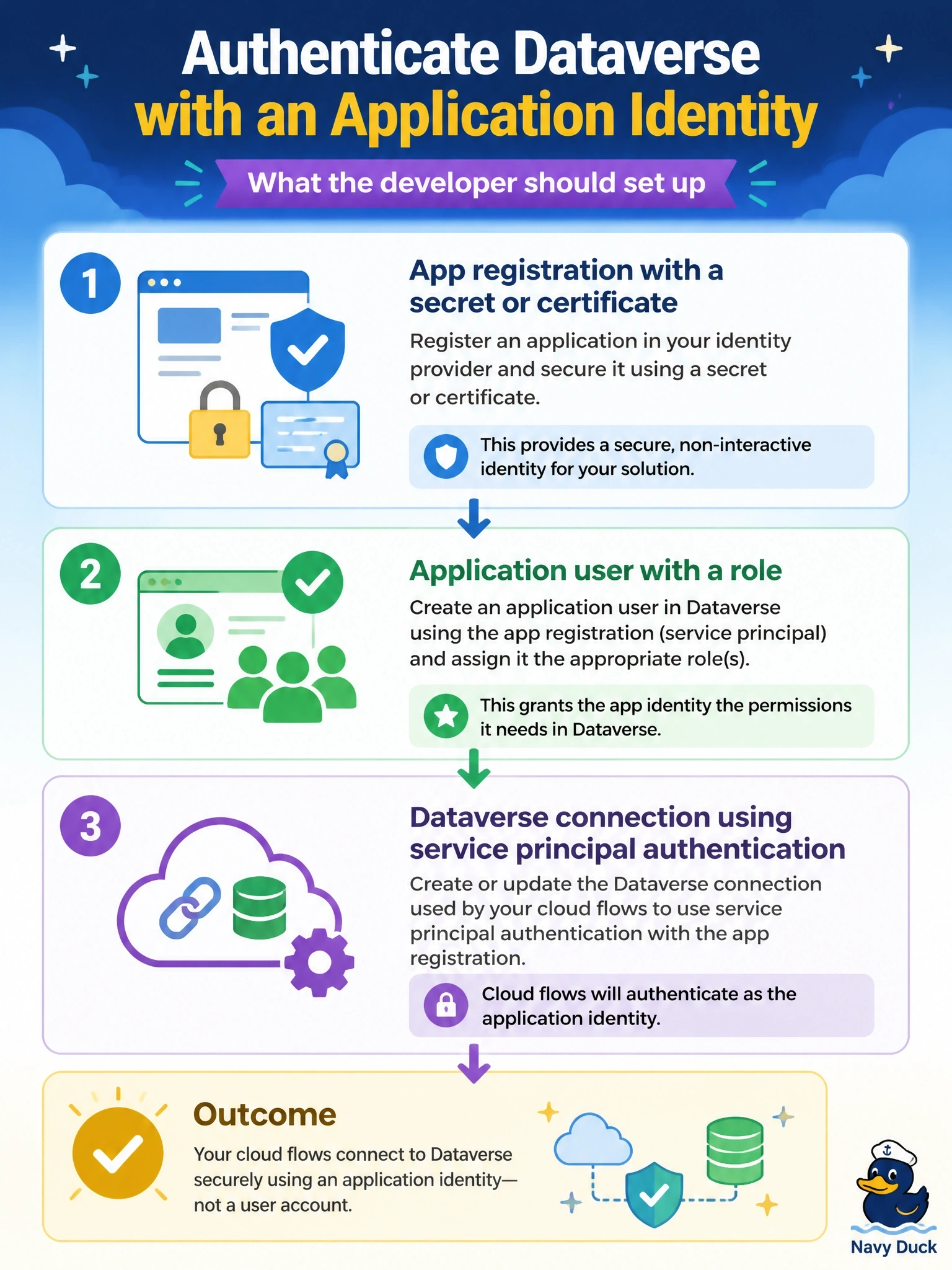
To get flows off a person's account, you give them a robot identity: an app registration, plus an application user so Dataverse knows who it is. Then you build the Dataverse connection with service principal authentication. A shared mailbox is still just a person-shaped account with a password.
Full Explanation
The Dataverse connector supports a service principal authentication type in which the connection signs in with an application's client ID and a secret or certificate from Microsoft Entra ID instead of a user's credentials. For it to work, the app registration must be represented in the environment as an application user with a security role that grants the privileges the flows need. The connection reference in the solution is then pointed at that connection, so every flow using the reference runs its Dataverse actions as the application user. A shared mailbox account is still a user account with a password; it may be subject to multifactor and password policies, consumes a license, and remains tied to a person-like identity that someone must manage. Teams can own rows and hold security roles, but a connection cannot authenticate as a team, because teams are not sign-in identities and have no credentials. A security group can co-own flows, but groups are not sign-in identities, so a connection cannot authenticate as one. Exam caveat: the flow's owner and the connection's identity are separate, so flows should also be co-owned or owned by a service account to survive staff changes. Operational check: run a flow and confirm that rows it creates show the application user in their created by column.