
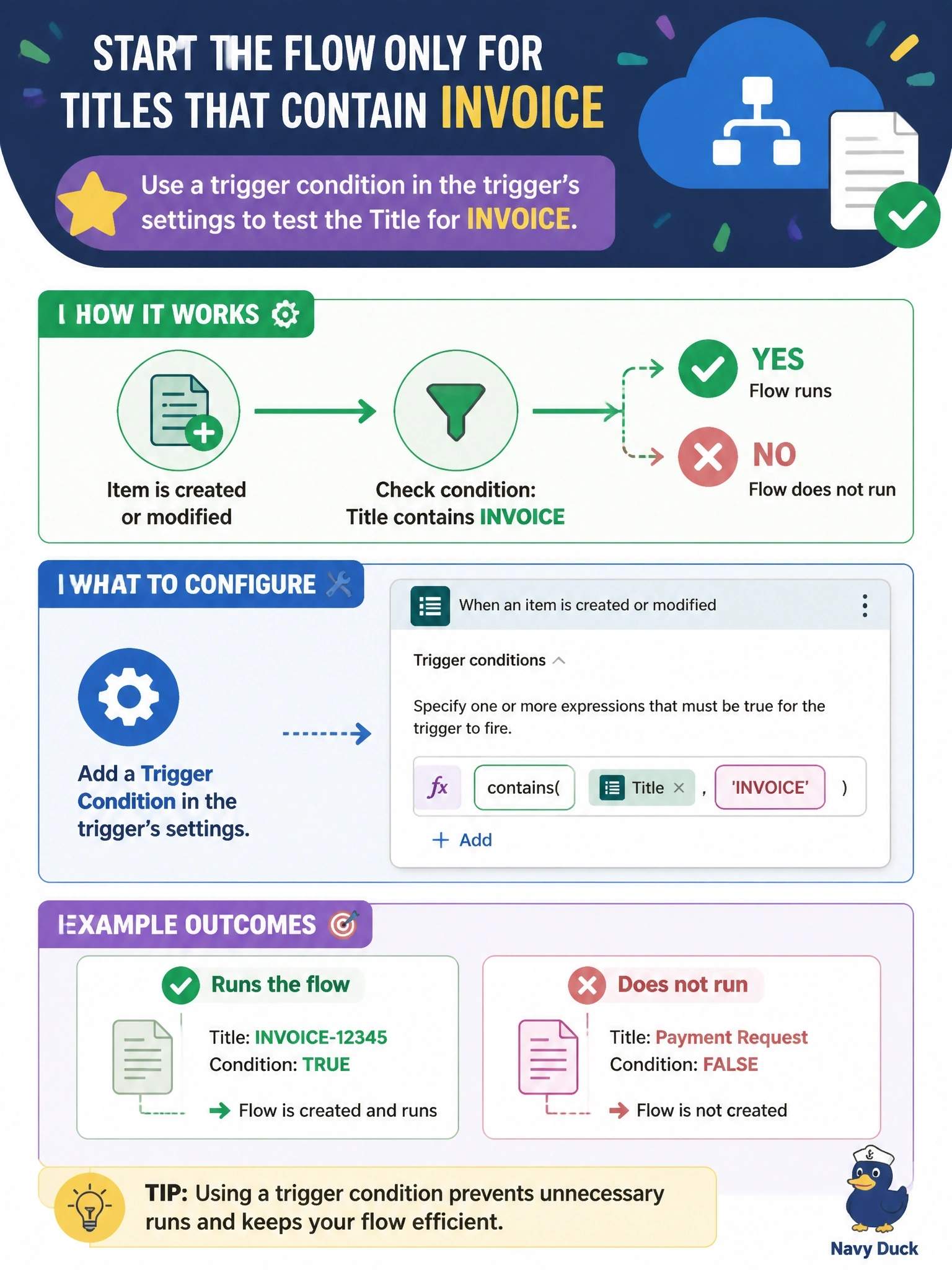
A cloud flow uses the SharePoint trigger When an item is created or modified on a documents list. The flow should start only when the item's Title contains the text INVOICE, and runs for other items must not be created. The trigger has no built-in filter for column values. What should the developer configure?
Select an answer to reveal the explanation.
Short Explanation
Trigger conditions are a bouncer working the door before your flow wakes up. If the expression comes back false, no run gets created at all. A Condition inside the flow still lets everyone in first and then asks them to leave.
Full Explanation
Trigger conditions are expressions configured in a trigger's settings. When an event arrives, the expression is evaluated, and the flow run starts only if every trigger condition returns true. For this flow, a condition using the contains function against the Title property of the trigger output, for example combined with toLower or toUpper for case-insensitive matching, prevents runs for any item without INVOICE in the Title. Because no run is created for filtered events, run history stays clean and the skipped events do not consume run quotas. A Condition action with Terminate implements the same logic only after the run has started, so every item still creates a run, which contradicts the requirement. A Filter array action works on collections inside a run; for a single-item trigger it again runs only after the run exists and does not suppress the run itself. Trigger concurrency limits how many runs execute at the same time; it has no awareness of message content and simply queues or serializes runs. Exam caveat: trigger conditions are written in the workflow expression language and must evaluate to a Boolean; a mistyped property path can silently suppress every run. Operational check: create one item with INVOICE in the Title and one without, and confirm that only the first appears in run history.