
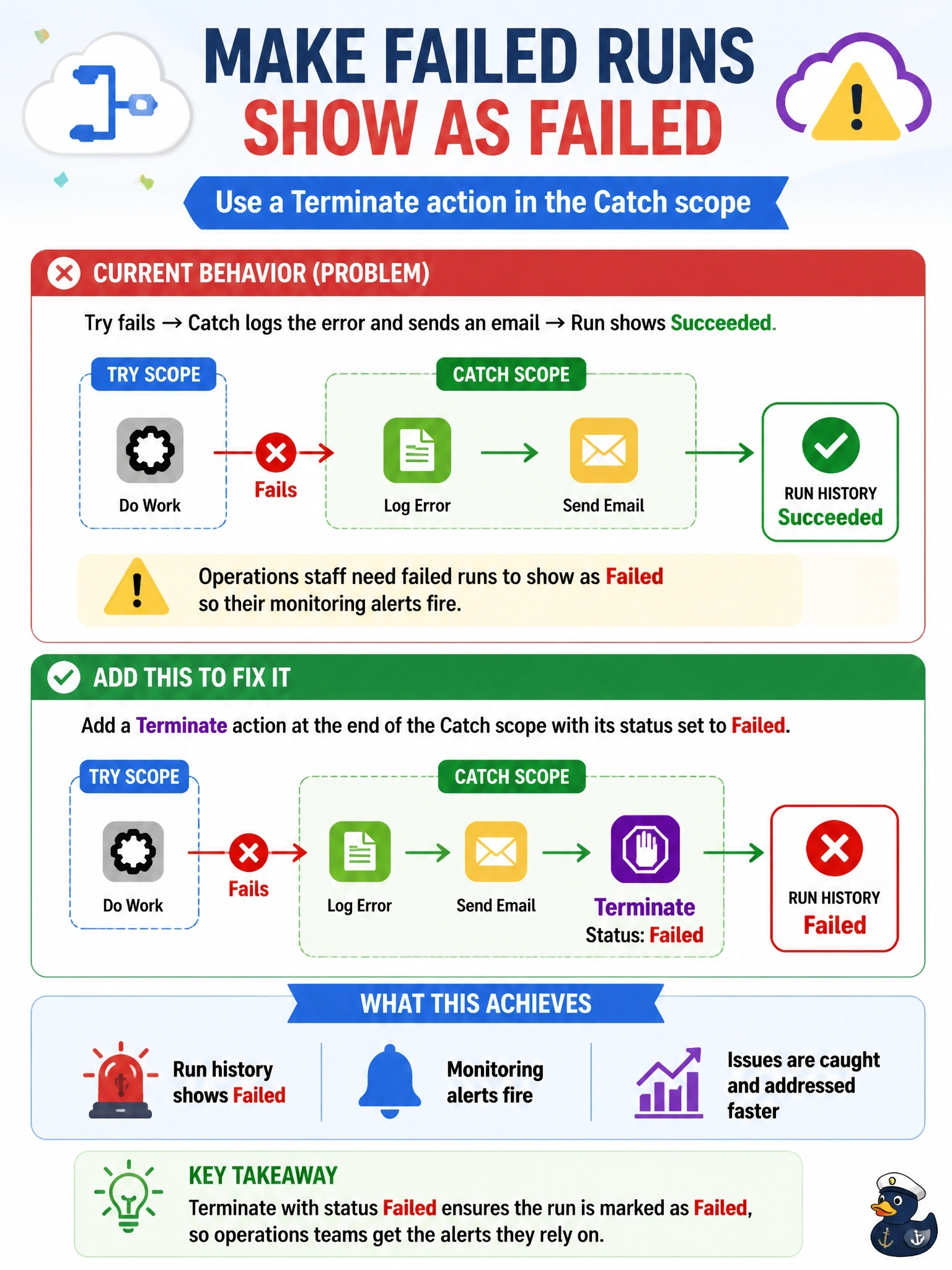
A cloud flow uses Try and Catch scopes. When the Try scope fails, the Catch scope logs the error and sends an email, and the run then shows Succeeded in run history. Operations staff need failed runs to show as Failed so their monitoring alerts fire. What should the developer add?
Select an answer to reveal the explanation.
Short Explanation
Once Catch handles the error, the flow figures all's well and calls the run a success. If you want the scoreboard to say Failed, you have to say so with a Terminate action set to Failed. A variable named 'failed' is just a sticky note nobody's monitoring reads.
Full Explanation
A run's final status reflects how the flow ended. When a Catch scope runs successfully after a failed Try scope, the overall run completes without an unhandled failure and is reported as Succeeded, which hides the problem from monitoring that keys on failed runs. Adding a Terminate action at the end of the Catch scope with status Failed, optionally with an error code and message, stops the run and records it as Failed after the logging and notification steps finish, so alerts and run-history filters treat it correctly. Setting a variable records information inside the run, but run history, monitoring, and analytics do not read custom variables, so the run still shows Succeeded. The Response action applies to flows started by the When an HTTP request is received trigger and returns a reply to the caller; it does not change the run's recorded status and is not available to automated or scheduled triggers in the same way. A Terminate action at the start of the Try scope would end every run immediately before any work happens, and Cancelled is a different status from Failed, so it neither preserves the logic nor produces the required outcome. Exam caveat: place Terminate after all Catch actions, because no further actions execute once it runs. Operational check: force a failure in a test run and confirm run history lists the run as Failed with the custom message.