
A developer is setting up Power Platform managed identity so a plug-in assembly can call an Azure resource. The plug-in code already requests tokens through IManagedIdentityService. In which order should the remaining setup be completed?
Select an answer to reveal the explanation.
Short Explanation
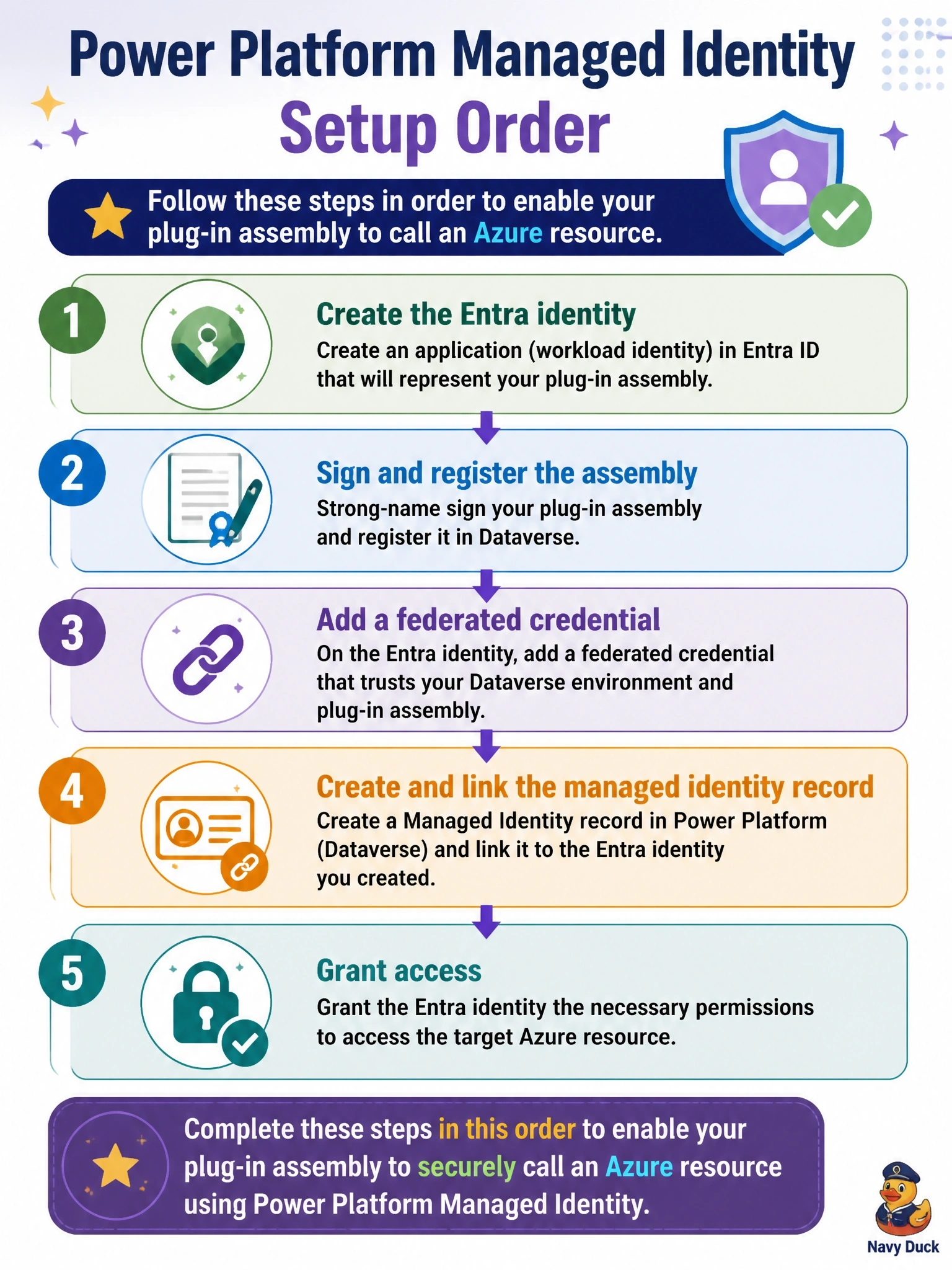
Think of it as introducing two strangers: first you create the Entra identity, then you sign and register the plug-in, then you write the trust note (the federated credential), then you tell Dataverse which identity the assembly uses. Last of all, you open the Azure door. No secrets anywhere along the way.
Full Explanation
Microsoft's procedure for Power Platform managed identity starts by creating an app registration or user-assigned managed identity in Microsoft Entra ID and noting its client ID and tenant ID. The plug-in is then built, signed with a certificate and registered, because the federated credential's subject identifier depends on the certificate and the environment. Next, a federated identity credential is added to the Entra identity with the documented issuer and subject format. A managed identity record is created in Dataverse with the application and tenant IDs, and the plug-in assembly or package is bound to it. Finally, the identity is granted access to the Azure resource, and the integration is validated by triggering the plug-in. Creating the Dataverse record before the Entra identity exists leaves it without a valid application ID, and an unsigned assembly cannot satisfy the certificate-based subject. Adding a client secret and storing it in secure configuration abandons managed identity altogether and reintroduces a stored credential. Dataverse does not create federated credentials automatically in Entra ID, and an unsigned assembly still cannot be used, so the token request would fail. Exam caveat: the subject identifier includes the environment ID, so each environment needs its own federated credential. Operational check: trigger the plug-in and confirm token acquisition succeeds without AADSTS errors.