
A developer has a custom API named contoso_OnOrderShipped that an ERP system calls after it ships an order. Makers must be able to build Power Automate flows that run whenever this happens, and nobody should be able to block or change the ERP's call. Which configuration exposes the event correctly?
Select an answer to reveal the explanation.
Short Explanation
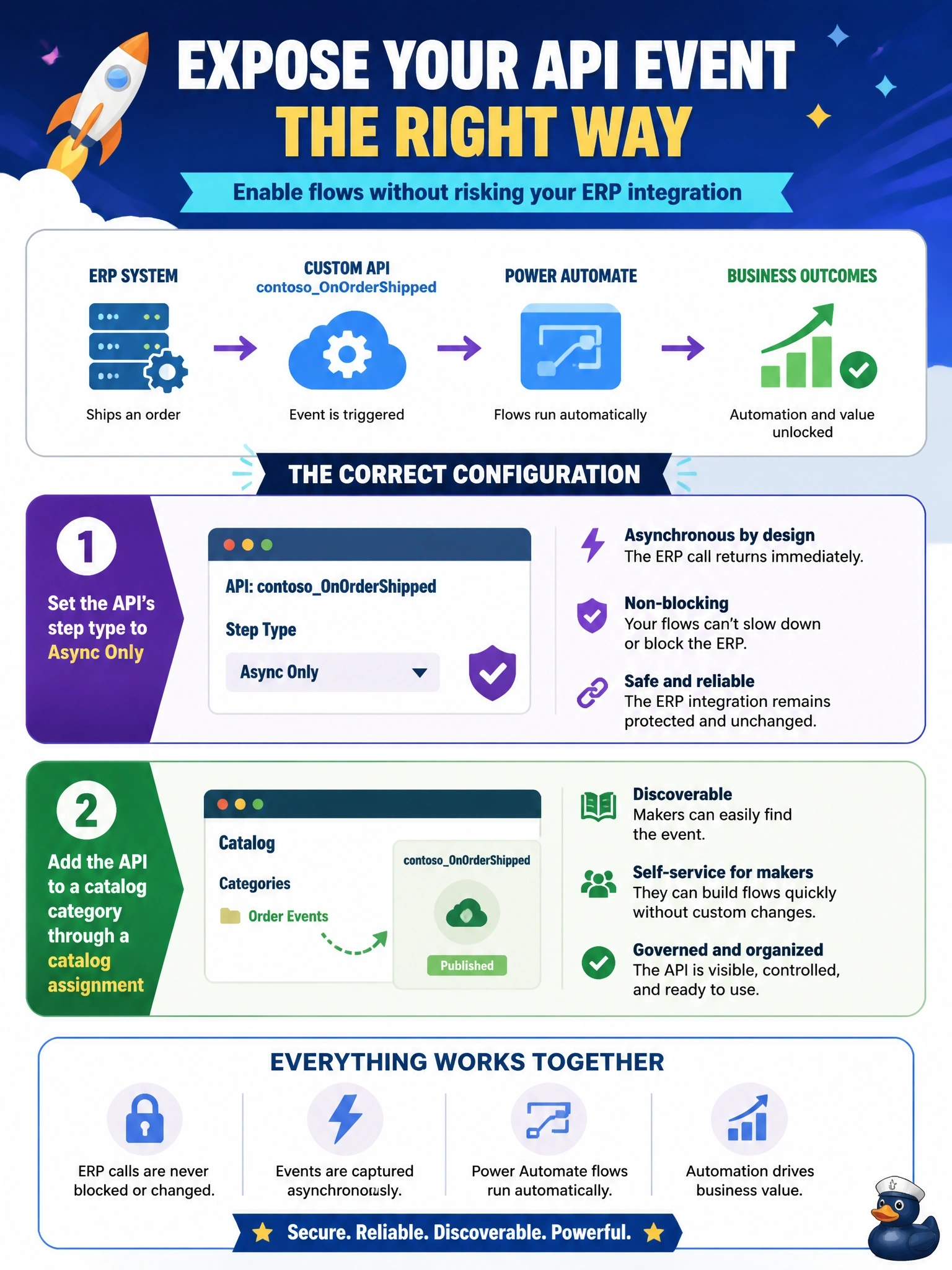
To turn a custom API into a business event, you do two things: make it listen-only with Async Only, and put it in the catalog so makers can find it. Skip the catalog and the event is invisible in the flow trigger. And Sync and Async would let anyone throw a wrench into the ERP's call.
Full Explanation
Dataverse business events expose selected messages for asynchronous subscribers such as Power Automate flows. A custom API becomes a business event when it is added to a catalog: a catalog represents the solution, a category beneath it groups events, and a catalog assignment links the custom API to the category. Setting AllowedCustomProcessingStepType to Async Only is the recommended configuration for this pattern, because subscribers can respond after the operation completes but no synchronous step can block or alter the call the ERP makes. Once cataloged, the event appears in the Dataverse connector's When an action is performed trigger. Allowing Sync and Async permits third-party synchronous plug-ins that could cancel the ERP's request, and registering a webhook per flow is not how flows subscribe to business events. Setting IsPrivate to true hides the API from $metadata and code generation, which works against discoverability and does nothing to expose it to makers. Setting the step type to None blocks asynchronous steps as well, so subscribers could not respond, and a Service Bus endpoint is a separate integration path rather than the trigger makers use. Exam caveat: for external events, define only request parameters and no plug-in type, since nothing should run synchronously. Operational check: in a flow, open the When an action is performed trigger, select the catalog and category, and confirm contoso_OnOrderShipped is listed.