
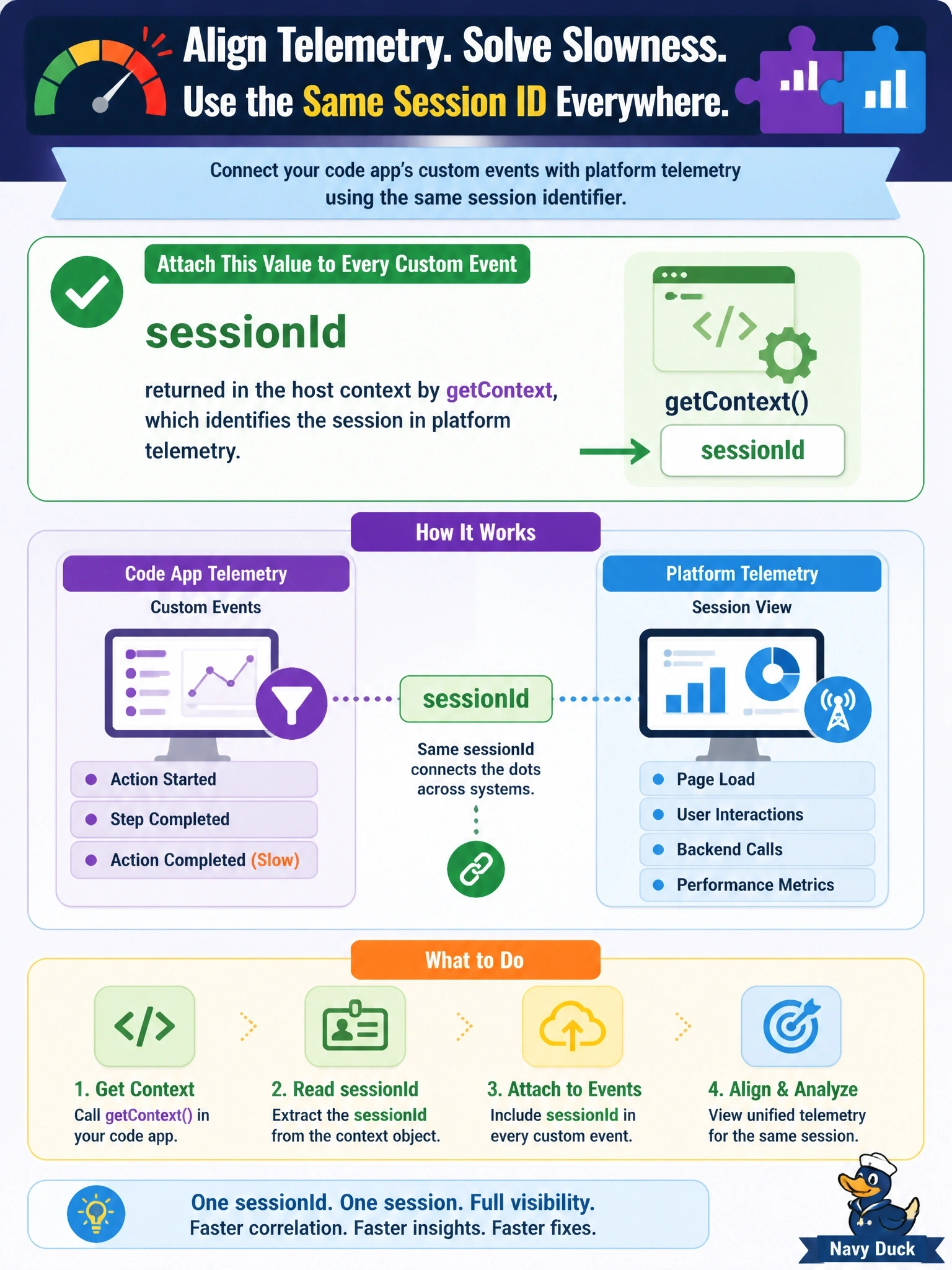
Users report that one action in a code app is slow. The team wants to line up the app's Application Insights custom events with Power Platform's own telemetry for the same user session. Which value should the developer attach to every custom event?
Select an answer to reveal the explanation.
Short Explanation
If you want two logbooks to line up, they need a shared timestamp or ticket number. In code apps that shared ticket is the session ID from getContext, so stamp it on your custom events. A random GUID you invent is one only your logbook knows about.
Full Explanation
The Power Apps client library exposes getContext, which returns app, user and host context. Microsoft notes that values such as the host sessionId allow app sessions to be correlated with platform telemetry, which makes it the right key for joining client events with what Power Platform records about the same session. Attaching sessionId as a custom property on each custom event, or setting it once on the telemetry context, lets an analyst filter both sides to the session in which the slow action occurred. userPrincipalName identifies the person, not the session, so it cannot separate one sitting from another and adds personal data to every event. appId identifies the app itself and stays the same across sessions, so it cannot distinguish them. A random GUID created by the app is meaningful only in the app's own telemetry; nothing on the platform side shares it, so it cannot be used to join the two. Exam caveat: correlation requires the identifier on both sides, so the choice of key matters more than the volume of client data collected. Operational check: log sessionId with a custom event, reproduce the slow action, and confirm the session can be located on both the client and platform side using that value.