
A code app needs an Ask the assistant panel that sends a user's question to an existing, published Copilot Studio agent and shows the agent's reply. How should the developer connect the app to the agent?
Select an answer to reveal the explanation.
Short Explanation
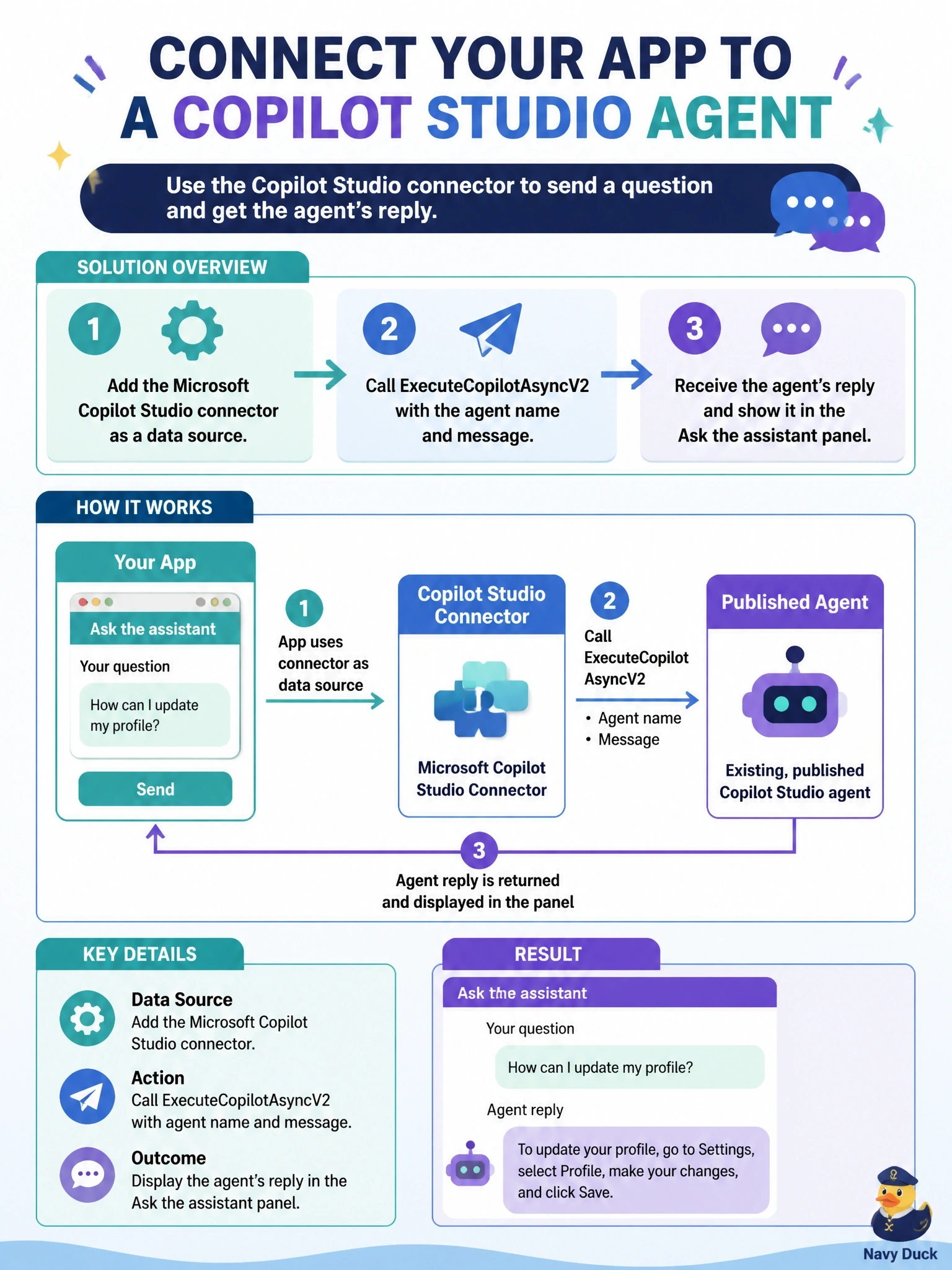
Think of the Copilot Studio connector as the phone line to your agent, and ExecuteCopilotAsyncV2 as the call where you wait for an answer. You pass the agent name and the message, and the reply comes back in the response. The trap is ExecuteCopilot, which only hands you a conversation ID and hangs up.
Full Explanation
Code apps call Copilot Studio agents through the Microsoft Copilot Studio connector. The developer creates or reuses a connection for that connector, adds it with pa app add data-source using the connector identifier and connection ID, and imports the generated service. The ExecuteCopilotAsyncV2 operation, shown in the connector as Execute Agent and wait, sends a message to a published agent identified by its agent name and returns the agent's responses synchronously, so the panel can render the reply. Writing a row into the bot table does not start a conversation; agent definitions stored in Dataverse are configuration, not a messaging channel. The Copilot Studio test pane is a maker tool, and scraping another frame's DOM is blocked by browser same-origin rules and frame-src policy. The ExecuteCopilot operation is fire-and-forget and returns only a conversation ID, not the agent's answer, which is a documented limitation. Exam caveat: the agent name is case-sensitive and usually carries a publisher prefix, so copy it from the agent's channel connection details rather than its display name. Operational check: add the connector data source, call ExecuteCopilotAsyncV2 with a test message, and confirm the response reports completed with a lastResponse value.