
A code app calls a Dataverse custom API. Sales managers can run it, but other users receive a privilege error, even though all of them can read and write the tables the API touches. The custom API definition has ExecutePrivilegeName set. What should the developer check?
Select an answer to reveal the explanation.
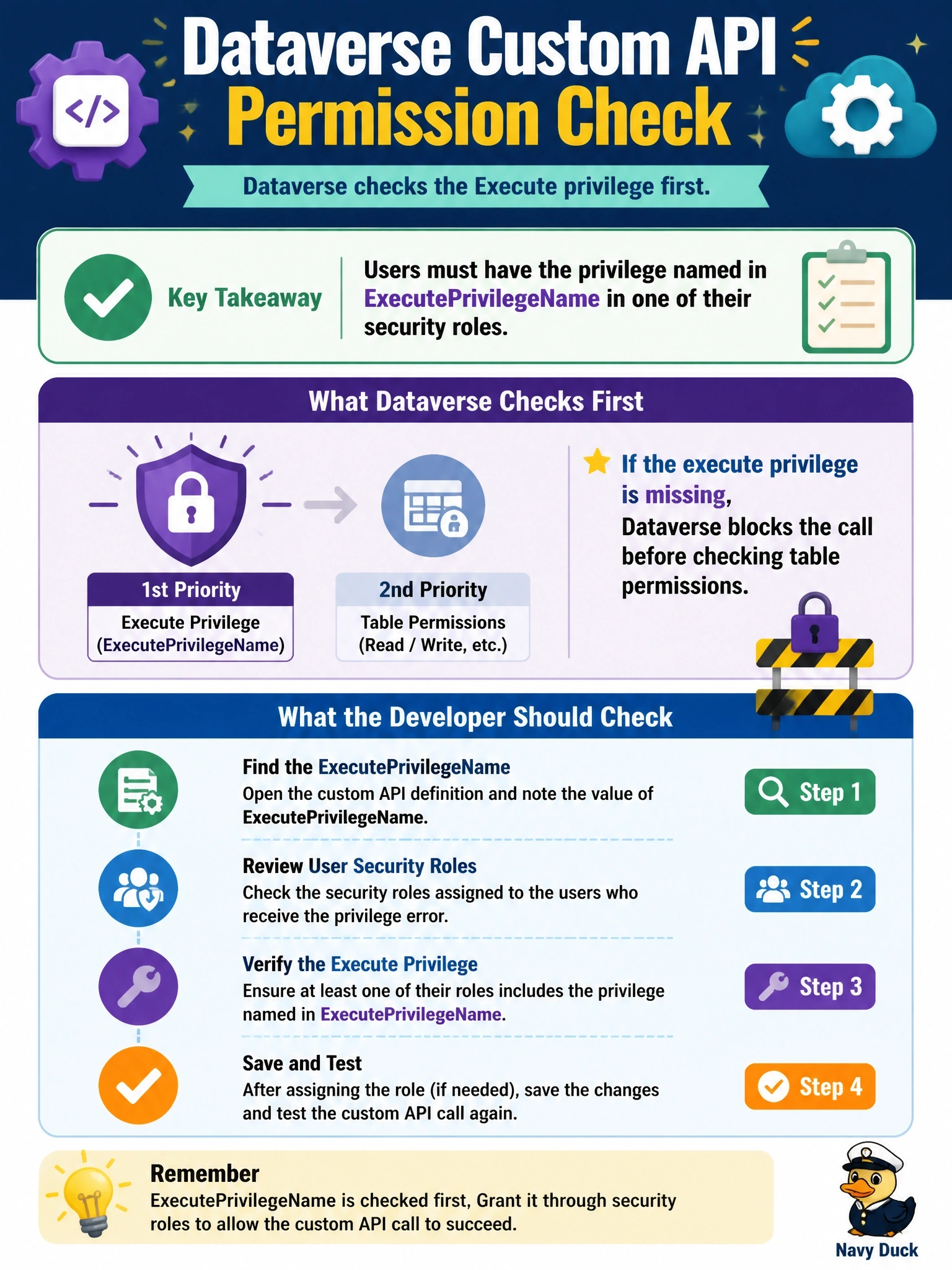
Short Explanation
Think of ExecutePrivilegeName as a separate key for one specific door. Table access gets your users into the hallway, but only users holding that privilege get through the custom API door. The trap is checking table permissions when the lock is on the message itself.
Full Explanation
A custom API can require a specific privilege through its ExecutePrivilegeName property. When it is set, Dataverse checks that the caller holds that privilege before running the API and rejects the request with a privilege error if not, regardless of what the user can do on the tables involved. Sales managers succeed because a role assigned to them includes the privilege; other users lack it. The fix is to grant the privilege through a security role assigned to the intended users, or to reconsider whether the restriction is needed. Sharing a code app with play rather than edit access controls whether a user can run versus modify the app; it does not affect Dataverse privilege checks. Custom APIs do not use a PreValidation step registration for their main logic; the plug-in is associated with the API itself, and the stage cannot bypass a privilege requirement. IsPrivate hides a custom API from metadata discovery for other developers; it neither grants nor removes the execute privilege. Exam caveat: a custom API without ExecutePrivilegeName can be called by anyone who can authenticate, so the business logic itself must still enforce access. Operational check: read the custom API row's ExecutePrivilegeName, find which role holds it, assign that role to a failing user, and retry.