
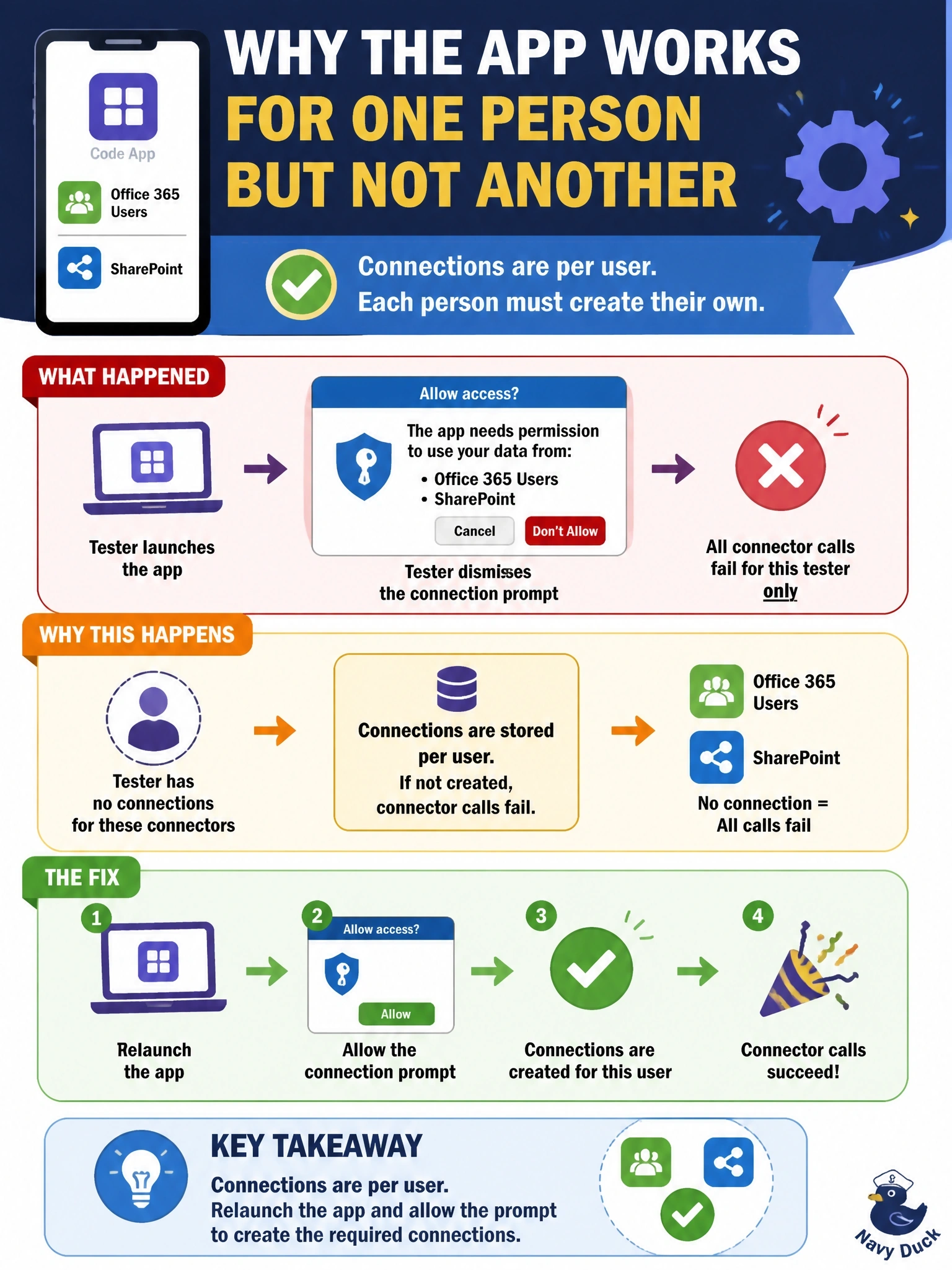
A code app that uses the Office 365 Users and SharePoint connectors works for the developer. A tester the app is shared with dismissed the connection prompt on first launch, and now every connector call in the app fails for that tester only. What is the most likely explanation and fix?
Select an answer to reveal the explanation.
Short Explanation
Connections are like personal phone lines: everyone needs their own, under their own name. Your tester hung up when the app asked to set one up, so there's no line; let them relaunch and say yes, and the calls go through.
Full Explanation
Power Platform connections belong to individual users. When a user first launches an app that depends on connectors, the platform shows a consent prompt so the user can create or select their own connections, and calls then run with that user's identity and permissions. Code apps follow the same model, and Microsoft lists the end-user consent dialog for connector permissions among the managed platform capabilities that apply to them. A user who dismisses the prompt has no connection for those connectors, so each call fails while the developer, who has working connections, sees no issue. Relaunching the app and accepting the prompt creates the tester's connections and resolves the failure. Dataverse security roles govern Dataverse data, but connectors such as Office 365 Users and SharePoint authorize the user through the connection and the service behind it, so granting System Administrator does not create a missing connection and violates least privilege. Pushing the app again publishes a new version; it does not create connections for users. Code apps do not run connector calls under the developer's identity, and CLI profiles are developer tooling, not something end users carry. Exam caveat: administrators can suppress the consent dialog for certain connectors, which changes the prompt but not the per-user ownership of connections. Operational check: have the tester relaunch, accept the prompt, and confirm the connections appear under the tester's connections list.