
A code component bound to a numeric column updates its own display when the user drags a slider, but the column value on the form never changes and the record saves the old value. The component stores the new value in a private field and returns it from getOutputs. What is missing?
Select an answer to reveal the explanation.
Short Explanation
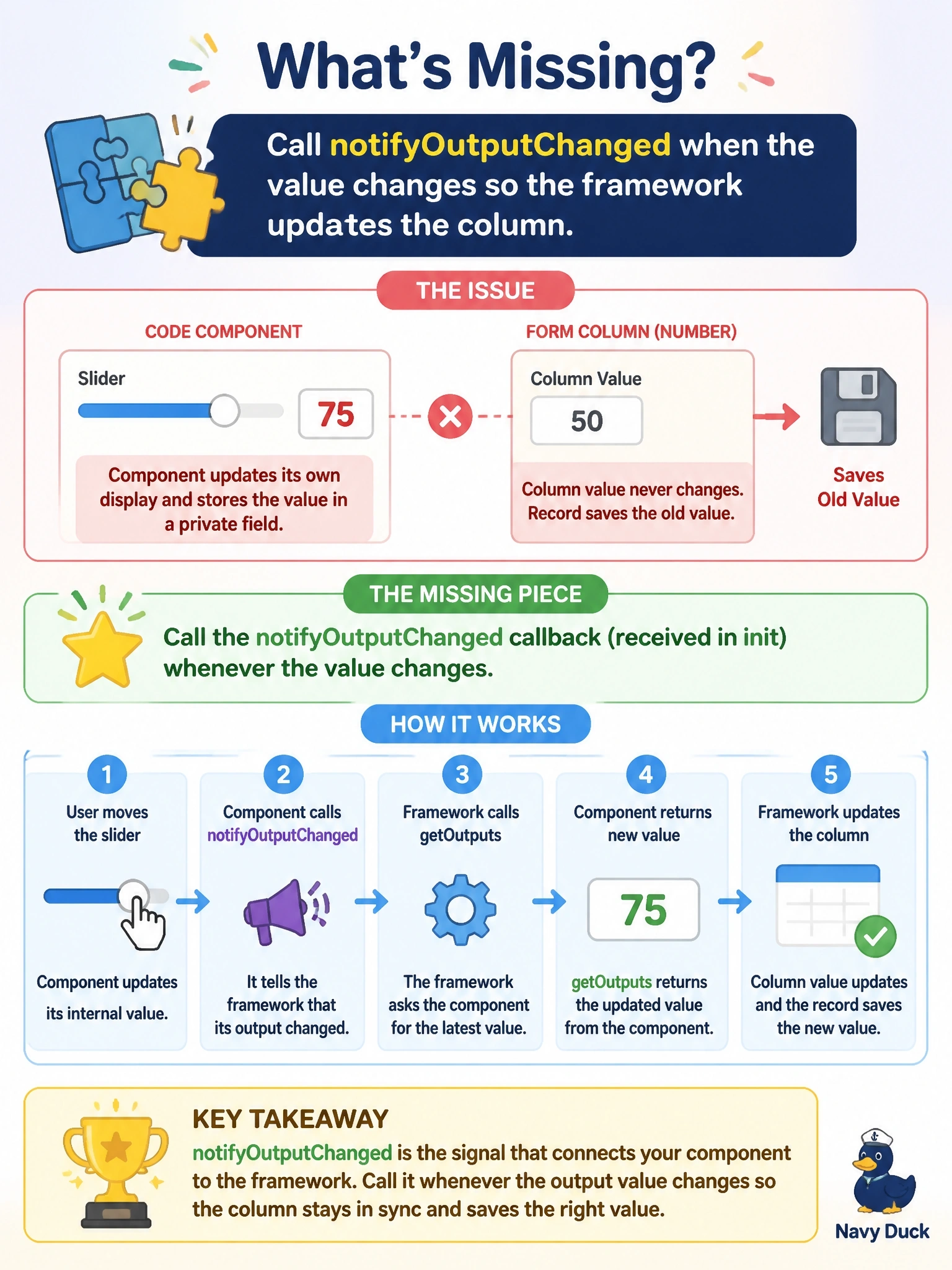
getOutputs is a mailbox the framework only checks when you ring the doorbell. That doorbell is notifyOutputChanged; if you never ring it, your new value just sits in the box while the form keeps the old one.
Full Explanation
Data flows out of a code component in two steps. When the component's internal value changes, it calls the notifyOutputChanged callback that the framework passed to init. That call tells the framework that outputs are ready, and the framework then calls getOutputs to collect an object whose properties map to the bound or output properties in the manifest, and writes those values to the column. Returning the value from getOutputs without ever calling notifyOutputChanged means getOutputs is never invoked, so the form keeps the old value. Property values in context.parameters are inputs supplied by the framework; they expose the current value, formatting and metadata, but the documented way to send a value back is through the output cycle, not a setter on the parameter. Calling updateView manually only re-renders the component; updateView is a framework-invoked method for receiving changes, not for sending them. Code components run without the form's Client API, so reaching for formContext inside the component is unsupported and would not work outside model-driven forms, and the premise that components cannot change column values is false. Exam caveat: the framework may call updateView after an output change, so updateView should render from the context without assuming the change came from outside. Operational check: in the test harness, move the slider and confirm the bound property's value in the data inputs pane changes.