
A JavaScript function must run whenever the Credit Limit column changes on the account form, and it needs the form context to read other columns. The team wants the registration to be visible to makers and deployed with the solution. Which approach meets these goals?
Select an answer to reveal the explanation.
Short Explanation
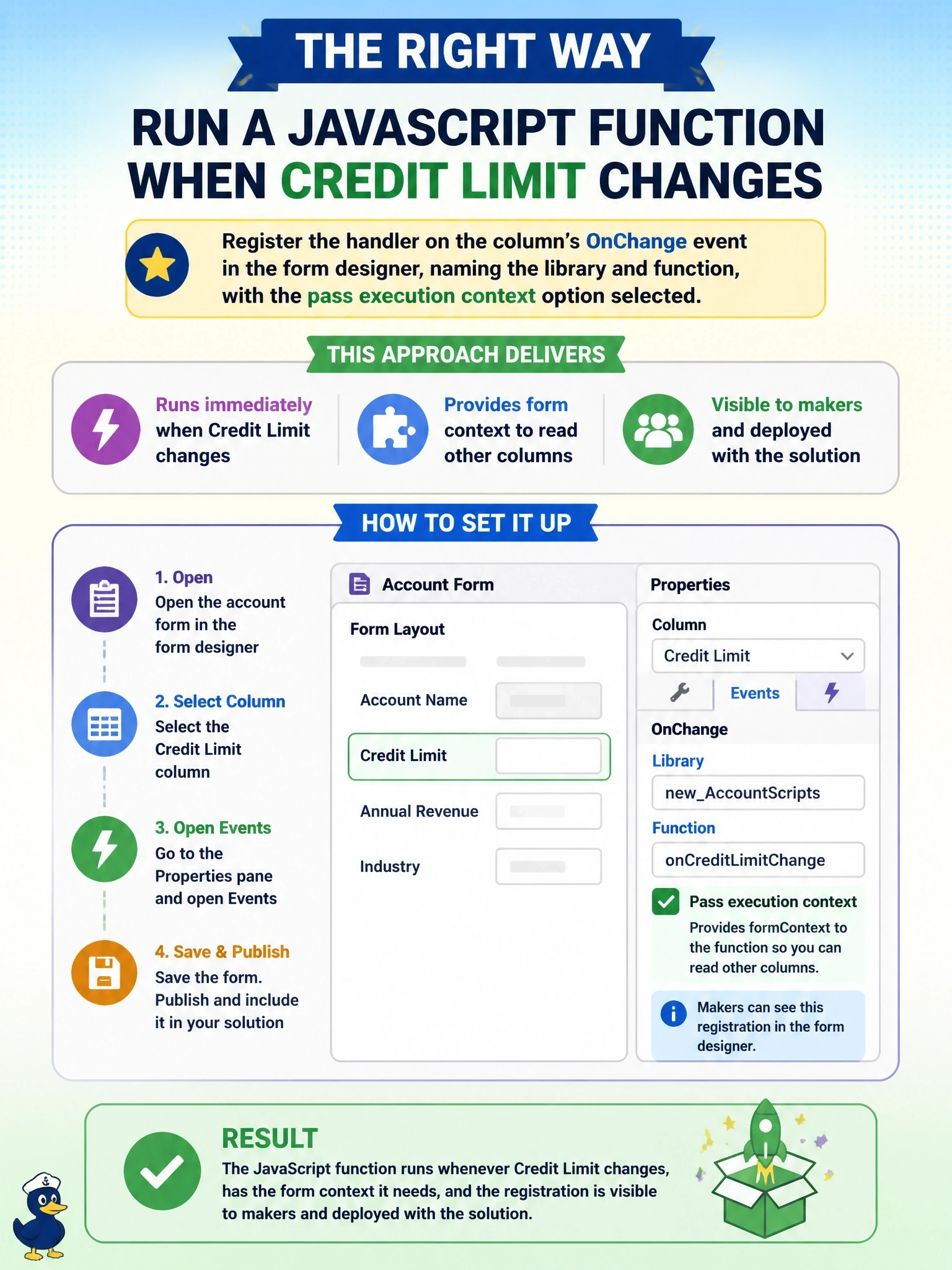
The form designer's event list is the front desk sign-in sheet: everyone can see who's registered, and it ships with your solution. Tick the pass-execution-context box and your function gets the form context handed to it on every change.
Full Explanation
Model-driven forms let makers register event handlers declaratively in the form designer. For a column OnChange event, the handler entry names the JavaScript web resource library and the function, and the option to pass the execution context as the first parameter supplies the execution context, from which executionContext.getFormContext() returns the form context. Because the registration is part of the form definition, it is visible in the designer and travels with the solution through ALM. Registering through addOnSave changes the event entirely: the function would run when the record is saved rather than when the user changes the value, so immediate client-side behavior such as recalculating or showing guidance would be lost. A plug-in on the Update message runs on the server after a save and cannot interact with the open form, although it is the right tool when the rule must be enforced for every channel. Listening to DOM events on the input element is unsupported: the form's markup is not a contract and changes between releases, and scripts must use the Client API. Exam caveat: code-based registration with addOnChange is valid for dynamic cases, but it is not visible in the designer. Operational check: open the form properties, confirm the handler appears under the column's OnChange event with the execution context option selected, and test the change in the running app.