
Before deleting a custom column from a table, a developer must know which forms, views and other solution components reference it, so that nothing breaks after the deletion. Which approach should the developer use?
Select an answer to reveal the explanation.
Short Explanation
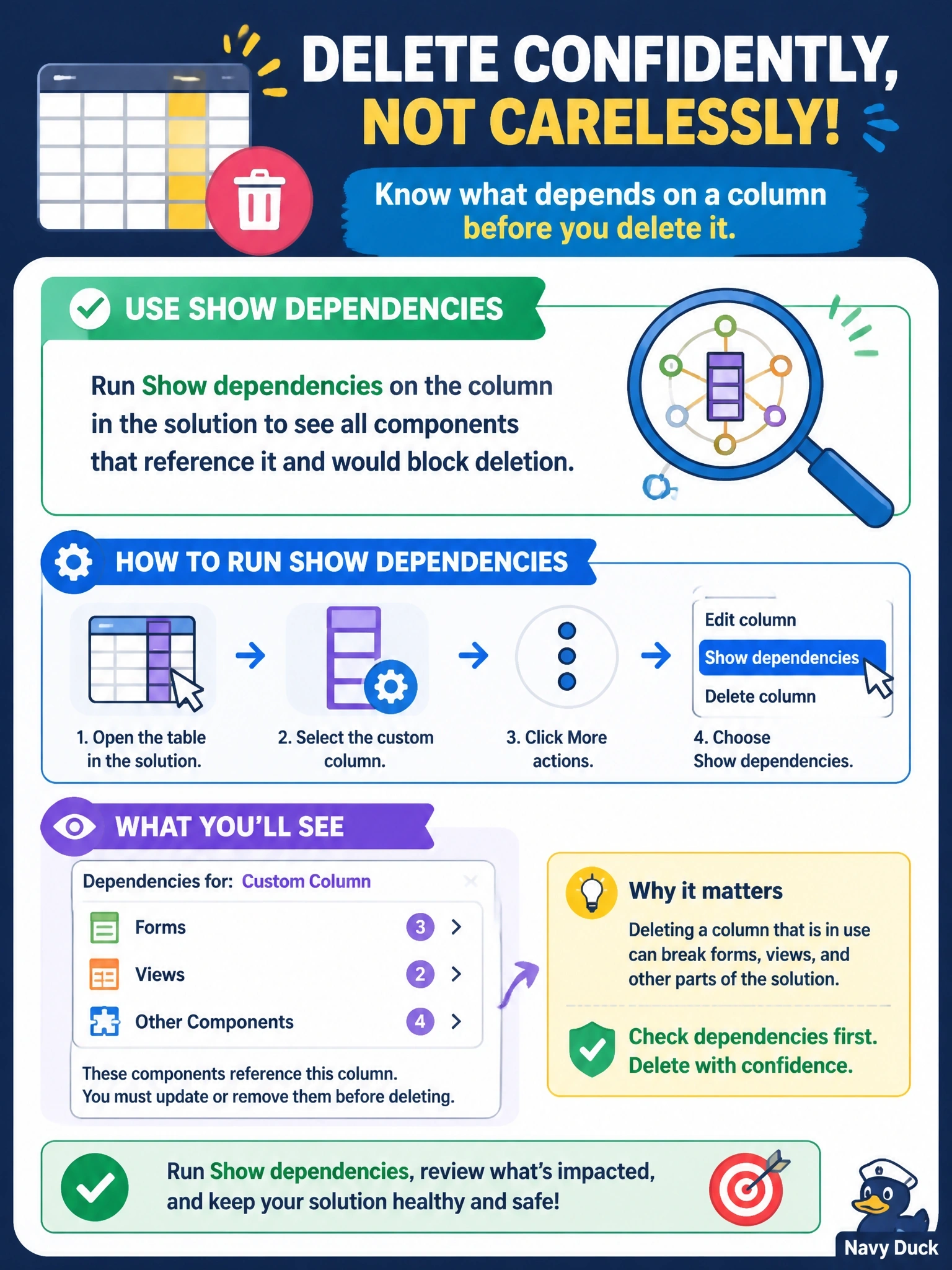
Think of Show dependencies as asking the column 'who's leaning on you?' before you pull it out of the wall. It lists the forms, views and other components that would come crashing down. The trap is solution layers, which tell you who customized the column, not who uses it.
Full Explanation
Dataverse records dependencies between components, and the Show dependencies command on a component in a solution lists both the components it requires and the components that depend on it. For a column, that includes forms, views, charts, relationships, business rules, processes and other solution-aware components that reference it, which are exactly the items that block deletion and must be updated first. The platform enforces this by refusing to delete a component while dependents exist, so reviewing the list up front lets the developer plan changes. The solution checker performs static analysis for best-practice violations and performance or compatibility issues; it is not an inventory of references to a specific column. The solution layers view shows which managed and unmanaged solutions have customized a component and how those layers stack; it does not list the forms or views that use the column. Auditing records data changes to rows and who made them; it cannot reveal which forms or views reference a column, and components that only read the column would never appear. Exam caveat: code such as plug-ins, scripts and external integrations that reference the column by name are not tracked as dependencies, so search code repositories as well. Operational check: open the column in the solution, select Show dependencies, and resolve every dependent before deleting.