
A developer has an existing TypeScript web app with its own component library. It must now read and write Dataverse rows and look up users through the Office 365 Users connector, and it must run on Power Platform under the environment's governance. What is the appropriate approach?
Select an answer to reveal the explanation.
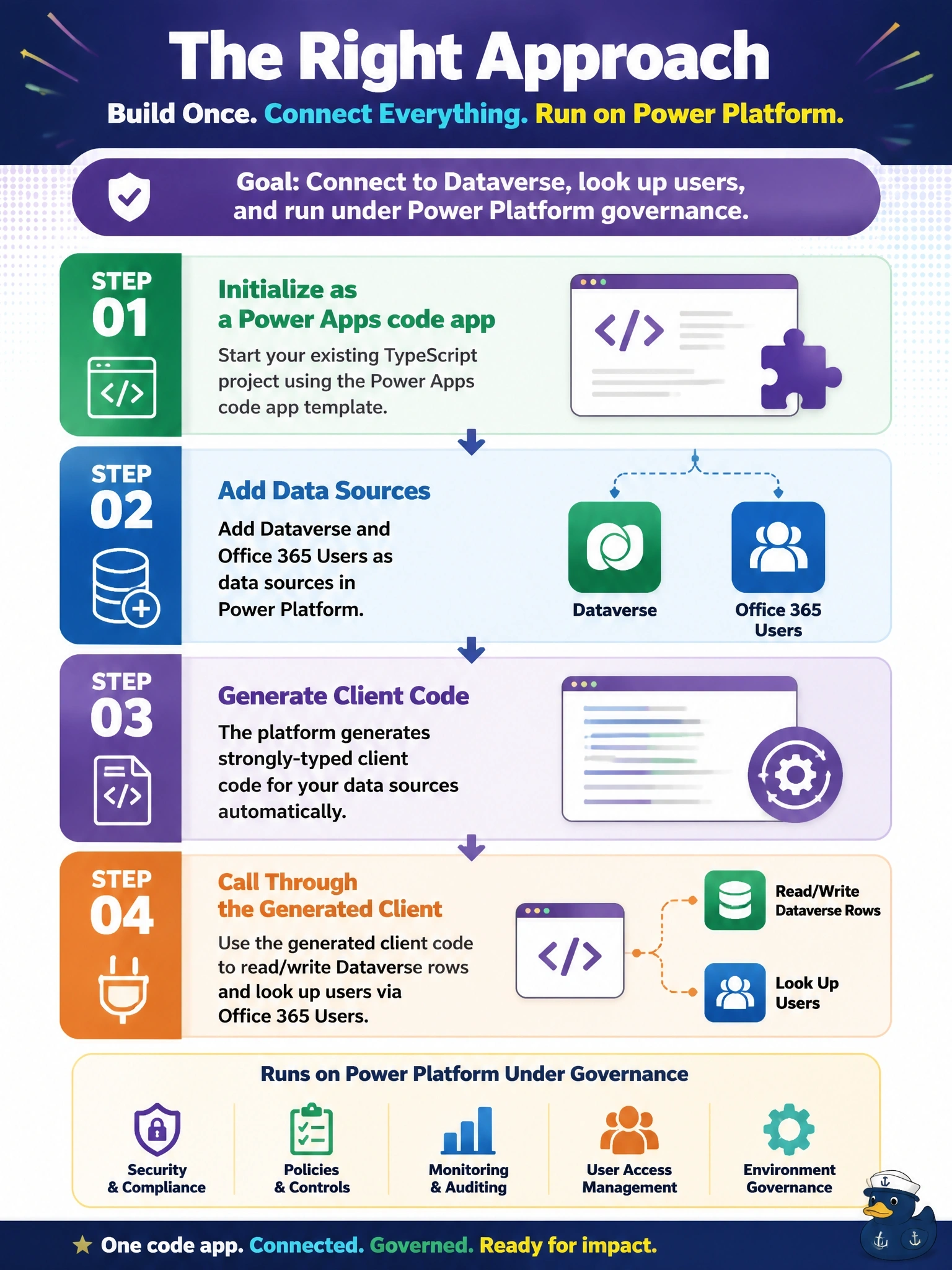
Short Explanation
Think of the code app path as keeping your own furniture and just plugging into the building's wiring. Your components stay, and the data sources you add show up as typed calls in your TypeScript. The trap is hosting it yourself, which works technically but walks right out of the governance the stem demands.
Full Explanation
Power Apps code apps are designed for exactly this situation: developers keep their framework, components and build process, initialize the project as a code app with the Power Apps tooling, and add data sources such as Dataverse tables and connectors like Office 365 Users. The tooling generates TypeScript models and services, so the app reads and writes data through typed calls that run under the signed-in user's connections, and publishing places the app in the environment where sharing, Conditional Access and data policies apply. Rebuilding in a canvas app throws away the component library and moves the team into a different development model. A separately hosted app calling the Web API and Microsoft Graph with MSAL can access the data, but it is not hosted or governed by Power Platform, so it fails the stated requirement and leaves the team to manage app registrations and policy enforcement themselves. A PCF code component is a control inside a form or page, not a full application, and wrapping a whole app in one breaks its routing and layout. Exam caveat: code app connections still respect connector consent and data policies, so a blocked connector cannot be used from code either. Operational check: run the app locally against the environment, confirm both data sources return results, then publish and test with a second user.