
A seller viewing a lead record tries to directly edit the Predictive Score field to reflect her own judgment. She's told the field cannot be typed into. Why is the predictive score field on a lead record not directly editable by sellers?
Select an answer to reveal the explanation.
Short Explanation
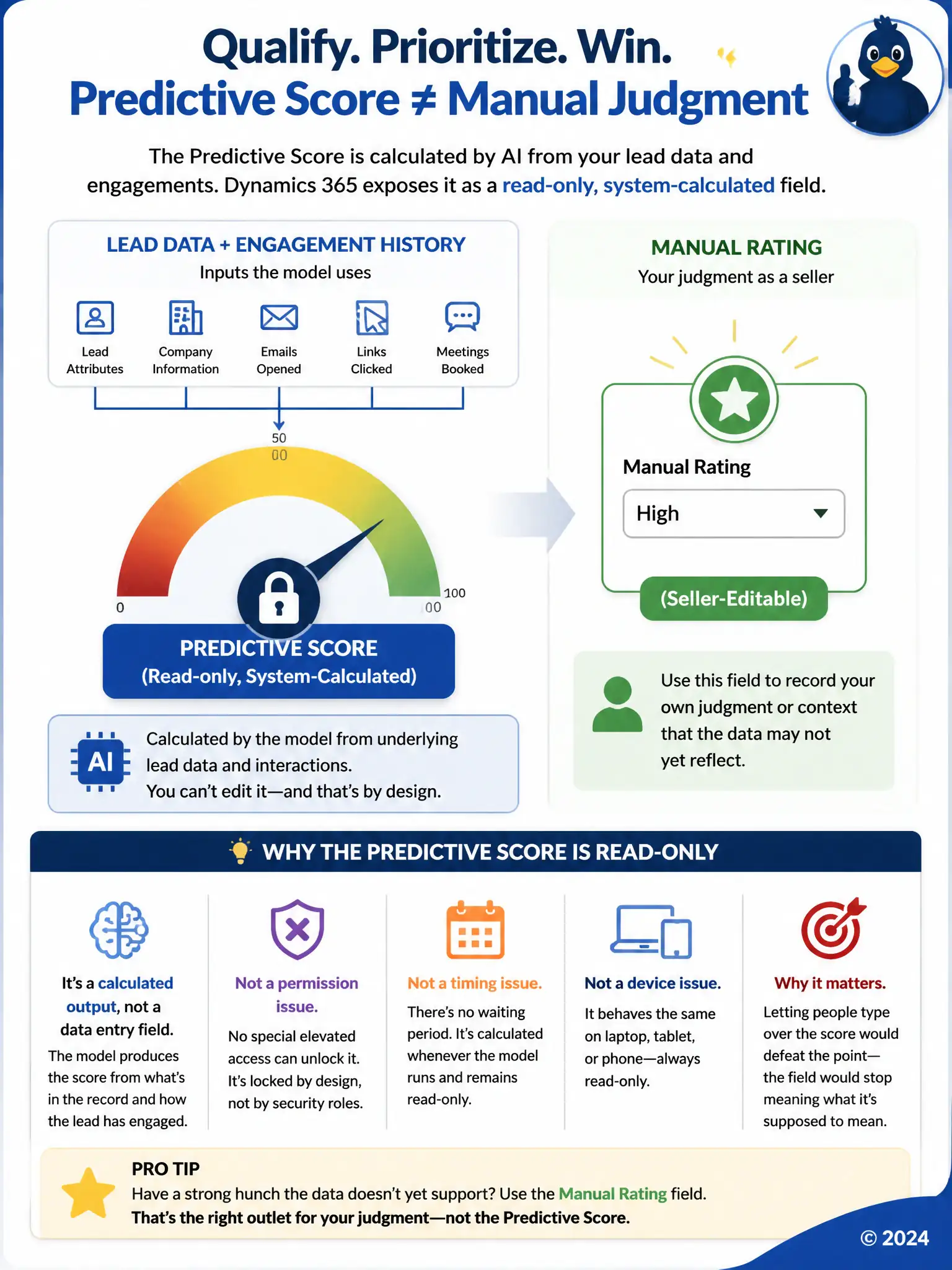
You can't type into the predictive score because it's a calculated output, not a data entry field. The model builds that number from the lead's data and interactions, and Dynamics 365 keeps it read-only so it stays trustworthy. If your judgment differs, use the manual Rating field instead.
Full Explanation
The predictive score on a lead record is generated by the scoring model from the lead's data and engagement history, and Dynamics 365 exposes that result as a read-only, system-calculated field precisely so it reflects what the model actually computed rather than a manually typed value that could drift from the underlying calculation. If a seller disagrees with the score, the correct path is to update the Rating field or record additional context, not to overwrite the number itself. The claim that the score field is editable after a temporary elevated security role is granted is incorrect because there is no workflow in which an administrator grants a temporary elevated role that unlocks direct editing of the score field; the field's read-only behavior is not a permissions setting that can be toggled per user. The claim that the score field becomes editable once the lead has been open for more than 90 days is incorrect because no age-based rule exists that unlocks manual editing after a lead has been open for a set number of days; the field remains system-calculated regardless of how long the lead has been active. The claim that the score field is editable only through the mobile app because the web client renders it as a locked calculated column is incorrect because the field's editability does not differ between the web client and the mobile app; it is calculated and read-only across the platform consistently. Sellers who want their own judgment reflected should use the separate manual Rating field instead.