
A consultant configures Copilot for Sales for a client that wants sellers to ask natural-language questions and get answers pulled from both Dynamics 365 Sales records and the client's SharePoint document library linked to opportunities. After enabling Copilot, sellers get correct answers about opportunity data, but questions about content inside linked SharePoint proposal documents return nothing. What should the consultant check first?
Select an answer to reveal the explanation.
Short Explanation
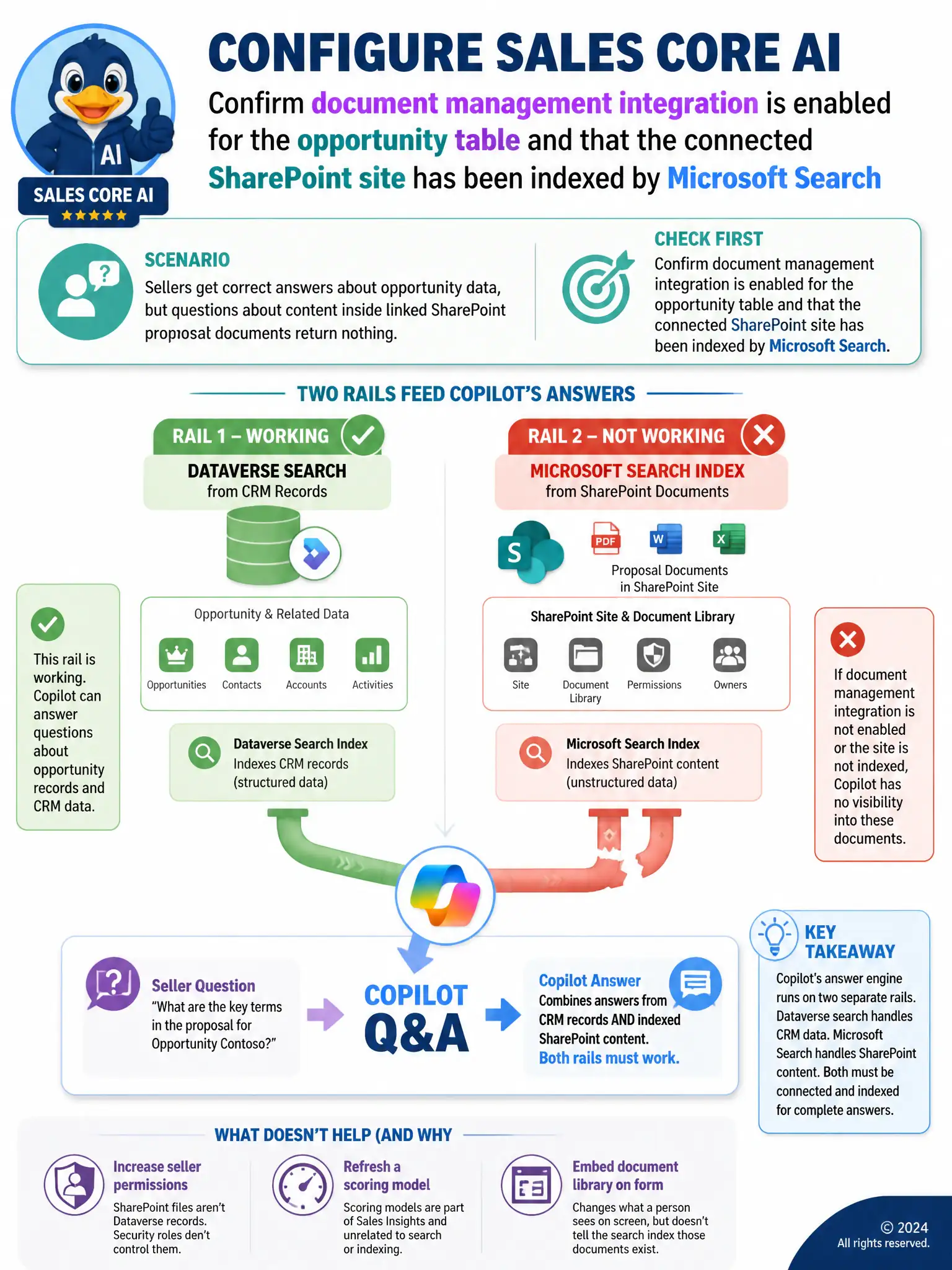
You should check that document management integration is enabled for the opportunity table and that the connected SharePoint site has been indexed by Microsoft Search. Copilot can answer opportunity questions because Dataverse search is working, but it cannot answer from proposal documents until SharePoint content is searchable. Raising security roles, refreshing scoring, or embedding the library does not make those files searchable.
Full Explanation
The correct answer is the option that says to confirm document management integration is enabled for the opportunity table and that the connected SharePoint site has been indexed by Microsoft Search. Copilot for Sales answers questions from linked SharePoint documents through Microsoft Search indexing of the connected SharePoint site, which is separate from the Dataverse relevance search that powers answers about CRM records. Since sellers already get correct answers about opportunity data, the CRM-side connection is working; the gap is that SharePoint content has not been made searchable to Copilot, so the consultant should verify document management integration is enabled on the opportunity table and that the linked SharePoint site is indexed by Microsoft Search. The security-role option is incorrect because security roles govern access to Dataverse tables and records; SharePoint documents live outside Dataverse, so raising a seller's role does nothing to expose that content to Copilot. The predictive opportunity scoring option is incorrect because predictive opportunity scoring is a separate Sales Insights feature that estimates win likelihood from historical deal data and has no bearing on Copilot's document search and summarization capability. The IFrame option is incorrect because embedding the SharePoint library as an IFrame only changes what sellers see inside the opportunity form; it does not register the library's content with the search index Copilot queries, so questions about the documents would still return nothing.