
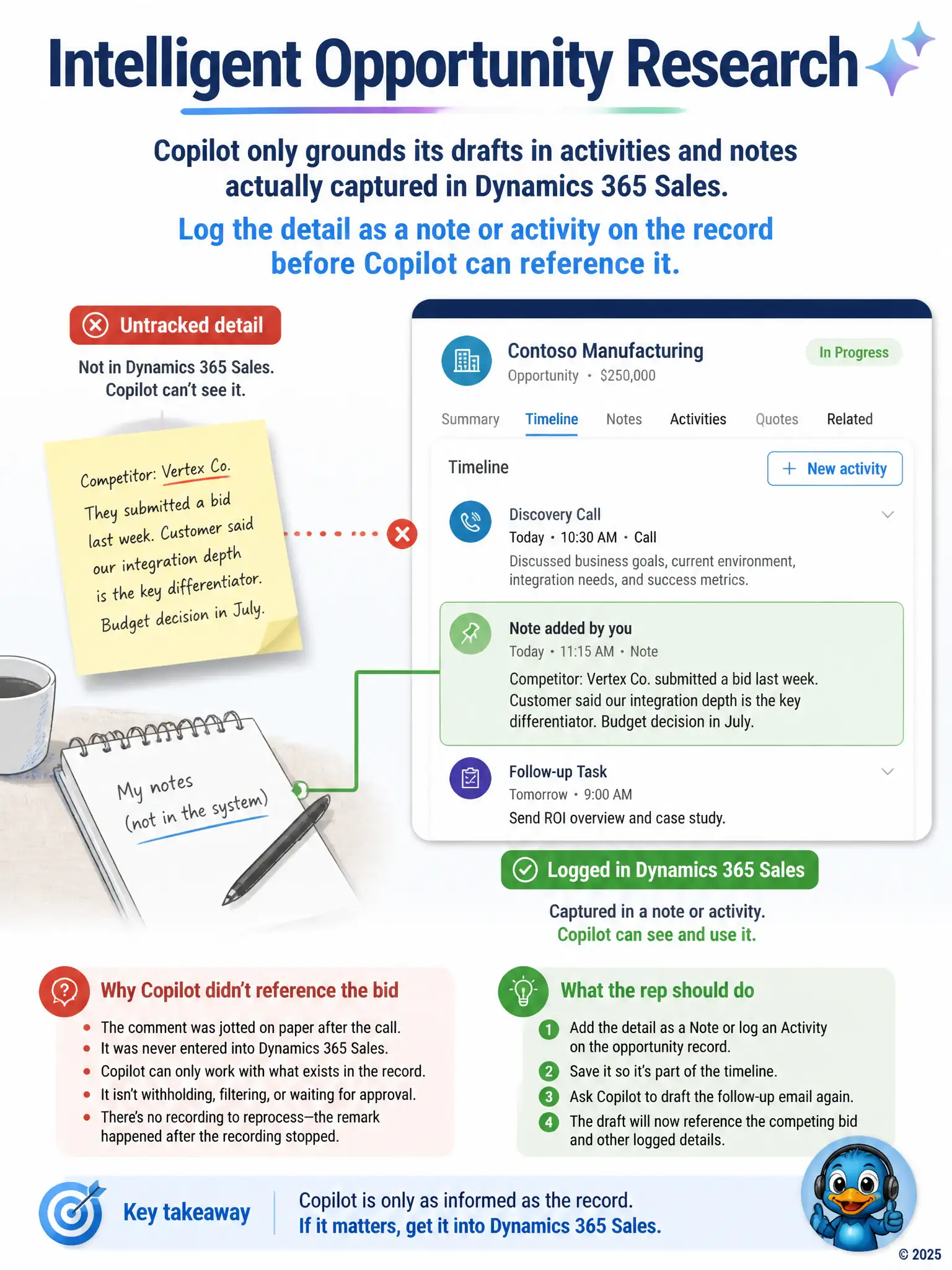
A rep just finished a discovery call with a prospective client and, separately, jotted a personal note on paper about a competing bid the customer mentioned casually after the call ended, without ever entering it into Dynamics 365 Sales. When the rep asks Copilot to draft a follow-up email, the draft does not reference the competing bid at all. Why not, and what should the rep do?
Select an answer to reveal the explanation.
Short Explanation
Copilot can only use what's in the record, so paper notes after the call aren't visible. Log the competing bid as a note or activity, then ask it to draft again. If it matters, put it in Dynamics 365 Sales.
Full Explanation
The correct explanation is that Copilot grounds drafts in information captured on the Dynamics 365 Sales record, including tracked emails, logged calls, and notes. Because the competing bid existed only on paper after the call ended, it was never captured in the system, so Copilot had nothing to draw from. Logging that detail as a note or activity on the opportunity gives Copilot the grounding it needs to reference it. The manager-approval explanation is incorrect because there is no manager-approval step gating what Copilot can mention about competitors in outbound email drafts; the omission has nothing to do with an approval workflow. The compliance-filter explanation is incorrect because Copilot does not apply a blanket compliance filter suppressing competitor names from drafts, so there is no such setting to disable. The reprocess-recording explanation is incorrect because conversation intelligence analyzes recorded calls, and this detail was mentioned after the call ended and was never recorded or transcribed at all, so reprocessing the recording would not surface a comment that recording never captured.