
A consultant enables Copilot for Sales for a pilot group in the Power Platform admin center and confirms the Outlook add-in is generating email drafts for every pilot user. One pilot seller who conducts most meetings through Microsoft Teams reports never seeing Copilot's meeting recap or suggested follow-up items after Teams calls with customers. Other pilot sellers who use Teams do see these recaps. What should the consultant check first?
Select an answer to reveal the explanation.
Short Explanation
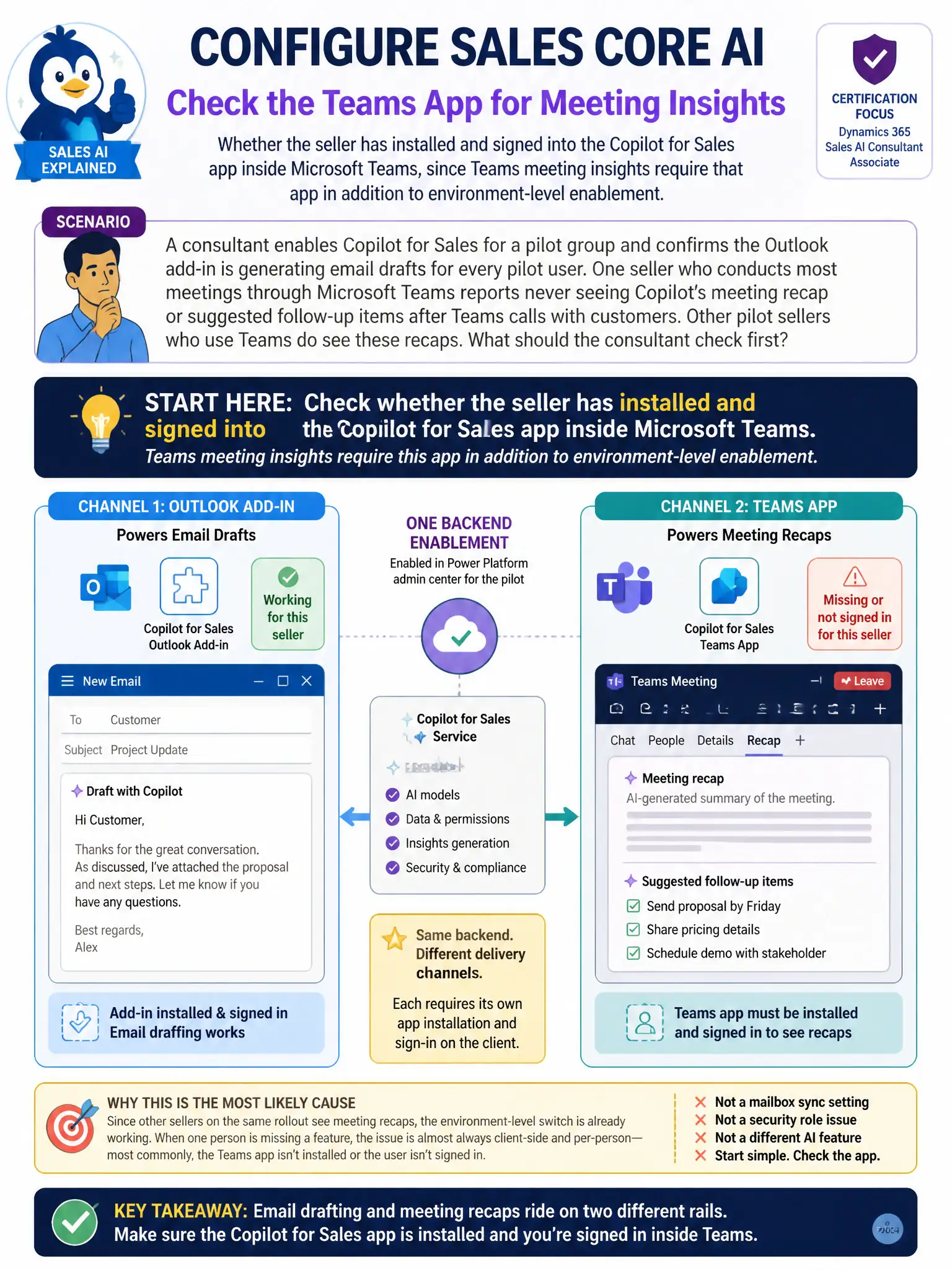
When one seller is missing Teams recaps while colleagues see them, start with the client-side gap: has that seller installed and signed into the Copilot for Sales app inside Teams? The Outlook add-in working for email drafts doesn't prove the Teams app is set up, since meeting insights ride on a separate rail.
Full Explanation
When one seller is missing a feature that everyone else on the same rollout has, the environment-level switch is almost never the problem because it's already proven to work for their colleagues. The correct choice is whether the seller has installed and signed into the Copilot for Sales app inside Microsoft Teams. Meeting-based Copilot for Sales insights, such as post-call recaps and suggested follow-ups from Teams meetings, require that separate client-side installation and sign-in inside Teams itself. Enabling Copilot at the environment level and having the Outlook add-in working covers email drafting but not the Teams meeting experience, so the consultant should have the seller install and sign in to the Teams app before looking anywhere else. The mailbox server-side synchronization choice is incorrect because Teams meeting recaps are not sourced from mailbox server-side synchronization; that setting governs email tracking and timeline sync, not meeting transcripts. The System Customizer security role choice is incorrect because System Customizer is an administrative role for schema changes and has no bearing on which end users can view AI-generated meeting recaps. The Conversation Intelligence choice is incorrect because it attributes the recap capability to Conversation Intelligence rather than Copilot for Sales; while both features can coexist, Teams meeting recaps in this scenario are a Copilot for Sales capability, and confusing the two would send the consultant checking the wrong license and settings entirely.