
A sales manager wants Conversation Intelligence to flag whenever a competitor's product name is mentioned during a sales call, in addition to the default keyword tracking Dynamics 365 Sales provides out of the box. Reps report that competitor mentions are never highlighted in call summaries, although general sentiment and talk-ratio metrics appear correctly. What should the consultant configure?
Select an answer to reveal the explanation.
Short Explanation
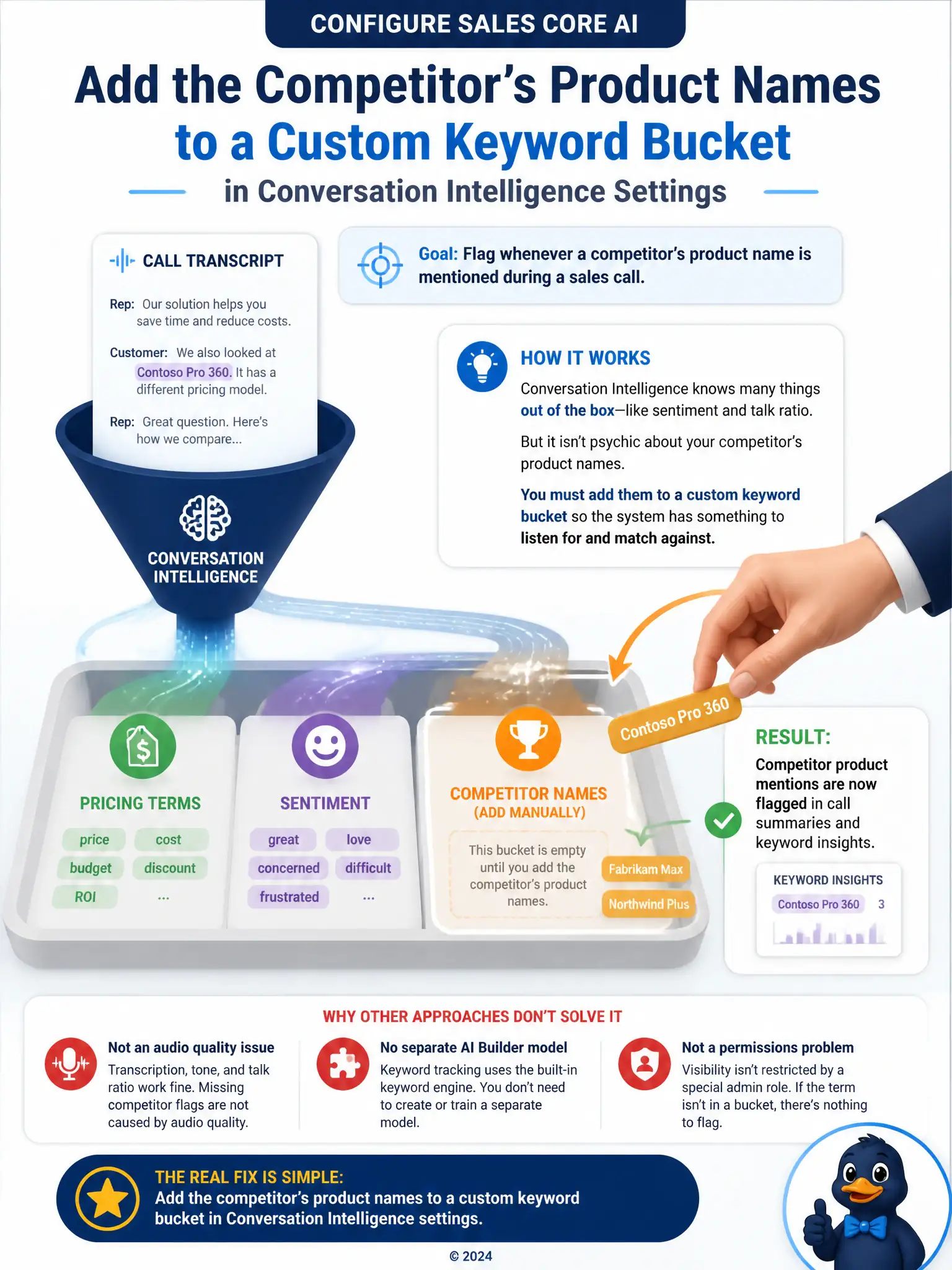
Call Intelligence ships with things it already knows to listen for, but it isn't psychic about a specific competitor's product name unless you tell it to listen for that term. Add the term to a custom keyword bucket in the settings; until then, the system has nothing to match against. Sentiment and talk-ratio metrics keep working because they don't depend on a keyword list.
Full Explanation
The correct configuration is to add the competitor's product names to a custom keyword bucket in Conversation Intelligence settings, since brand and competitor terms are not tracked until an administrator defines them. Conversation Intelligence tracks a default set of keyword categories out of the box, such as pricing or competitor mentions generally, but any organization-specific term, including a particular competitor's product name, has to be added by an administrator to a custom keyword bucket before the system will recognize and flag it in call summaries. Because sentiment and talk-ratio metrics rely on built-in models rather than configured keyword lists, they continue to work correctly even though the new competitor term was never registered. The higher-audio-quality transcription approach is incorrect because keyword detection operates on the transcription text after it is produced; raising audio quality can improve transcription accuracy generally, but it is not the configuration step required to track a brand-new term, and nothing in the scenario points to a transcription quality problem. The 'Competitor Analysis' AI Builder model prerequisite is incorrect because there is no such model required for keyword-based flagging; keyword tracking is a native Conversation Intelligence configuration, not an AI Builder dependency. The Conversation Intelligence Administrator security role approach is incorrect because keyword flags are visible to appropriately licensed sales team members and managers generally, not restricted to a separate Conversation Intelligence Administrator role, which is not a standard security role in the product.