
A consultant sets up Dynamics 365 Sales Copilot and Conversation Intelligence for a sales team. After go-live, sellers report that Copilot never generates meeting-prep summaries or call insights for emails and appointments sent from Outlook, even though the same sellers' Teams calls are transcribed correctly. What configuration is most likely missing?
Select an answer to reveal the explanation.
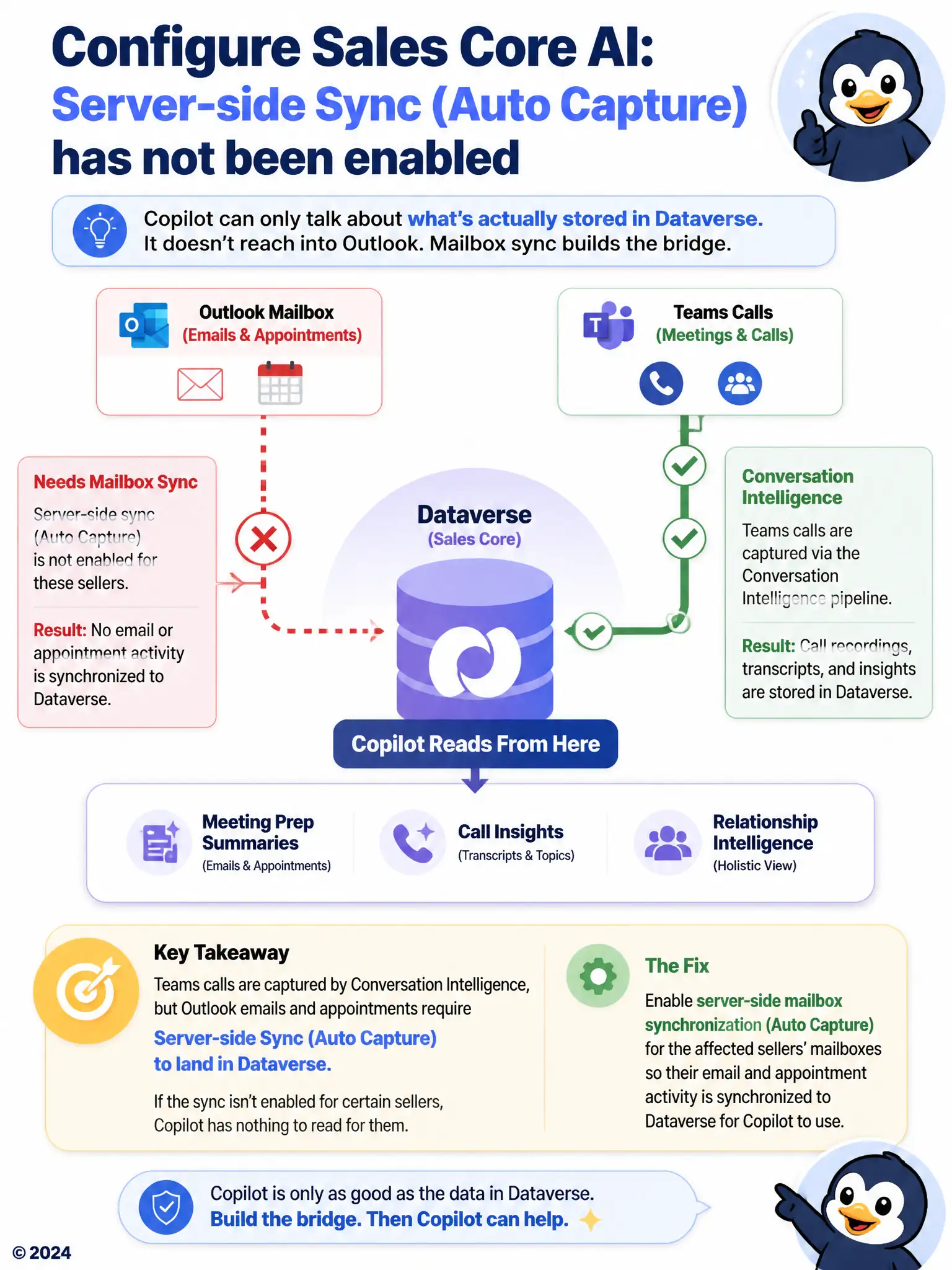
Short Explanation
Copilot can only talk about what's actually stored in Dataverse; it doesn't reach into someone's Outlook inbox directly. Teams calls get into the system through Conversation Intelligence's own recording pipeline, so those show up fine. Outlook emails and appointments need mailbox sync or auto capture turned on so the activity lands in Dataverse; without that bridge, Copilot has nothing to read, no matter how well calls work.
Full Explanation
Copilot generates meeting-prep summaries and email-based insights from activities that live in Dataverse, and Outlook items only reach Dataverse once server-side sync or auto capture is turned on for a mailbox. Teams calls are captured through Conversation Intelligence's own recording pipeline, so those work even while Outlook items for the same sellers are never synchronized, which explains why one channel functions and the other does not. The security-role explanation is incorrect because the Conversation Intelligence security role governs access to call recordings and transcripts, not whether Outlook email and appointments are synchronized into Dataverse. The tenant-scoping explanation is incorrect because Copilot for Sales tenant enablement is not scoped separately by channel; enabling it does not require a distinct Outlook extension step once the underlying data is available. The storage-quota explanation is incorrect because Copilot reads activity records already stored in Dataverse rather than indexing content directly inside a seller's mailbox, so mailbox storage quotas do not affect its ability to summarize. The fix is to enable server-side sync or auto capture for the affected mailboxes so their Outlook activity flows into Dataverse.