
A consultant enables email engagement tracking, part of Sales Insights, so reps can see open and click notifications on emails sent from Dynamics 365 Sales. Testing shows the feature works correctly for reps whose mailboxes are configured through server-side synchronization with Exchange Online, but produces no notifications at all for a subset of reps whose mailboxes are configured through a POP3 connection. What should the consultant tell the client?
Select an answer to reveal the explanation.
Short Explanation
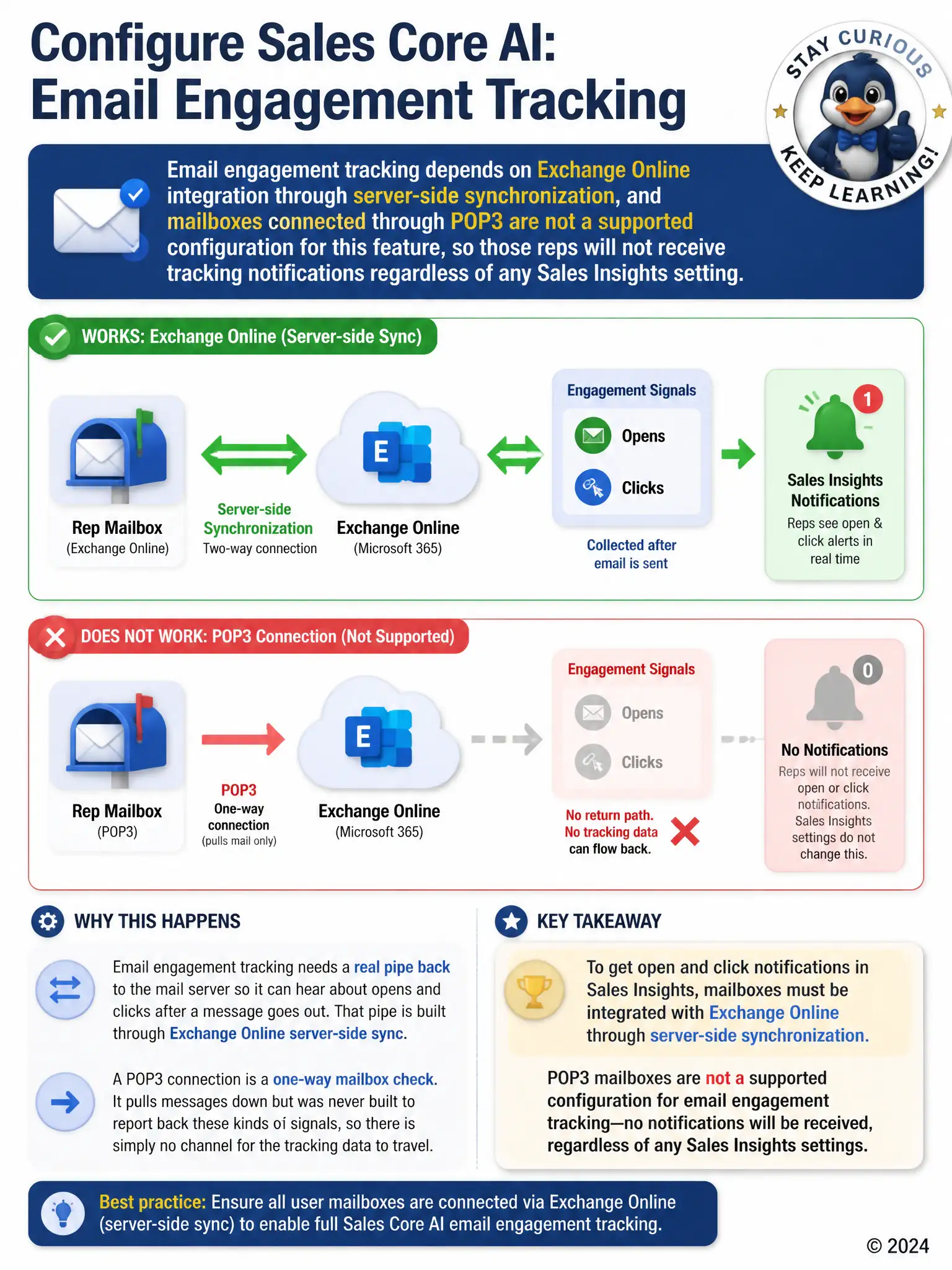
Email engagement tracking needs a real pipe back to the mail server, and that pipe is Exchange Online sync. A POP3 connection just pulls messages down and can't report opens and clicks, so those reps won't see notifications no matter how Sales Insights is set. The other explanations borrow real settings from elsewhere, but they don't affect the mail-server integration that decides whether tracking data can flow.
Full Explanation
The correct answer is the statement that email engagement tracking depends on Exchange Online integration through server-side synchronization, and mailboxes connected through POP3 are not a supported configuration for this feature, so those reps will not receive tracking notifications regardless of any Sales Insights setting. Email engagement tracking is built on top of Exchange Online integration, using server-side synchronization to detect and report open and click events back into Dynamics 365 Sales; a POP3 connection does not provide that integration path, so tracking data has nowhere to flow from for those mailboxes no matter how the Sales Insights feature itself is configured. This explains the exact pattern in the scenario, where reps on server-side sync see the feature work while POP3 reps see nothing. The claim that the affected reps need to enable Copilot inside their Outlook add-in before engagement tracking notifications can appear is incorrect because Copilot in the Outlook add-in is a separate generative-assistance capability and has no dependency relationship with engagement tracking, which is a Sales Insights notification feature. The claim that the affected reps are in a different business unit than the administrator who configured Sales Insights is incorrect because business unit membership governs record-level security and visibility, not whether an individual mailbox's technical connection method supports engagement tracking. The claim that the affected reps have exceeded their mailbox storage quota is incorrect because mailbox storage quota affects a user's ability to send and receive mail, not whether Dynamics 365 Sales can register open and click events on already-sent messages, and a full mailbox would generate visible delivery errors rather than silently disabling one feature.