
A consultant configured the Sales Qualification Agent to tag leads as 'high risk' in a custom Dataverse column when certain signals appear. The sales operations team wants every high-risk tag to automatically create a task assigned to the regional sales manager within five minutes, without requiring reps to check the column manually. Which extension delivers this?
Select an answer to reveal the explanation.
Short Explanation
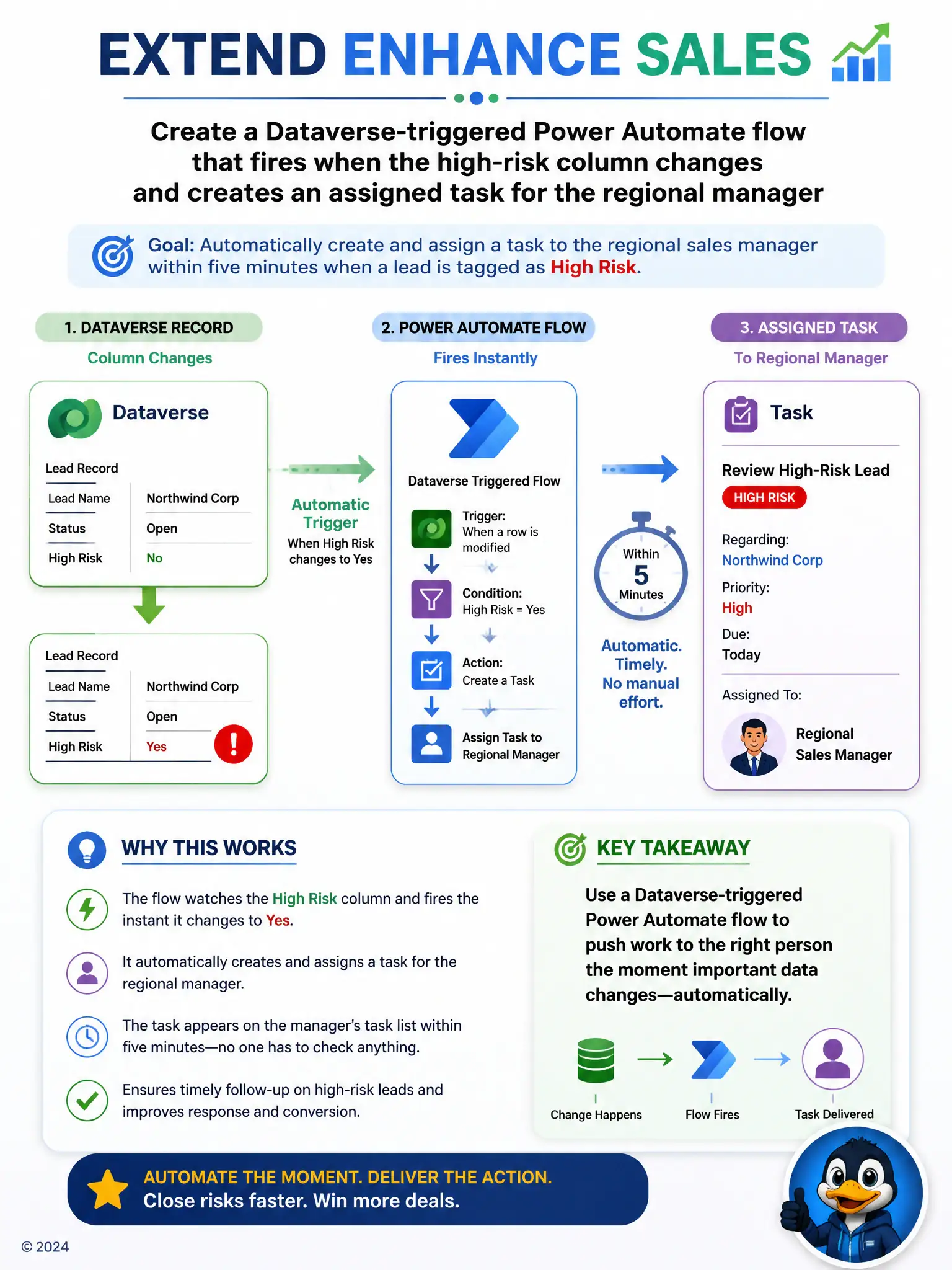
If you need the manager to get the task within five minutes, don't make them hunt for it. Use the Dataverse-triggered Power Automate flow that fires when the high-risk column changes and assigns the task for you.
Full Explanation
The right choice is the Dataverse-triggered Power Automate flow that fires when the high-risk column changes and creates an assigned task for the regional manager. It can create and assign a task to the regional manager within minutes, fully automated and independent of anyone remembering to look for it, which matches the five-minute, no-manual-checking requirement exactly. The filtered view is incorrect because it is a passive tool that only surfaces information when a manager chooses to open it, such as once each morning, which does not meet the near-real-time, automatic notification requirement. The business-rule warning banner is incorrect because it only appears to whoever has the lead form open at that moment, typically the rep, and does nothing to actively notify or assign work to the regional manager who may never open that specific record. The agent-instruction change that says 'notify the manager' in response text is incorrect because agent response text is shown to the rep during their interaction with the agent and is not a mechanism for delivering a task or notification to a different person, the regional manager, who is not part of that conversation. Only a triggered, record-driven automation reaches the right person automatically and within the required time.