
A team lead finds a promising local MCP server in a public package registry and wants to vet it before anyone installs it. Which pre-install check best addresses typosquatting and a malicious future release?
Select an answer to reveal the explanation.
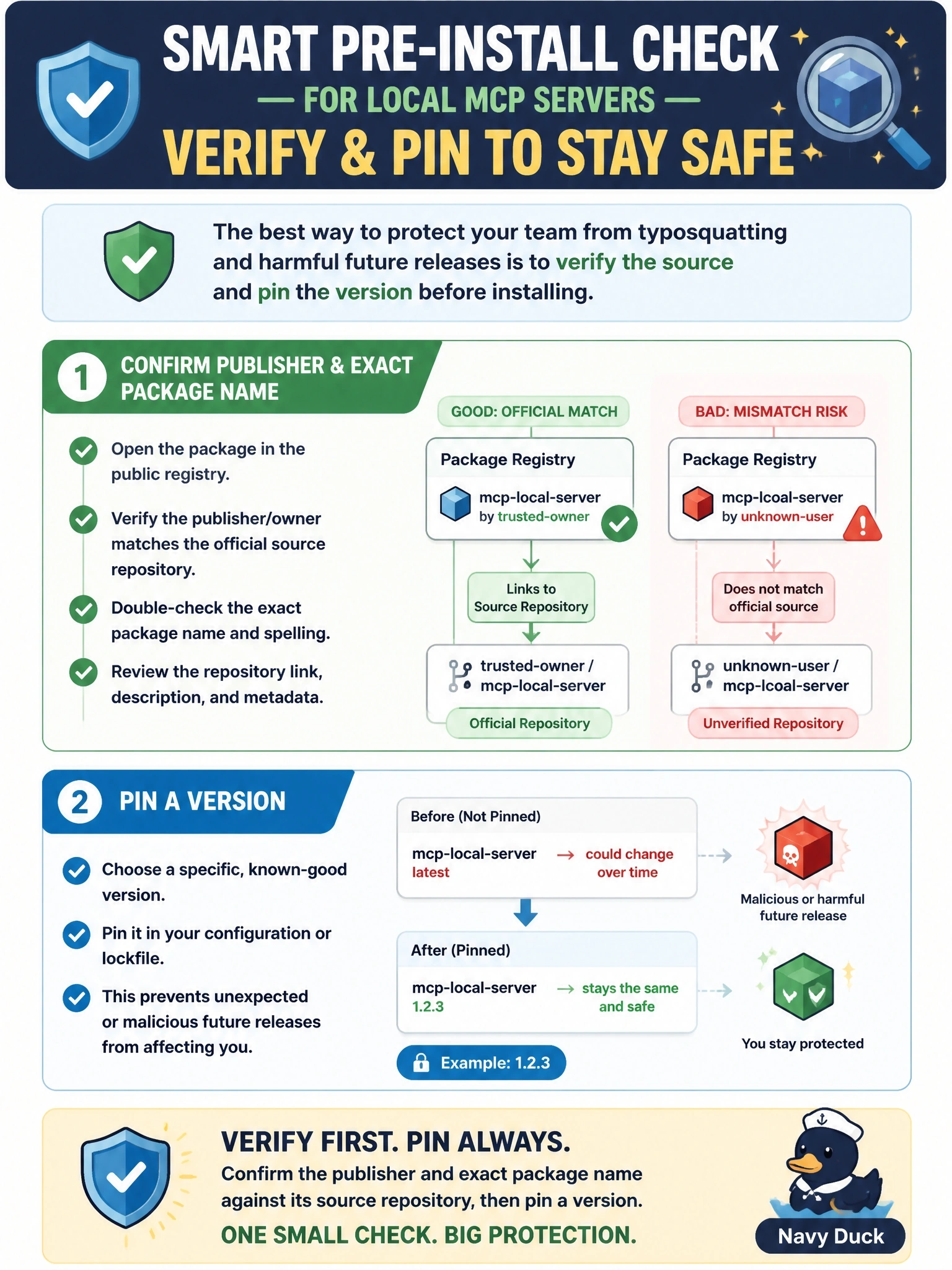
Short Explanation
Lookalike packages are the cheapest con in the book, so you check the name letter by letter and tie it to a real repository and publisher. Then you pin the version, so tomorrow's poisoned release can't stroll onto your machine. Popularity and 'latest' feel safe, and that's the trap.
Full Explanation
The local server security guidance asks users to check provenance before installing: identify the publisher, tie the package to a source repository and real maintainer, verify the exact package name to defeat typosquatting, and pin a specific version so a compromised future release does not arrive through an auto-update. It adds that pinning a launcher package fixes only the top-level package, while pinning a container image by digest freezes the whole dependency tree. Choosing by download count fails because the guidance states that a registry listing is not an endorsement and popularity guarantees neither safety nor currency. Installing the latest tag is exactly the auto-update path the pin is meant to close, and it hands control of your machine to whoever controls the next release. Long tool descriptions say nothing about who published a package, and descriptions are themselves untrusted input that the model reads, which is the tool-poisoning surface. Exam caveat: a pin must be paired with a deliberate update habit, because a pinned vulnerable version stays vulnerable until you move it. Operational check: record the publisher, repository URL, exact package name and pinned version or image digest for each approved server, and compare installs against that record.