
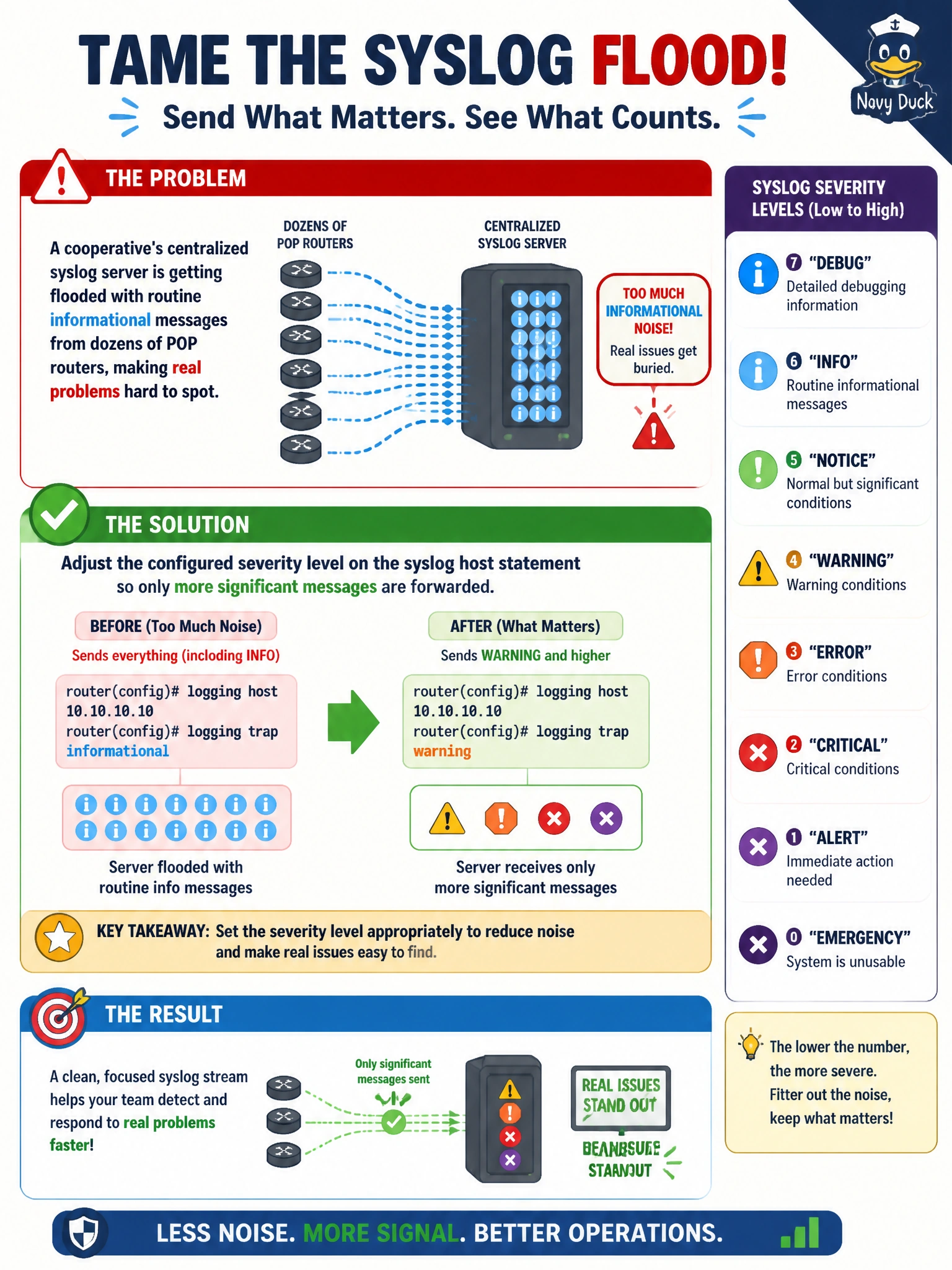
A cooperative's centralized syslog server is getting flooded with routine informational messages from dozens of POP routers, making real problems hard to spot. How should the syslog configuration on each router be adjusted?
Select an answer to reveal the explanation.
Short Explanation
The fix isn't to stop logging — it's to stop forwarding everything. Junos lets you set a severity threshold on the syslog host statement, so only warnings and worse make the trip to the NOC instead of every routine info message.
Full Explanation
The syslog host statement pairs a facility with a severity level, and that severity level acts as a threshold — only messages at or above the configured severity get forwarded to that destination. If routine informational messages are flooding a central server, the fix is raising that threshold, for example from info to warning or notice, on the affected routers, which cuts the noise while still forwarding messages significant enough to warrant attention. Removing the syslog host statement entirely eliminates the flooding but also eliminates centralized visibility altogether, discarding real problem indicators along with the noise — an overcorrection that undoes the entire purpose of centralizing logs at the NOC. NTP polling interval and timestamp precision have nothing to do with message volume; adjusting NTP doesn't reduce or filter what gets logged, it only affects clock accuracy. There is also no login-class concept tied to a 'syslog account' in Junos — syslog forwarding isn't tied to a user account or login class at all; it's a system-level logging function configured independently of user authentication and authorization. A reasonable operational follow-up after adjusting severity is to confirm, over a day or two, that the volume dropped to a manageable level without losing any messages the co-op actually needs to see.