
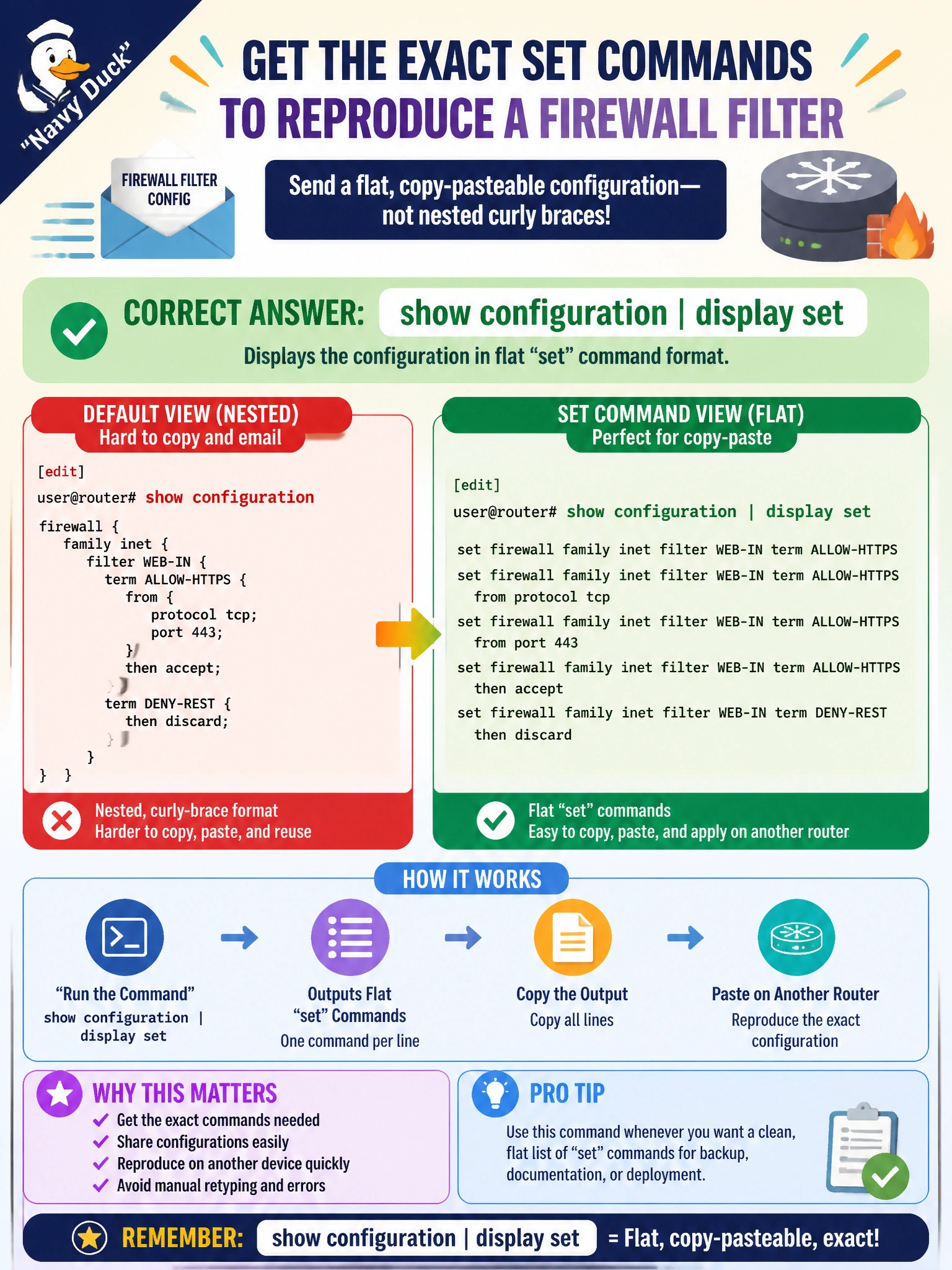
An engineer wants to email a colleague the exact set commands needed to reproduce a firewall filter configuration on another router, rather than the router's default nested, curly-brace formatted view. Which command produces that flat, copy-pasteable set-command output?
Select an answer to reveal the explanation.
Short Explanation
The default view nests everything in curly braces, great for reading structure but useless to paste back in. display set flattens that same configuration into a list of individual set lines ready to copy into another router.
Full Explanation
show configuration | display set reformats the hierarchical, brace-nested output into a flat list of set statements, each one a complete, standalone command that reproduces one piece of the configuration — exactly what's needed to hand a colleague a reusable copy-paste block for another router. Plain show configuration returns the default hierarchical view, which is readable and compact but not directly reusable as a series of individual commands elsewhere. show | compare produces a plus-and-minus diff against the active configuration or a specified rollback, which answers what has changed, a different question entirely from what the equivalent set commands are for a stable, already-working stanza. show configuration | display xml renders the configuration as structured XML, valuable for scripting and automation tooling that parses configuration data, but not human-pasteable set syntax. Caveat: display set output can get long for a large stanza, so scoping the command to the specific hierarchy level, such as the firewall filter's own edit level, keeps the output focused and relevant. Check: paste a sample of the set output into a test candidate configuration and confirm it loads without errors before relying on it elsewhere.