
A host in the organization's private cloud cluster needs a firmware update that requires a reboot. Tenant workloads on that host have availability commitments. What should the operations team do?
Select an answer to reveal the explanation.
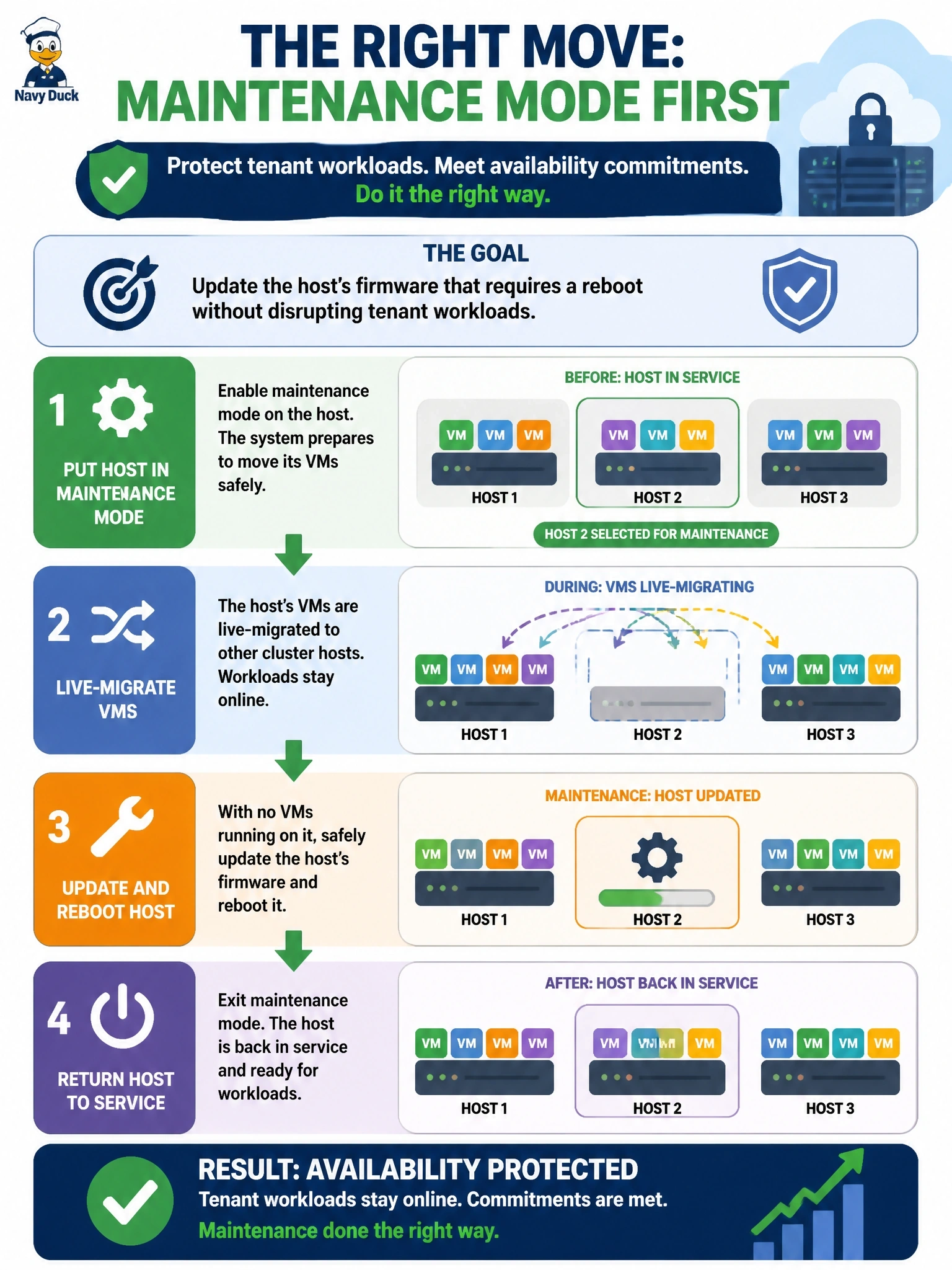
Short Explanation
Maintenance mode is like moving the passengers to another carriage before you work on the train car. Live migration shifts the running VMs across with no downtime, and then you're free to patch and reboot. The trap is thinking you have to choose between security fixes and availability.
Full Explanation
Clustered virtualization platforms provide maintenance mode for planned host work. When a host enters maintenance mode, the cluster stops placing new workloads on it and live-migrates its running virtual machines to other hosts, transferring memory and execution state while the VMs keep running. Once the host is empty it can be updated and rebooted safely, then returned to the pool, and workloads rebalance. This lets operators apply firmware and hypervisor fixes without breaching tenant availability commitments, provided the cluster has enough spare capacity. Snapshotting VMs and rebooting the host during business hours causes an outage for every tenant on it, and a snapshot is not a high-availability mechanism; restoring after failure adds further downtime. Postponing a security-relevant firmware update indefinitely accepts a growing vulnerability on infrastructure that underpins every tenant, and maintenance mode exists precisely so this trade-off is unnecessary. Powering off tenant VMs without prior notice breaks availability commitments and change communication obligations, even if the update itself succeeds. Exam caveat: live migration traffic contains VM memory and should travel on a separate, protected network. Operational check: before maintenance, confirm the cluster has headroom to absorb the host's workloads, verify that all VMs migrated successfully and the host shows no running workloads, and record the work under the approved change.