
An IRM deployment allows offline access to protected files. A departing employee's certificate is revoked, yet a protected file cached on the employee's laptop still opens while the laptop stays disconnected from the network. Why does this happen, and how should the design be adjusted?
Select an answer to reveal the explanation.
Short Explanation
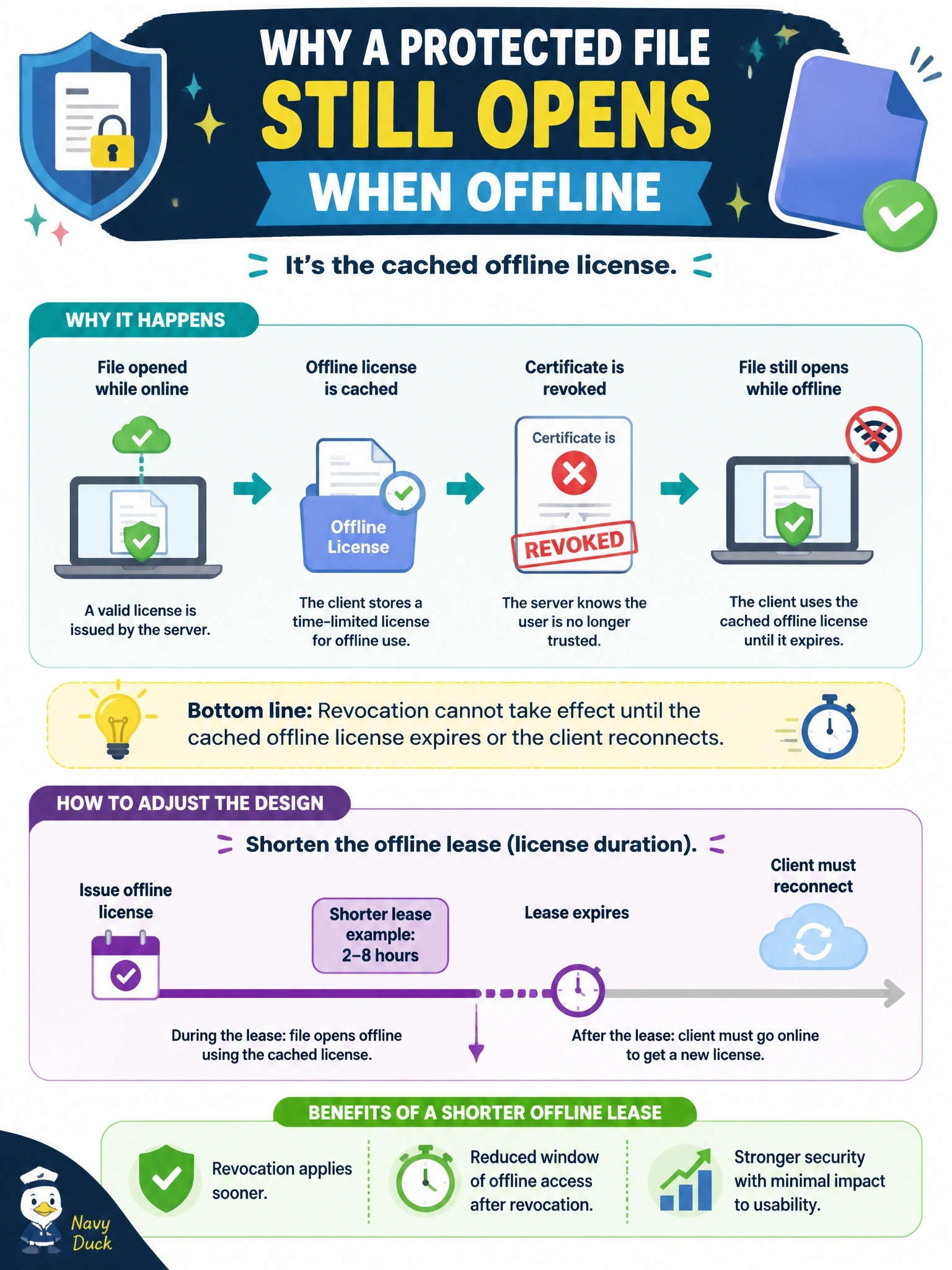
Offline access works like a hotel key card that's valid until checkout: unplug from the front desk and the card still opens the door until it expires. That's why your revoked user can still open the file. The fix is a shorter lease, so revocation catches up faster.
Full Explanation
To support offline work, IRM clients obtain and cache a usage license with a validity period, often called an offline lease. While the device is disconnected, the client cannot check revocation status with the policy service, so it honors the cached license until that period ends. Revoking the user's certificate takes effect the next time the client must contact the service, either when it reconnects or when the cached license expires. The design trade-off is between usability and revocation latency; shortening the offline lease, or requiring online validation for the most sensitive content, limits how long a revoked user retains access. Nothing indicates the revocation failed or that the certificate authority is broken; the observed behavior is the expected result of cached licensing. Saying IRM never enforces revocation on cached files is incorrect, because enforcement resumes when the lease expires or the client reconnects, and disabling offline access for every user is broader than necessary. IRM protection relies on encryption and licensing, not on a hash, so a stronger digest is irrelevant. Exam caveat: certificate revocation in general depends on relying parties checking revocation status. Operational check: set lease periods by classification and test that access stops after expiry on a disconnected device.