
During a migration from an on-premises CRM to a SaaS application, field names change, for example a column named SSN becomes tax_id_ref. Classification and DLP rules that keyed on the old field names no longer apply. What should the team establish to keep protection consistent?
Select an answer to reveal the explanation.
Short Explanation
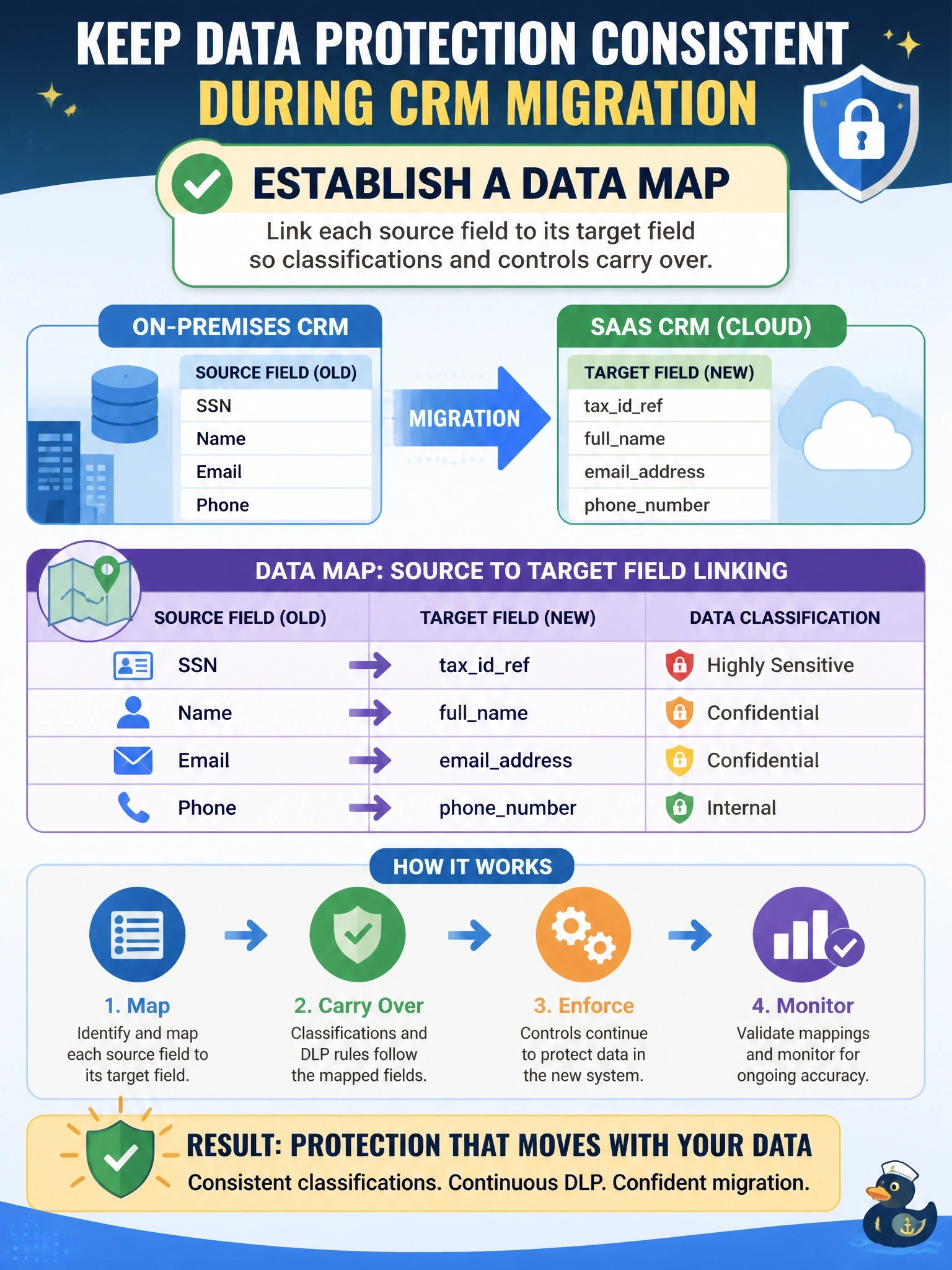
When everything gets renamed in the move, you need a translation guide, or your old rules are reading a map of a city that no longer exists. A data map tells you that tax_id_ref is the same sensitive thing SSN used to be. Starting from scratch or clinging to the old names are both traps.
Full Explanation
Data mapping documents how data elements in one system correspond to elements in another, including field names, formats, transformations and the classification attached to each element. During migrations and integrations, a data map lets the organization carry classifications, labels and controls from the source to the target consistently, so a field holding national identifiers keeps its protections even when renamed. It also supports privacy obligations by showing where personal data goes. Building a new classification scheme independently for the SaaS application fragments governance, producing inconsistent levels and definitions across systems and making it harder to apply uniform policy. A retention schedule addresses how long data is kept; deleting renamed fields after migration would destroy needed business data and does not preserve protection. A DLP rule keyed on the old names would not match the new field names in the SaaS application, which is precisely the gap the scenario describes. Exam caveat: data mapping is listed with classification policies and labeling because classification is only useful if it follows data across systems. Operational check: for each sensitive source field, confirm the mapped target field exists in the inventory with the same classification and that DLP and access rules reference the new names.